
Project controls · Track
The programme,kept honest.
Load your programme once. Verified progress from every site walk is laid over each activity, slips are flagged in the week they start, and each contractor update is checked against the baseline and what the site shows, before anyone accepts it.
Why it matters
The Gantt chart was right on the day it was printed.
Programmes are updated by hand, from reports and phone calls, and shared as attachments. By the time a slip shows on the chart it has usually been building on site for weeks, and nobody can say which update to believe.
Programme · how it works
The programme, kept honest.Every update checked against the site.
01 / 04
The programme as a Gantt
Your programme loaded as a Gantt chart: every activity with its dates, links, the critical path and the milestones.
Progress canvas · the recordings
Where it is. What is late.Checked against the programme, every week.
The whole project on one canvas: every area coloured by verified progress against the programme — on time, behind or not started.
The project canvas against the programme
Before and after on the canvas: what moved since last week's capture, highlighted, so nobody has to ask.
This week against last week
Click a unit or area that is behind: its activities, the dates the programme set, and what the last capture showed.
Opening a unit that is behind
Each wall, slab and room on the floor-plan canvas is an element. Click it for its progress, its photos and the activity it belongs to.
An element's progress on the floor plan
Turn on the risk layer to see where the delays, open snags and lines at risk sit on the plan.
The risk layer on the canvas
Move along the timeline on the 2D canvas and watch the progress build, week to week or month to month.
Tracking on the 2D canvas over time
Risks and outstanding actions
What could hold the project up,with an owner and a date.
Track · what you can do
What you can do.Programme, BIM, orders, documents and money.
Load the programme you have
MS Project, Primavera P6 (XER) or Excel, with its links, critical path and milestones.
See where you are today
The today line across the programme with verified progress on every bar.
Catch the slip early
Slipping activities and float used up, flagged in the week they start, with what they push.
Check every update
Contractor updates compared with the baseline and the 2D canvas before they are accepted.
Link it to the cause
The late order, drawing or approval behind each slipping activity, with who holds it.
Report it
Programme status for the meeting, the board or the bank, traced to the site.
The result
A programme you can trust on the day of the review, and slips you hear about while there is still float to use.
Questions
About Programme management.
Something else on your mind? Walk through it with us on your own project.
Microsoft Project, Primavera P6 (XER) and Excel. The links, critical path and milestones come with it.
Whoever does today, usually the contractor or the PM. SiteSeer checks each update against the baseline and the latest site walk and shows the differences before it is accepted.
No. Your planner keeps the programme. SiteSeer gives them, and you, verified progress and early warning.
Keep exploring
Every part connected.
Track
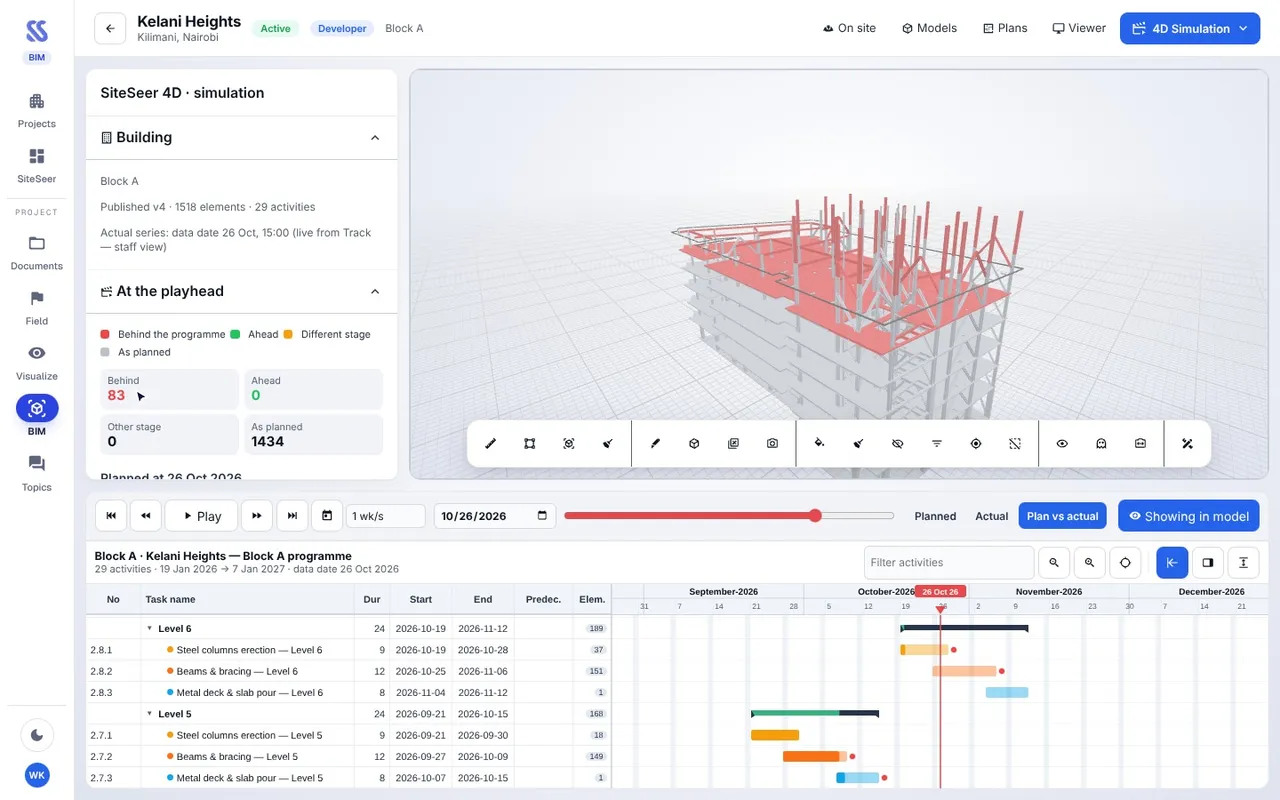
BIM: 4D, 5D and issues
IFC models in the browser, linked to the programme, the cost and the site walks. Issues go straight to the CDE.
Track
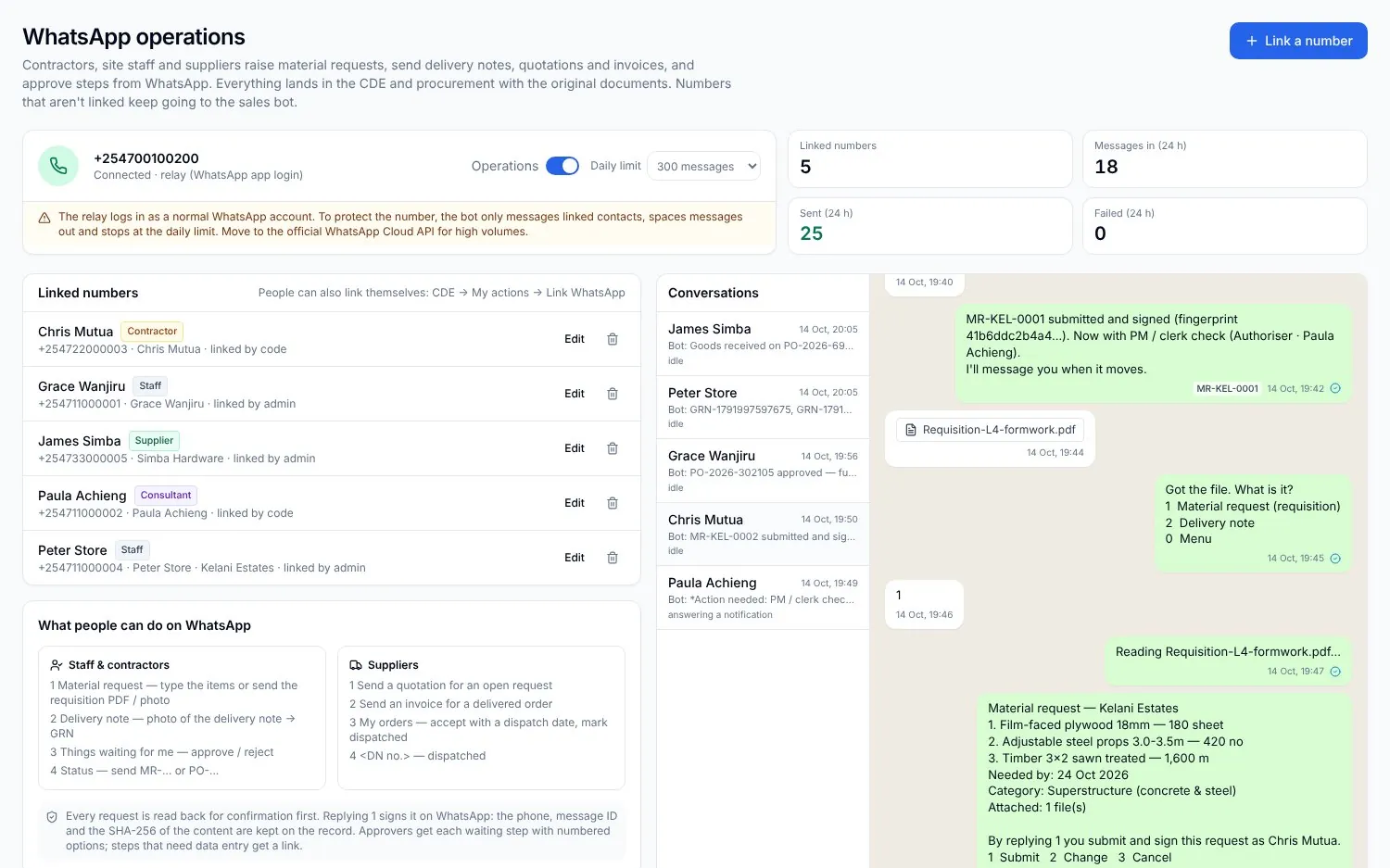
Procurement on WhatsApp
Requests, quotes, approvals and deliveries from the chat, matched to the BOQ and the budget.
Track
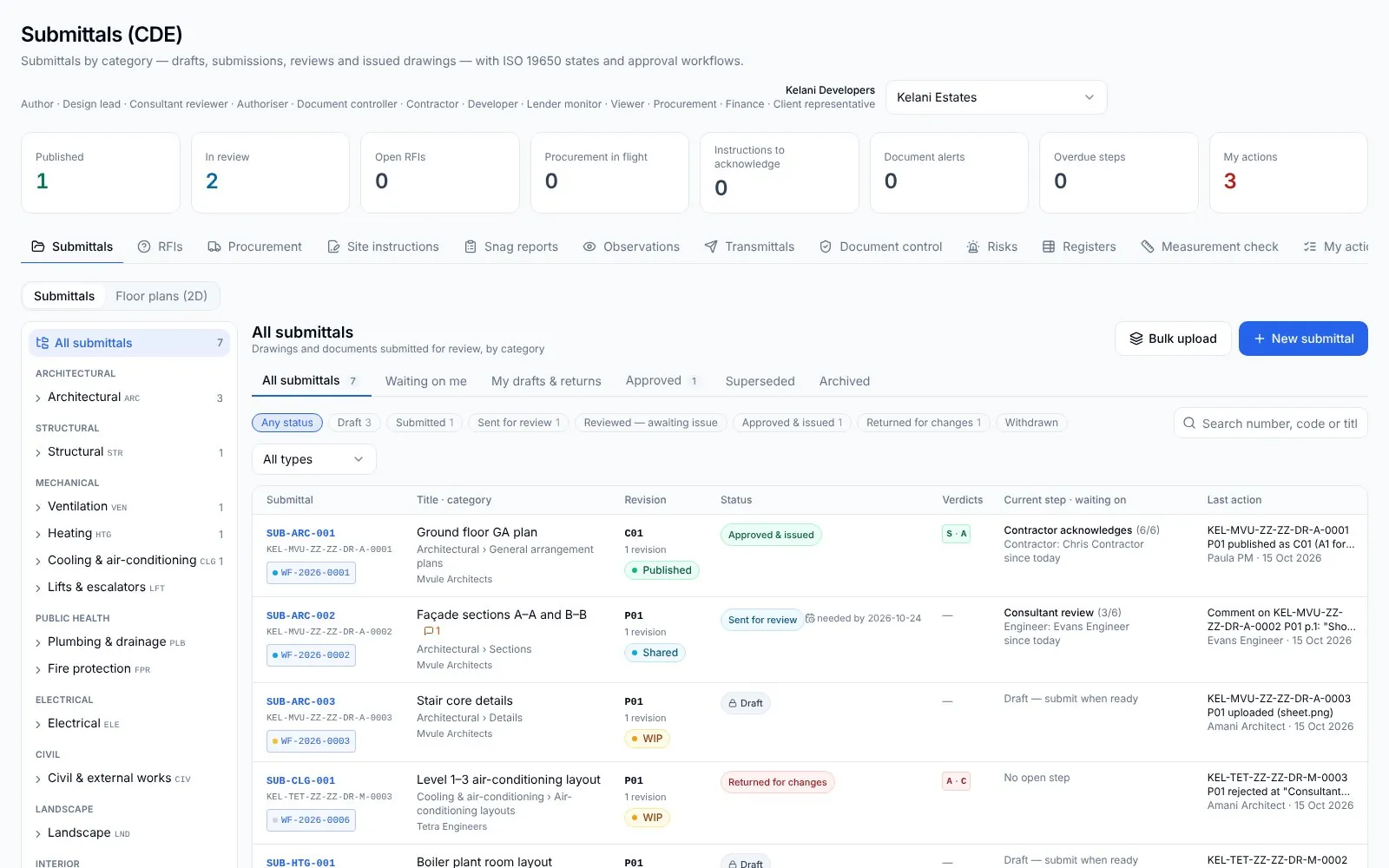
Documents, changes and approvals
Drawings, submittals, RFIs and variations in one register, each with its approval flow.