
For developers
Build withthe lights on.
Cost, progress, sales and every consultant on one verified record, so you see your project the way your lender, your buyers and your board will, before they ask.
The developer's view
You carry the land, the finance, the buyers and every risk in between: delays, payments, procurement, coordination and a site you cannot always see. SiteSeer closes those risks on one record, checked against the site, so at any moment, from anywhere, you know where the project stands.
The risks you carry
Not features.Risks, and how they close.
Delay, payment, procurement, coordination and not seeing your own site. Each one costs money every week it stays open. Pick one to see how SiteSeer closes it.
The risk
You are in Nairobi, London or Dubai. The site is not. You find out what happened from a monthly report, weeks after it happened.
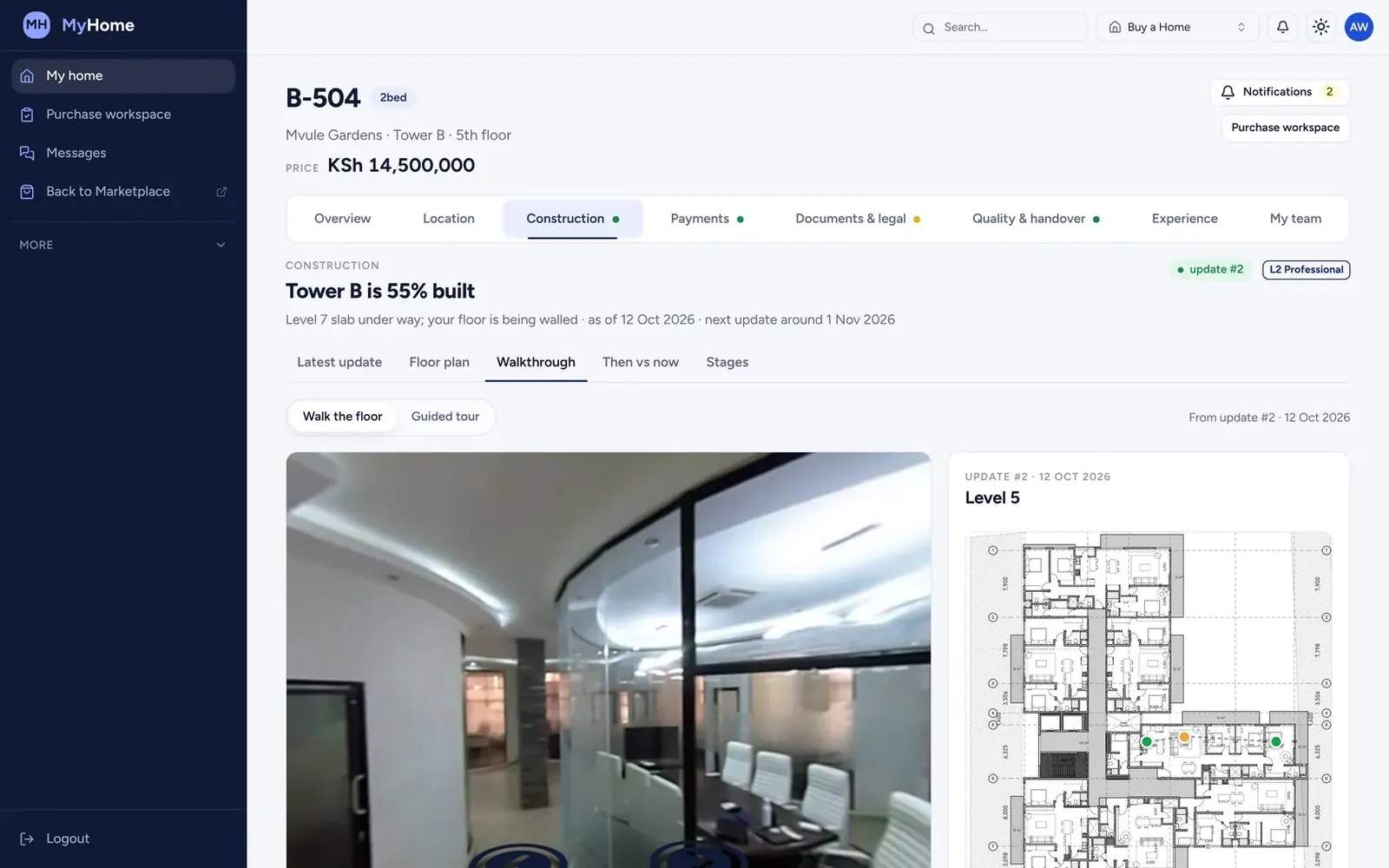
Figures are illustrative, for a KES 1.5B build on a 24-month programme.
Two products
Visualize shows you the site.Track runs everything else.
What is on site, from anywhere.
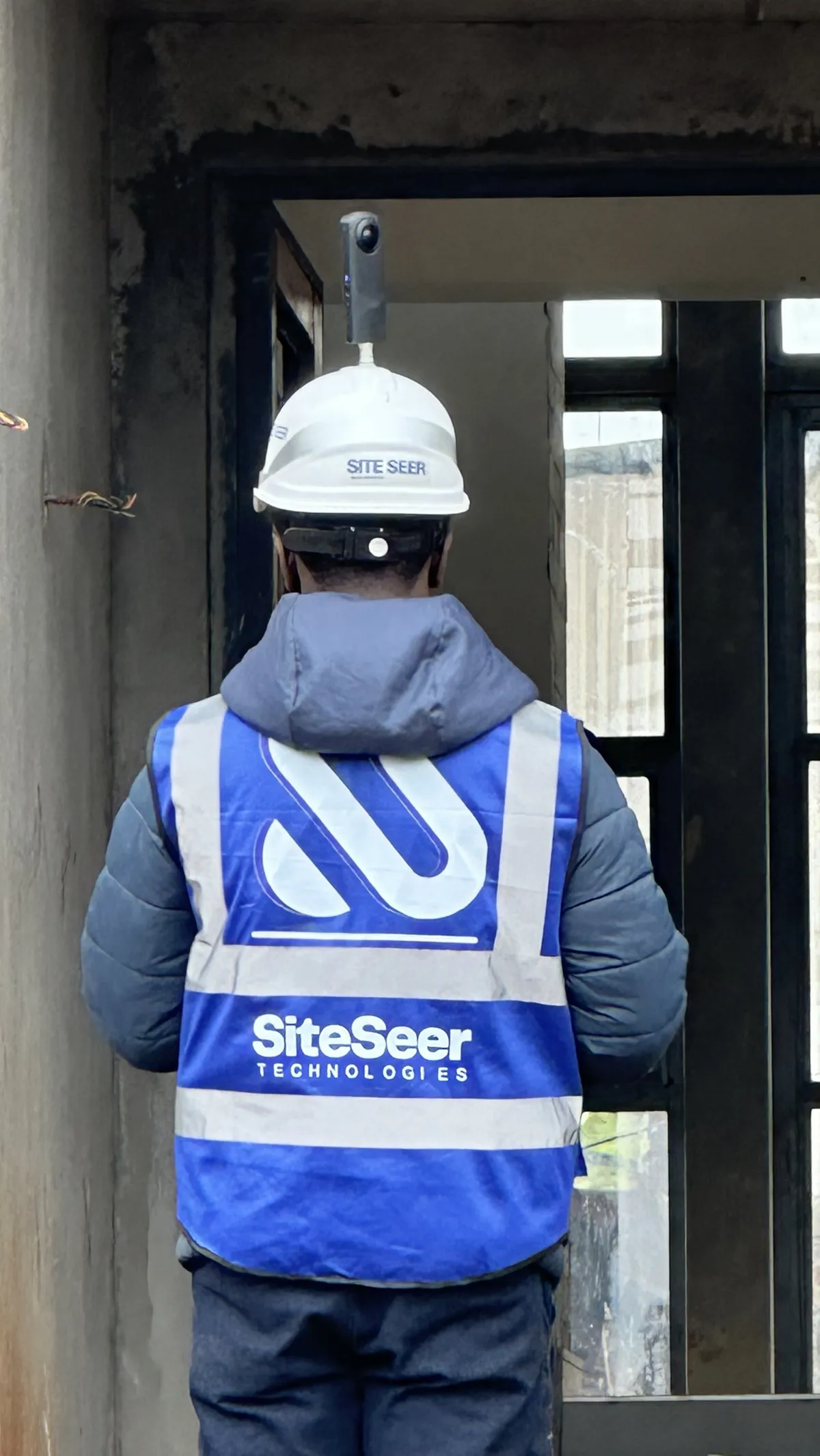
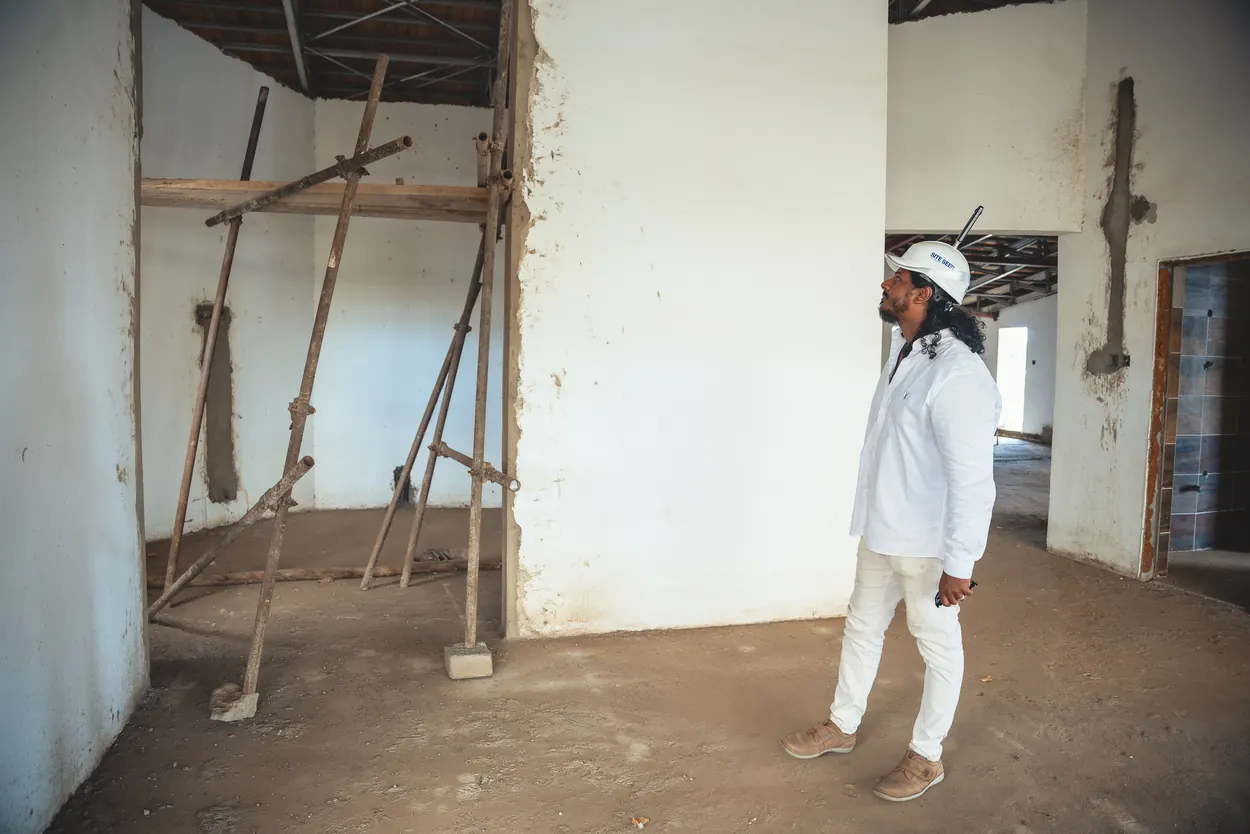
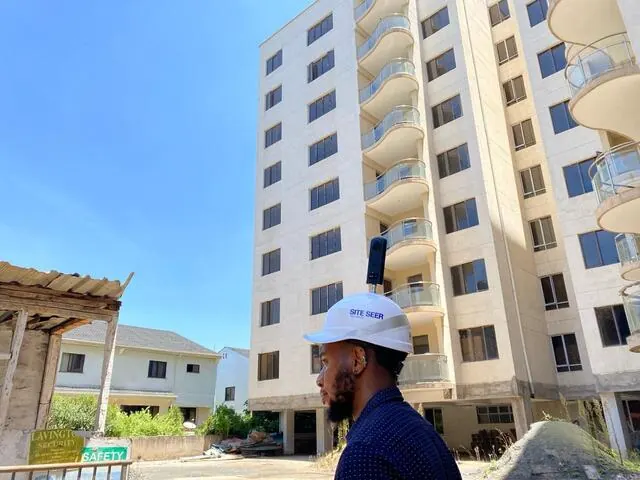
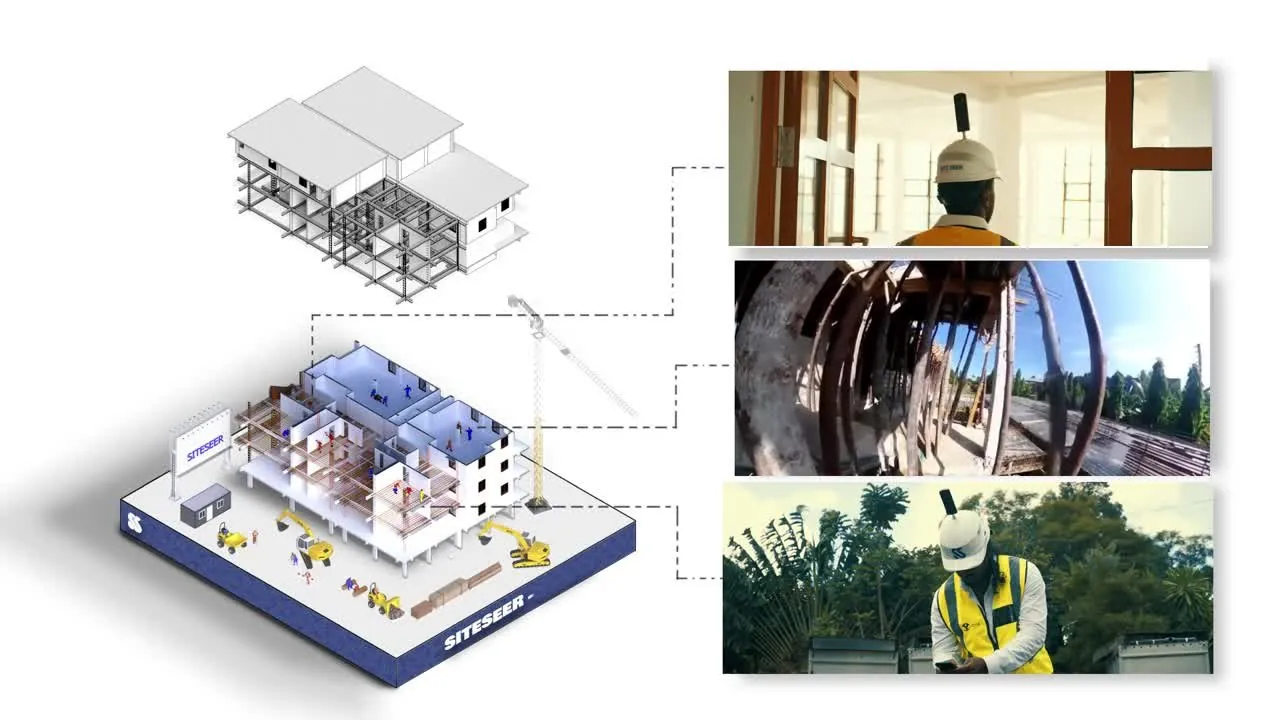
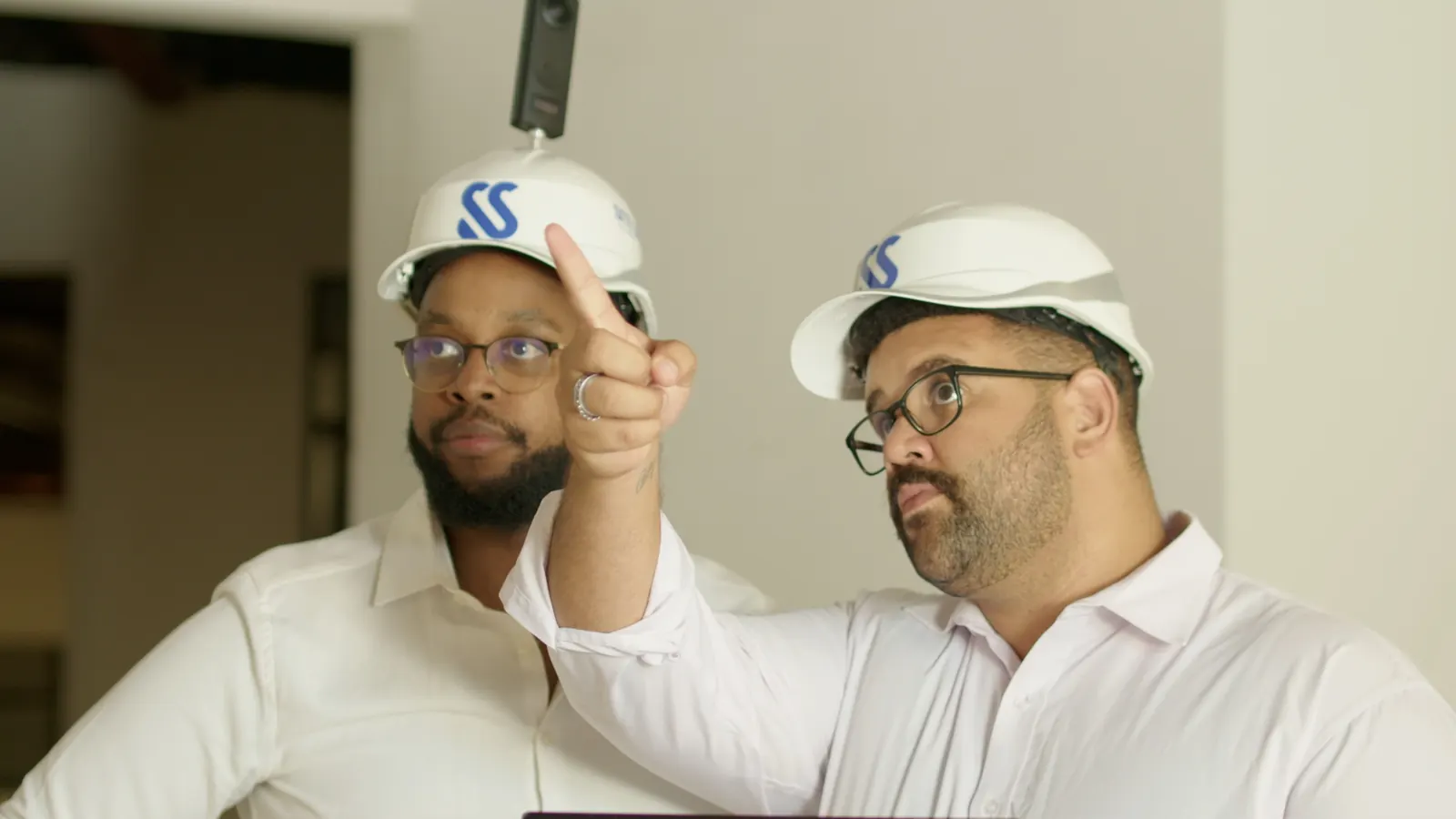
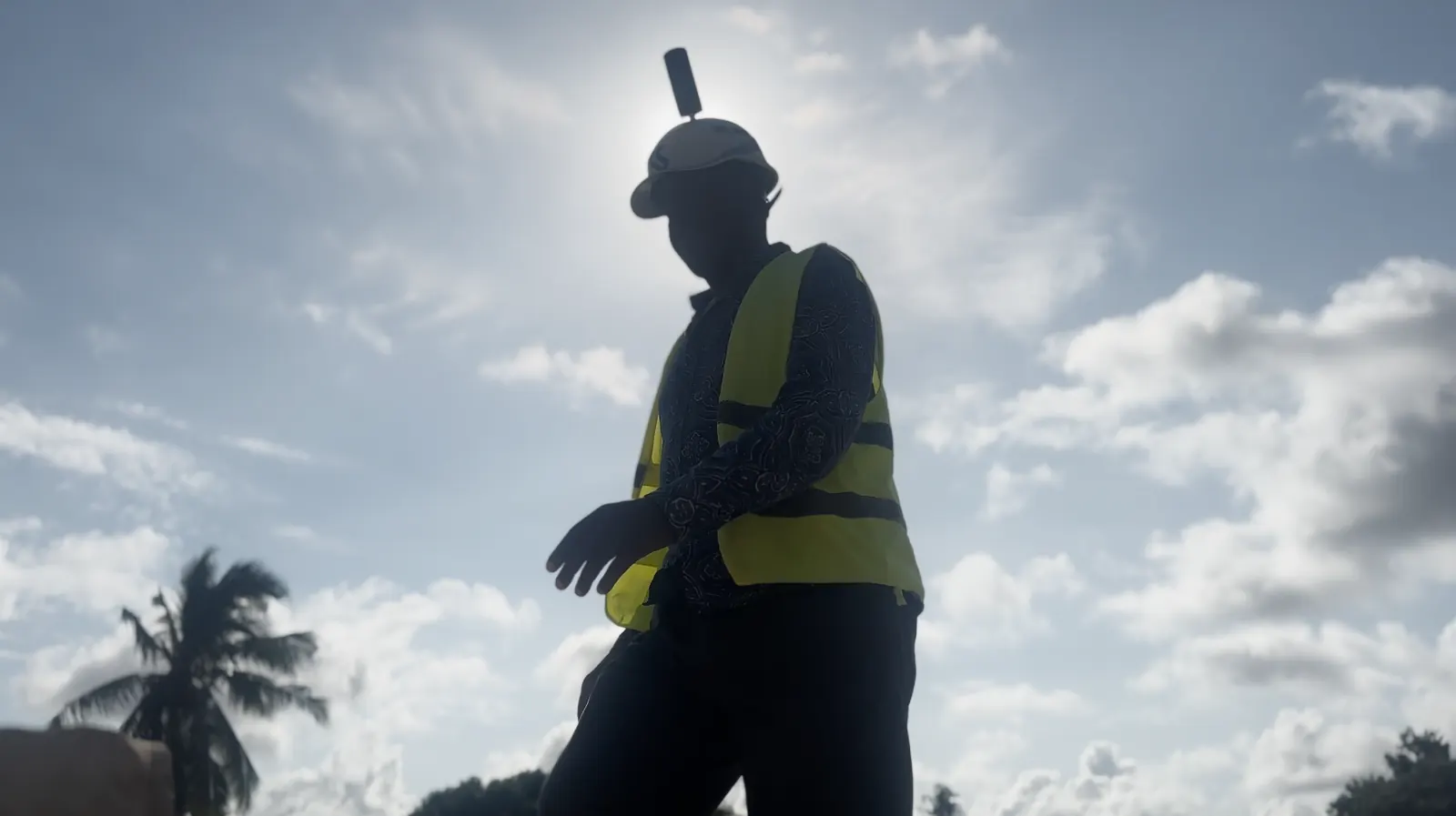
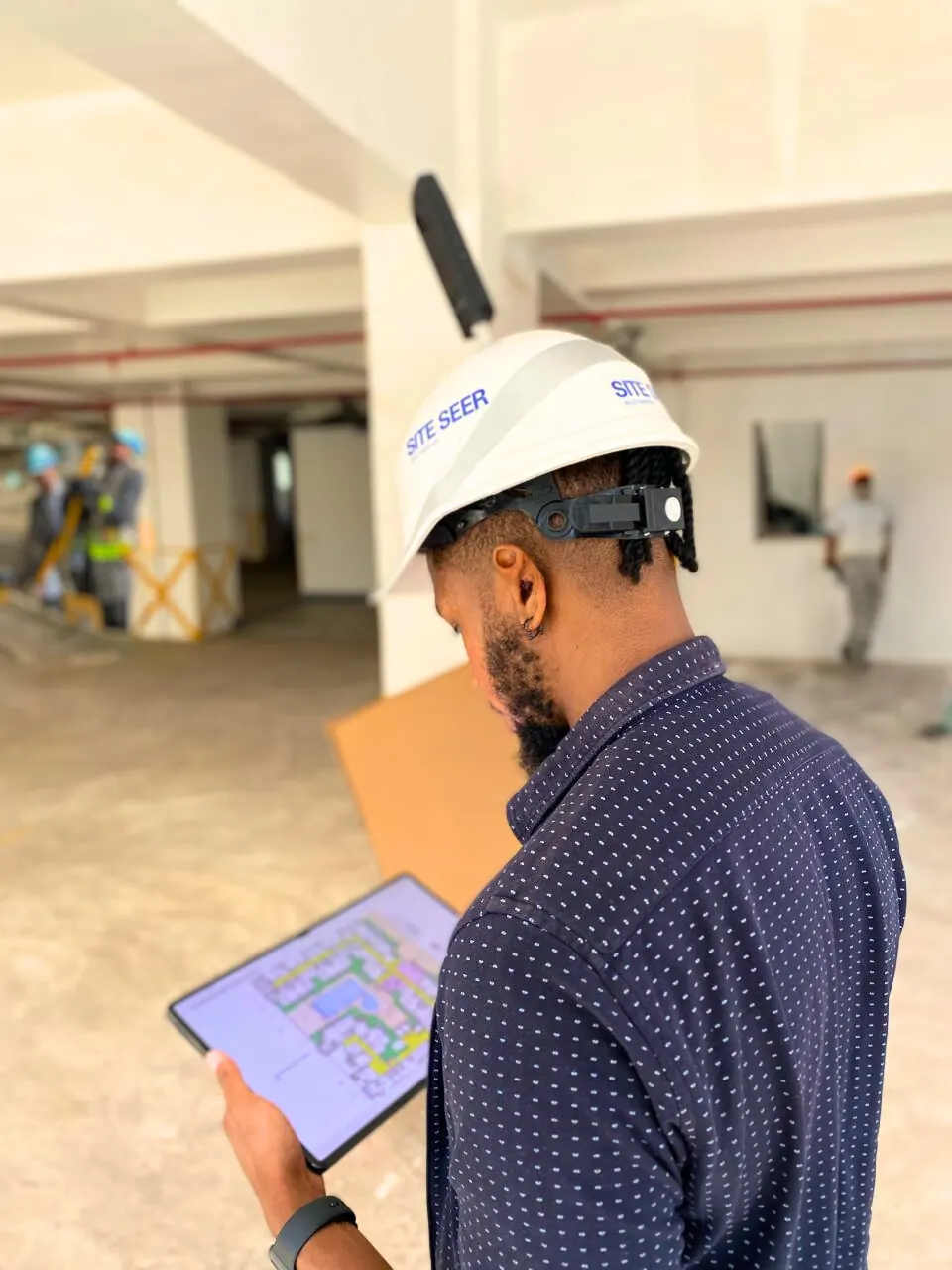
- We walk your site with 360° cameras
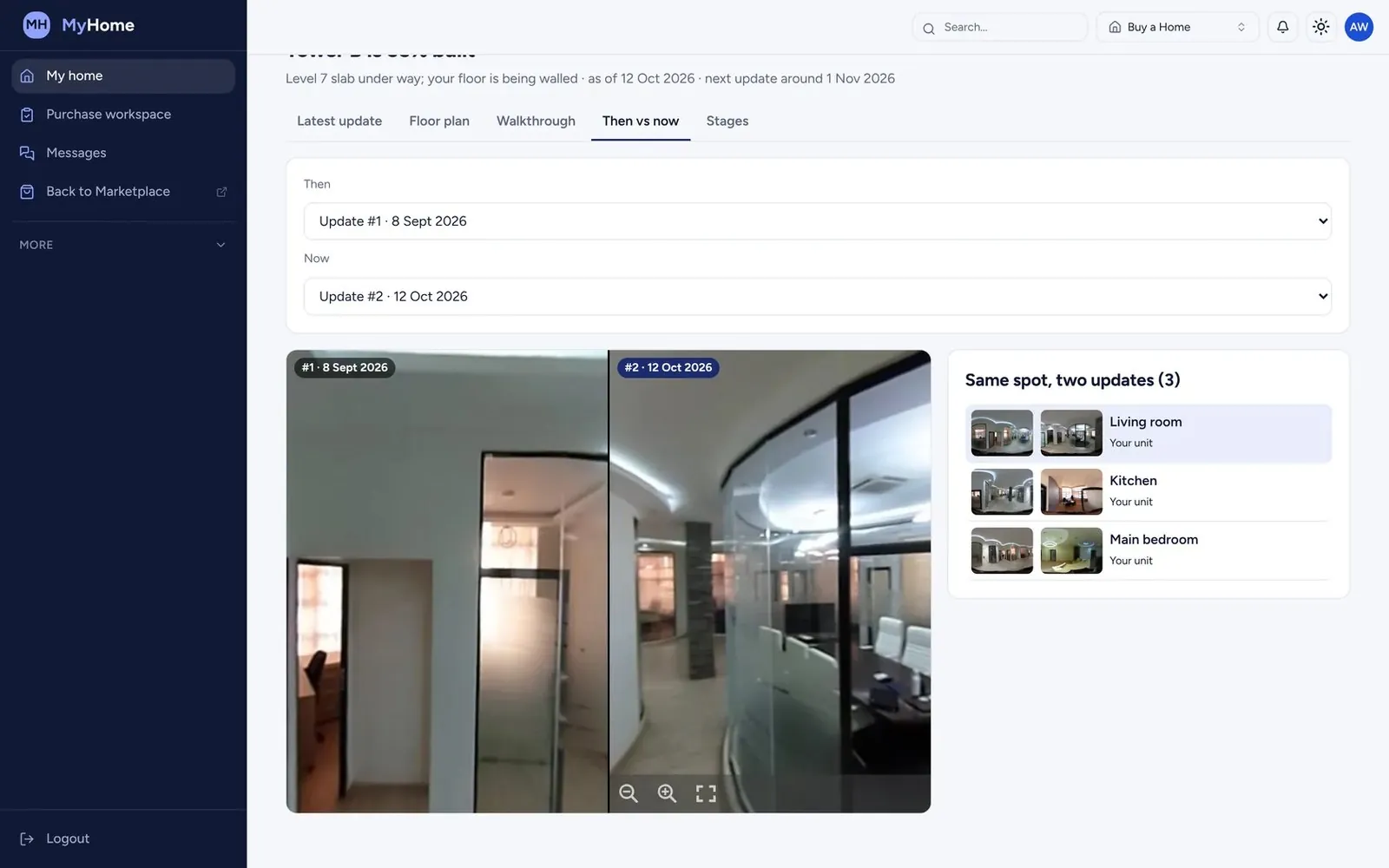
- Last week beside this week
- AI maps progress to your floor plan and schedule
- Twin view: see behind the wall
- The snag app, with an assistant on site
Everyone, every document, every shilling.
- Your BOQ, programme and contracts, indexed
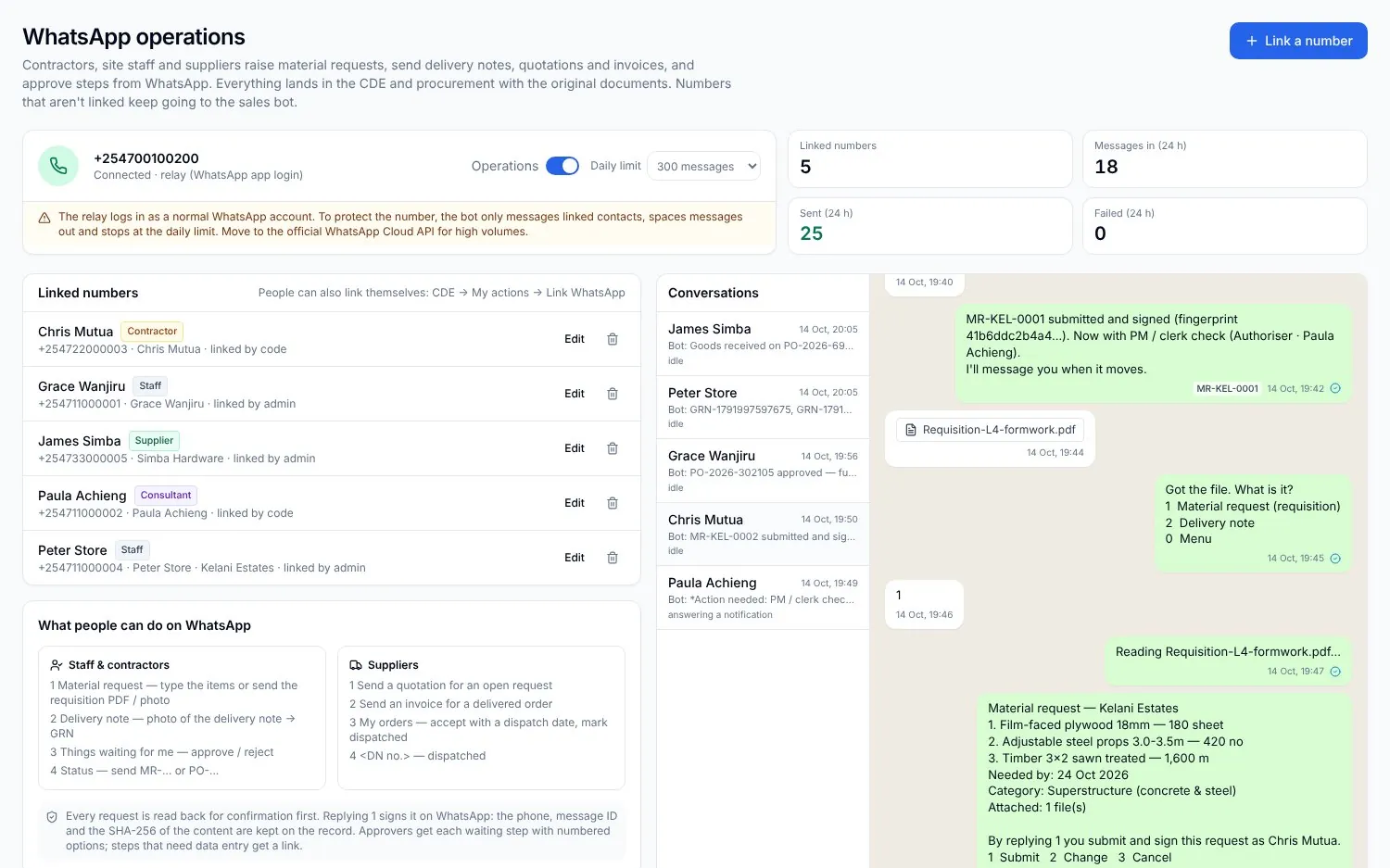
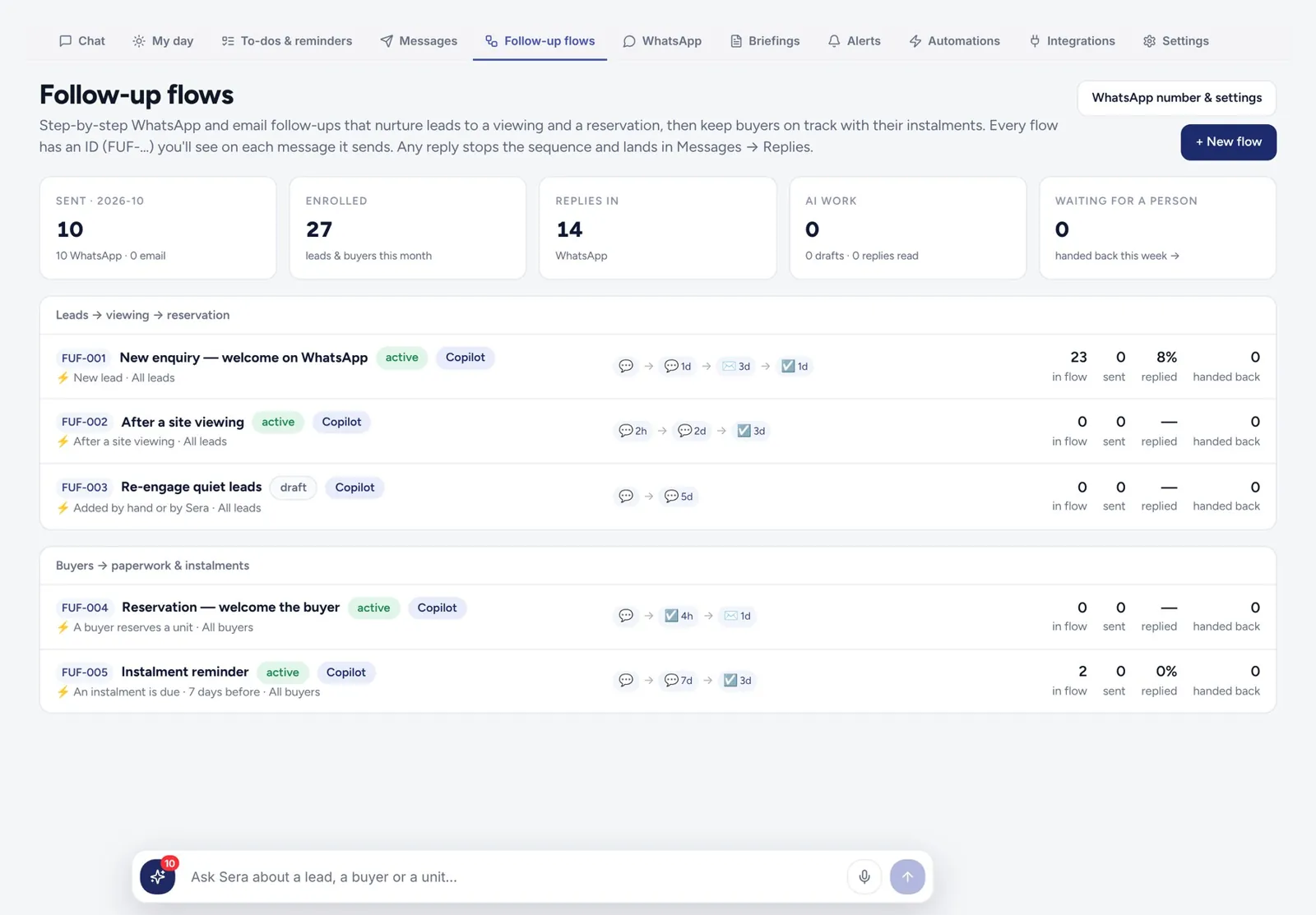
- Procurement on WhatsApp
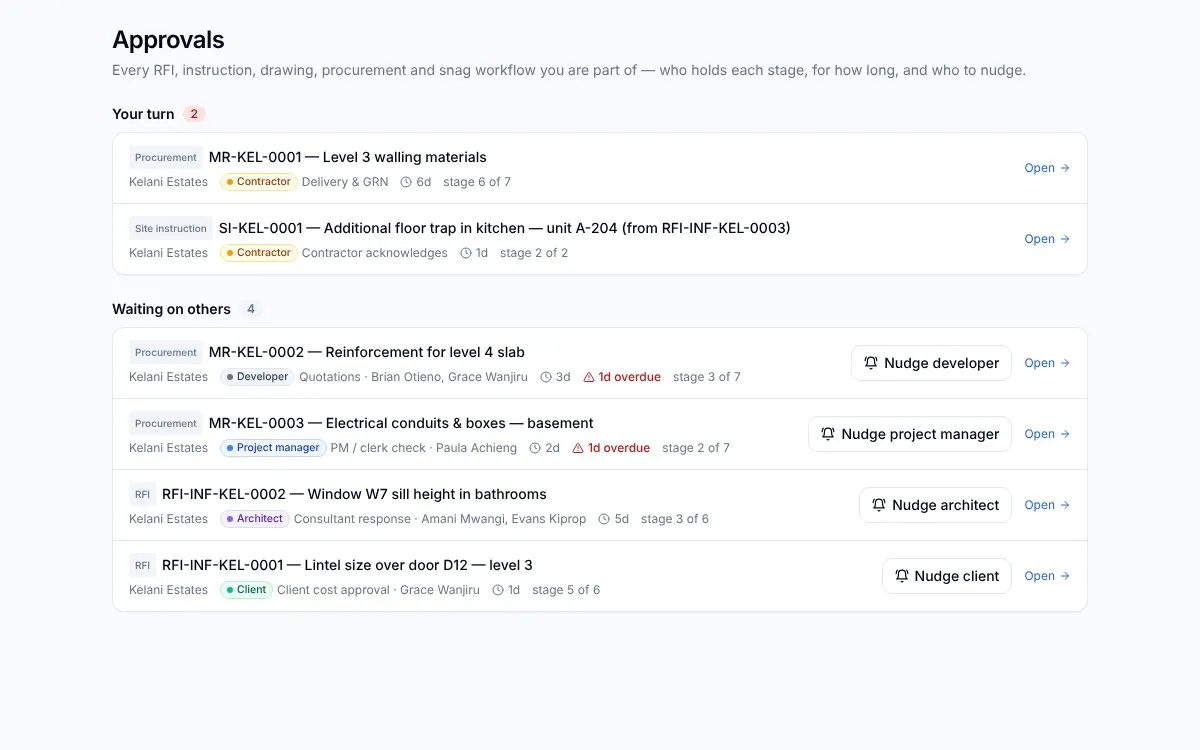
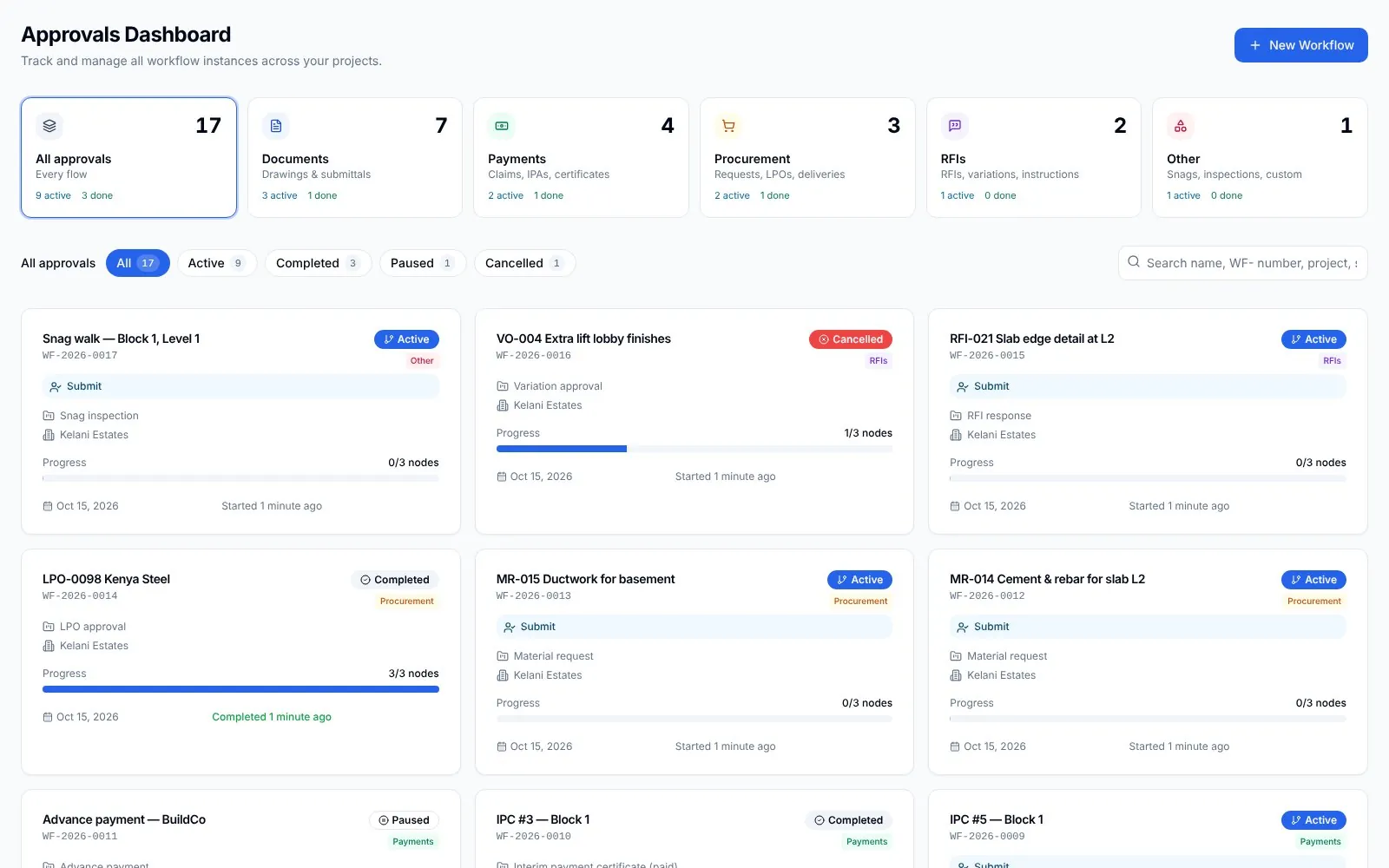
- Approval flows and the CDE
- IPAs checked, certified and paid
- Ask Sera, print the risk report
Features
Eight products.Each with its own page.
 01
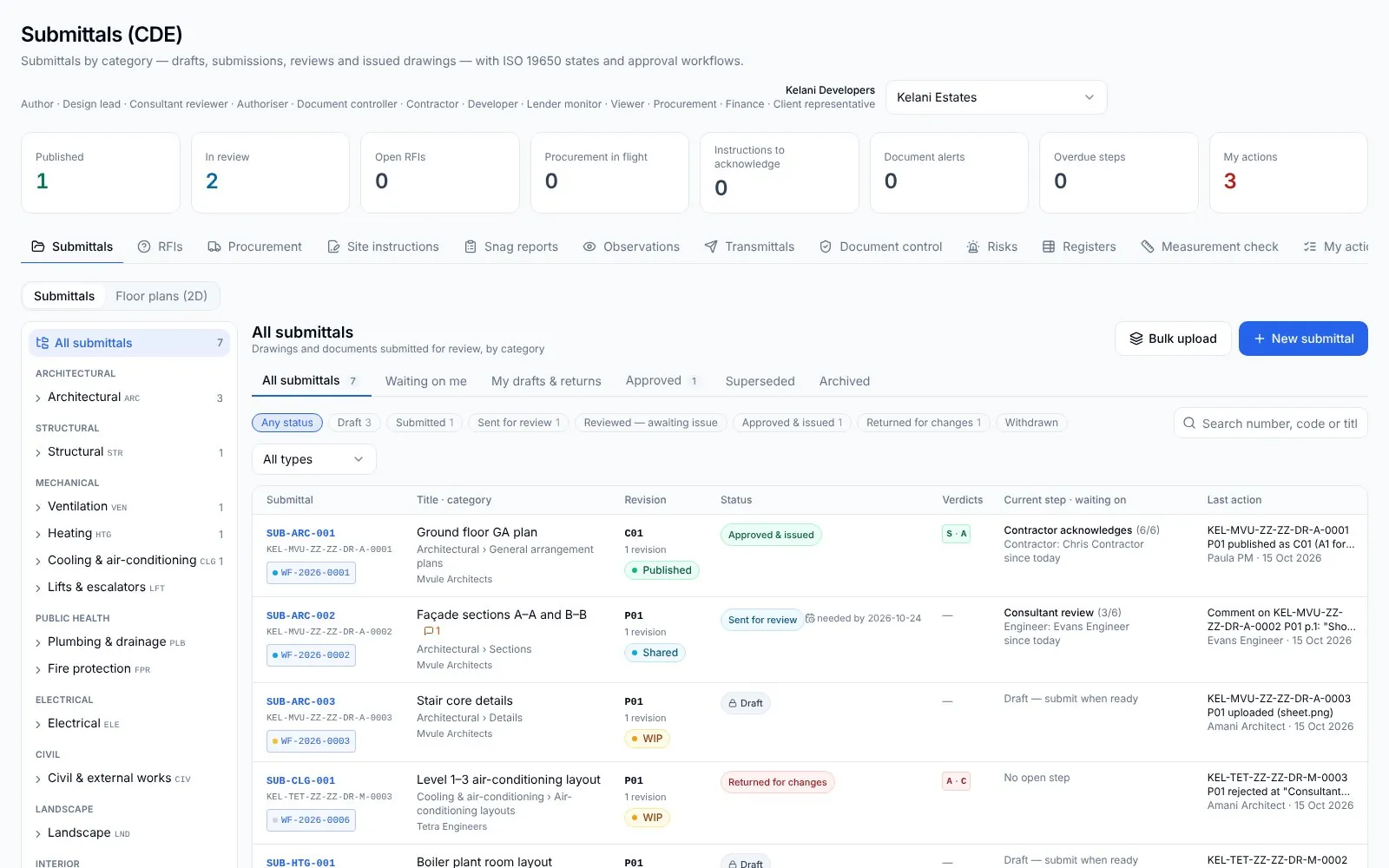
01SiteSeer Platform
Every approval moving. Every document on record.
 02
02SiteSeer Visualize
See your whole site. From anywhere, on any date.
 03
03Track and IPA submissions
Pay for what was built. Nothing more.
 04
04Procurement on WhatsApp
Buy what the site needs. Never more than the budget.
 05
05Sera AI by SiteSeer
Your whole project, in one chat.
 06
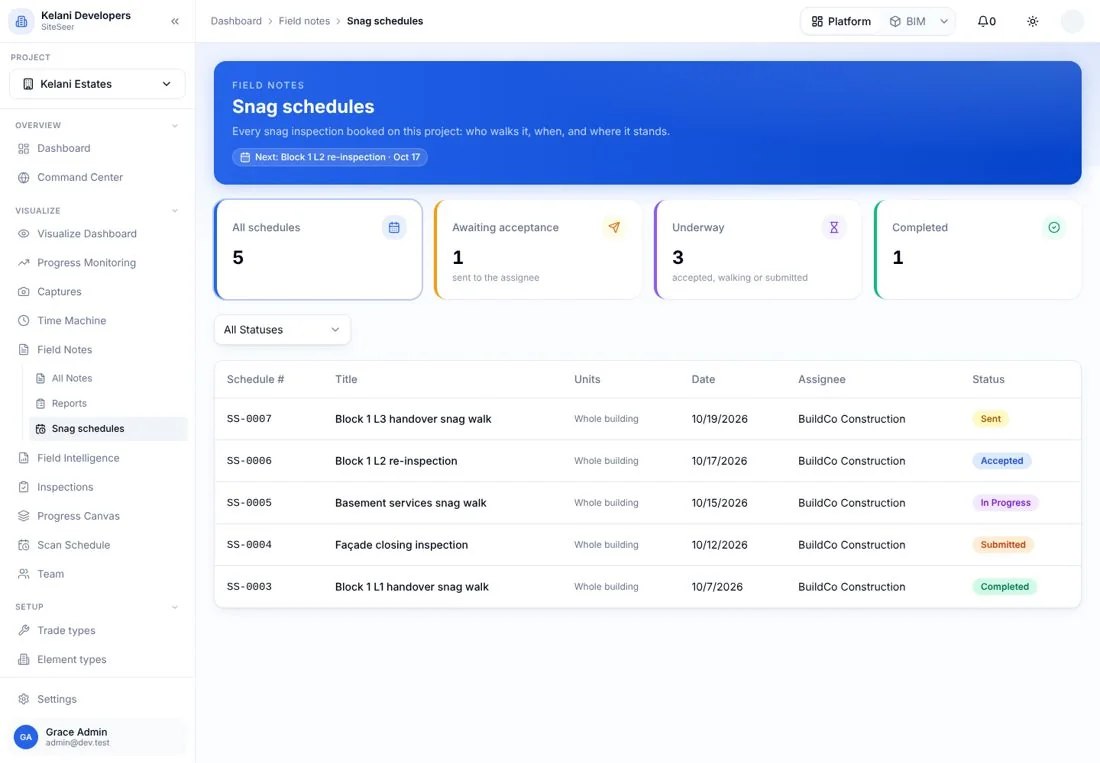
06Snagging and snag reports
Snags closed, not just listed.
 07
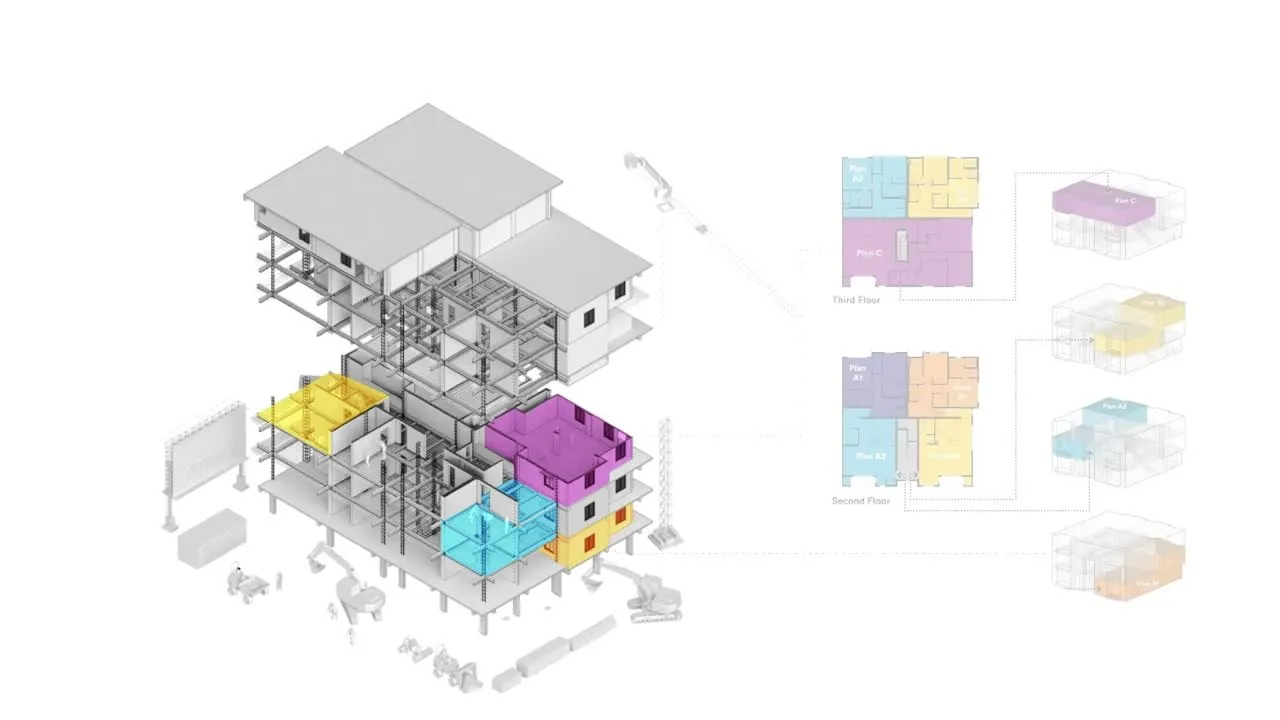
07SiteSeer BIM
Walk your building before it is built.
 08
08SiteSeer Sales
Every unit sold, signed and paid.
What you get
Four views of one project. All from the same record.
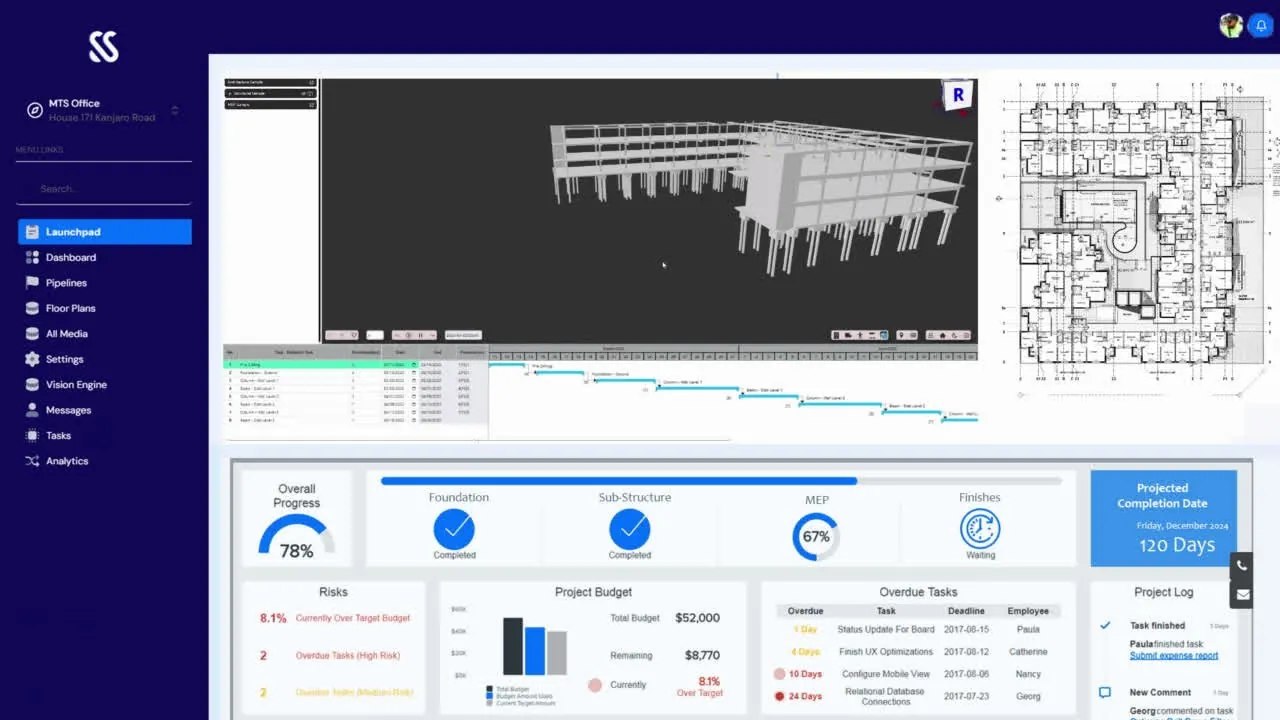
Track progress
01 / 04Know how far along every floor really is.
Weekly 360° scans are matched to the plan and the programme, so progress is measured from the site rather than reported from memory.
Digital twin
02 / 04Walk your site from anywhere.
Every floor captured in 360° and tied to the model. Inspect the work from your office, or from another country, and compare any two dates.
Locate delays
03 / 04Find the delay before it finds you.
Late activities, stalled approvals and open snags are pinned to where they are on the building, with the person who holds each one.
Coordinate everyone
04 / 04Head office and site office, on one record.
Drawings, RFIs, orders and claims move between your consultants, contractors and suppliers through their portals, WhatsApp and email, and every step lands on the same record.
01 · Visualize
Know what is on site.Every week, from anywhere.
We walk your site with our cameras. You see the before and after, our AI reads what is built and maps it to your floor plan and schedule, and the snag app keeps every defect pinned to the room.
Visualize · 01 · Walk
We walk your site with our cameras.
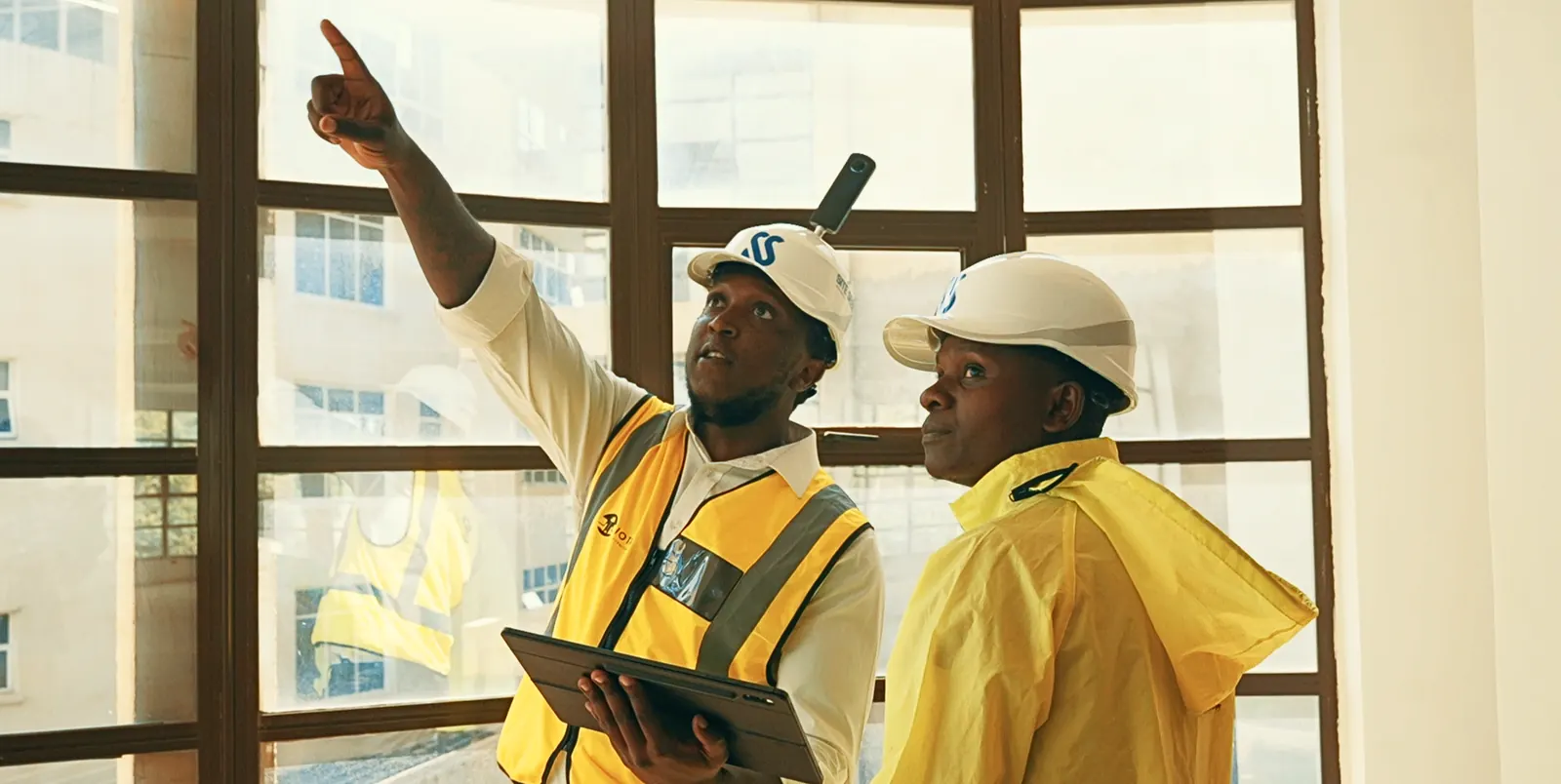
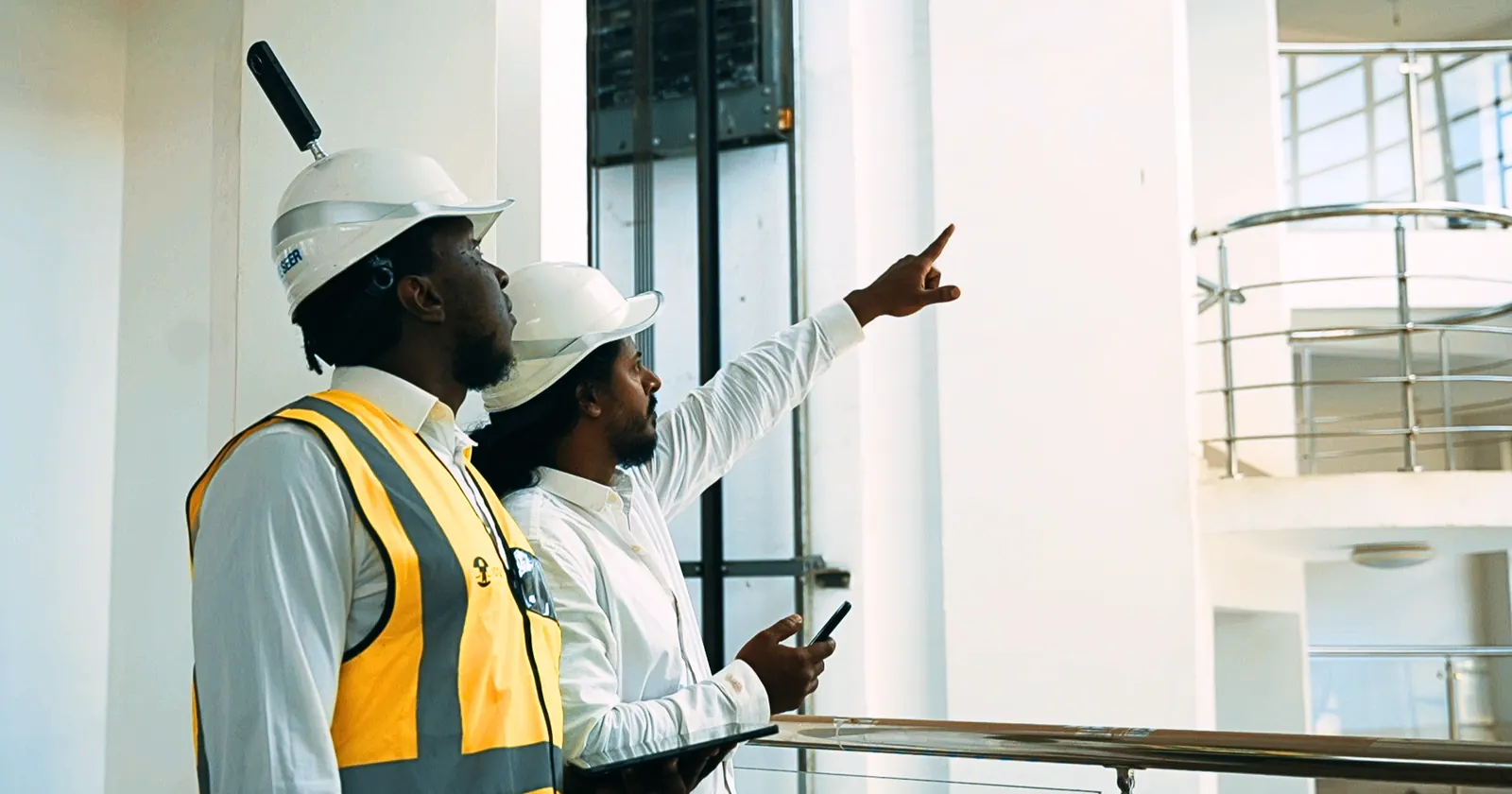
On a set schedule our team walks every floor with 360° cameras. You don't send anyone, and nothing is staged.
Visualize · 02 · Capture
Before and after, the same spot.
Every capture lands where it was taken. Open last week beside this week and see exactly what moved.
Visualize · 03 · Detect
AI reads what is on site.
The same images go through our object detection: blockwork, slabs, conduits, windows, plaster. Each element, recognised and counted.
Visualize · 04 · Map
Mapped to your floor plan and schedule.
What the AI sees is matched to the floor plan and the programme, so you know which rooms are done, which are late and what is next.
 360° capture
Level 5 · capture route
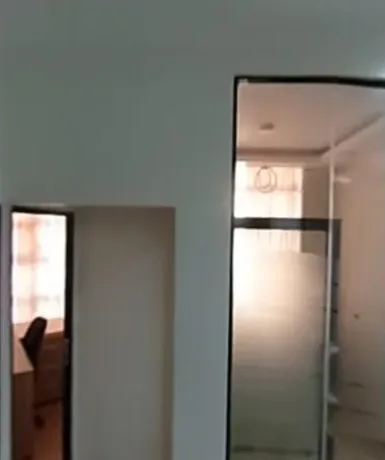
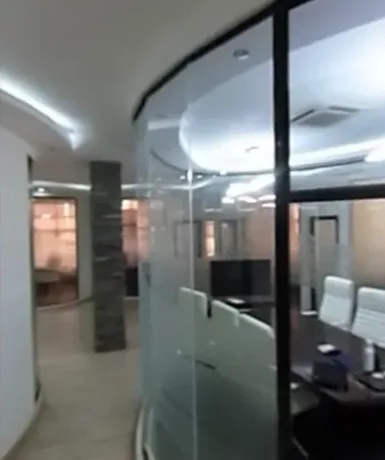 Last weekThis weekSame spot · Level 5 · Office wing
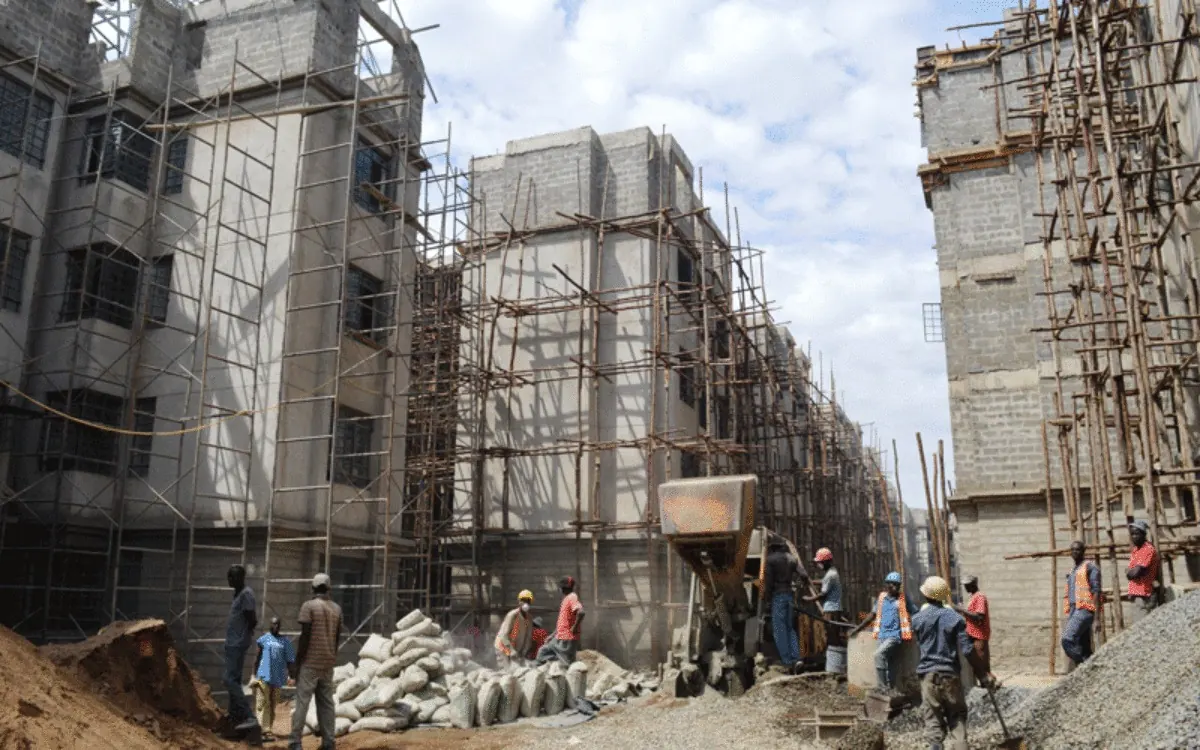 Scaffold · 97%Blockwork · L3 · 94%Window opening · 89%Cement bags · 91% Object detection · 4 elements found
Progress canvas · Level 5
Against the schedule
- Blockwork100%
- First fix electrical72%
- Plaster, wet areas25% behind
- Balcony screed30% behind
- Ceilings0%
Progress canvas
Where you are, at a glance.Floor by floor, week by week.
Every room on the floor plan, coloured from the latest site capture. Switch between last week and this week, and tap a room to see what changed, what is late and what is open.
Bath
35%Behind schedule
- Waterproofing
- +20% since last week's capture
- Behind the programme: the follow-up goes to the contractor
- 2 open snags in this room
Sample floor. On your project the canvas comes from your plans and each week's captures.

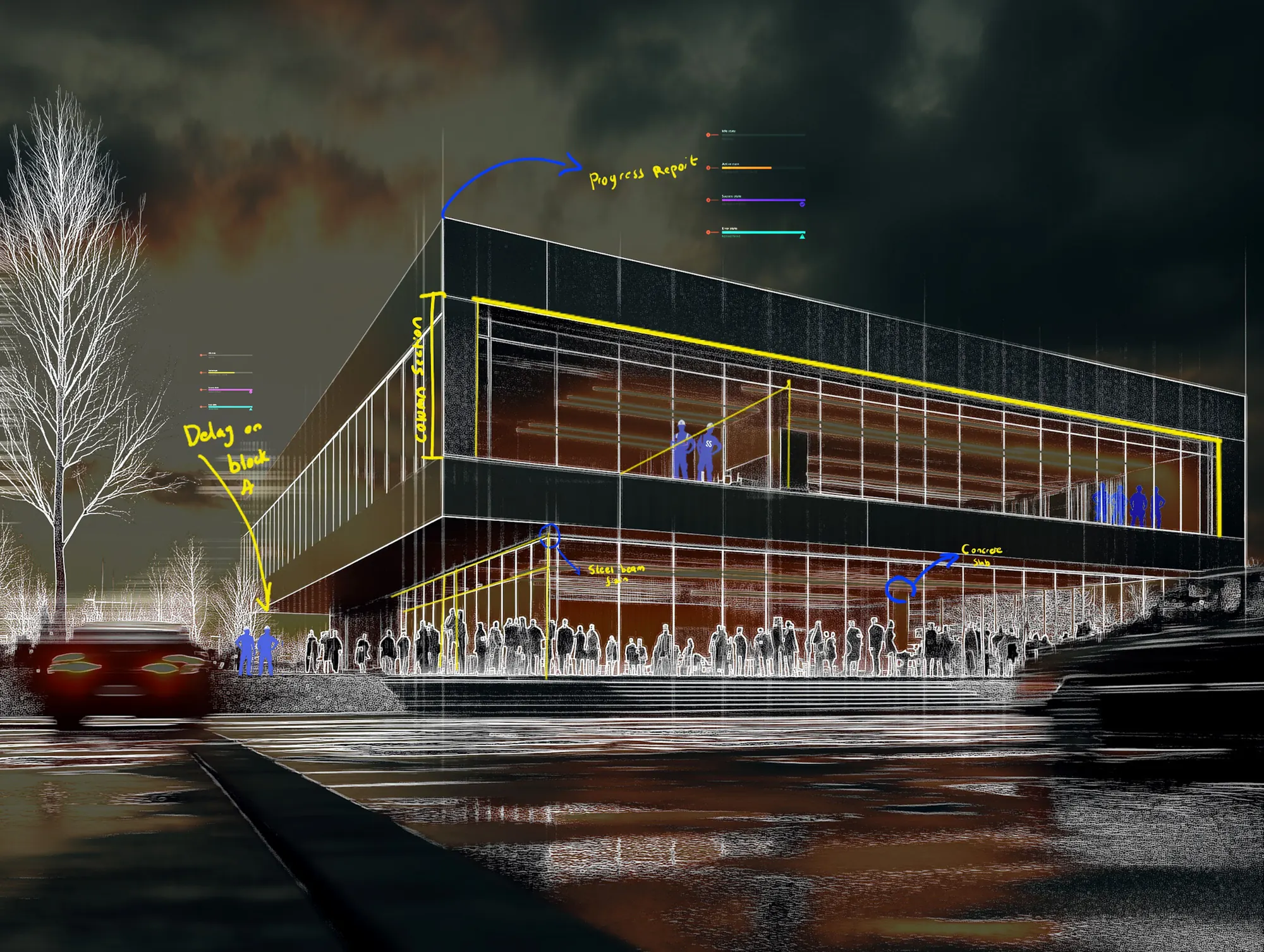
Twin view · 01
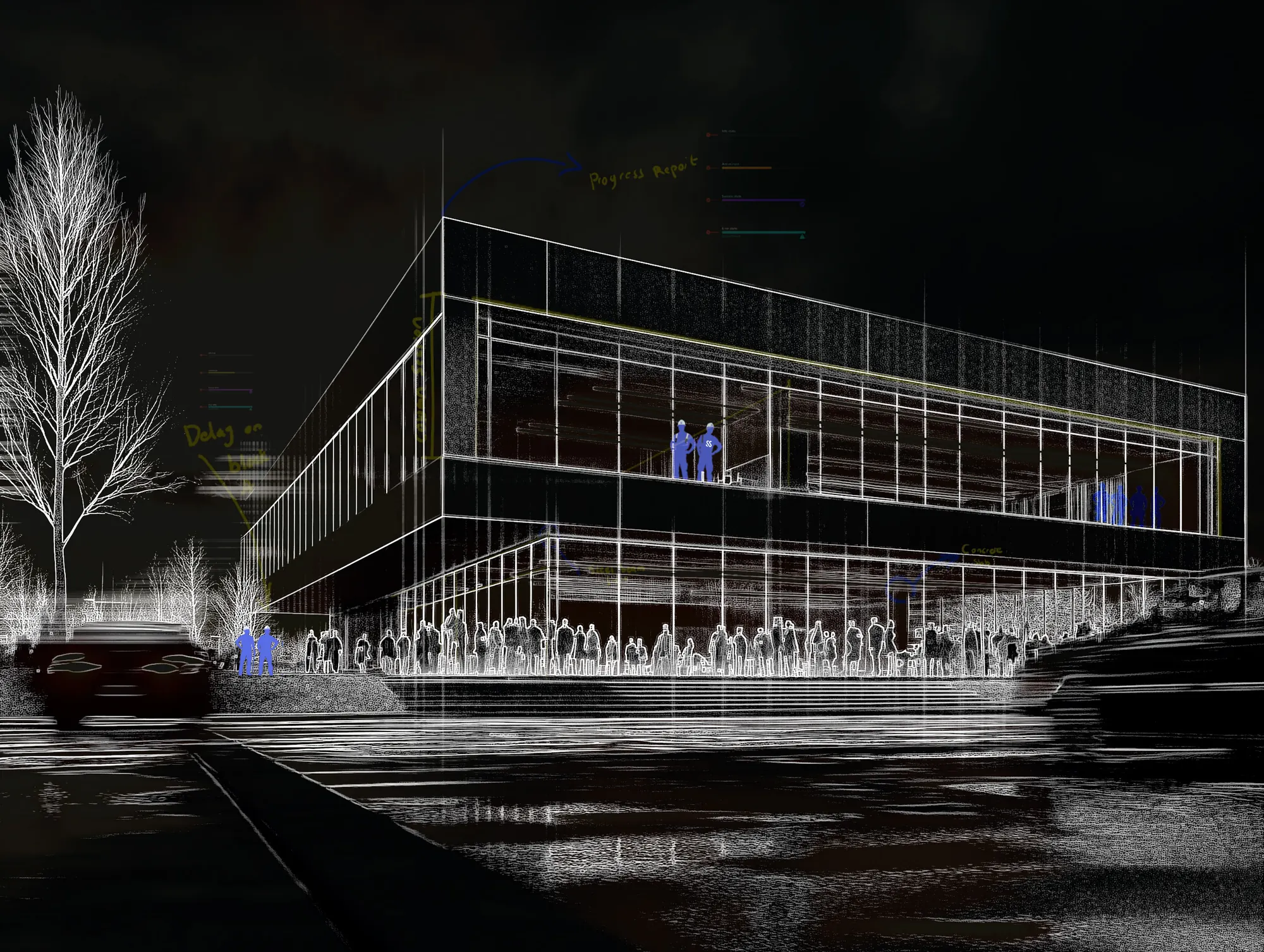
What the camera saw.
A 360° capture of the building, taken on site this week by our team.
Twin view · 02
What is behind the wall.
The capture beside the model: slabs, walls, conduits and pipes before the plaster closes them in. After handover, you still know what went where.
Twin view · 03
What needs you today.
Late activities, open snags and claim lines waiting on a signature, pinned to where they are on the building.
01 Photo
02 X-ray
03 Issues
Mobile snagging
Snags that close themselves out.Speak it. It is logged.
Your site team walks and talks. Each snag is written up by voice, classified by AI, pinned to the room, sent to the contractor who owns it, and closed only with a photo. Ask Sera for the report.
01 · Speak
Say what you see.
Hold the mic and describe the defect as you walk. No forms, no typing with gloves on.
02 · Logged
It writes itself up.
The voice note becomes a snag with a title, the room it is in and the photo you took, pinned to the plan.
03 · Classified
AI sorts it for you.
Sera suggests the type, trade, priority and owner. Snag, RFI or non-conformance. Your team confirms in one tap.
04 · Assigned
The right contractor gets it.
It lands on their phone with a due date. If it runs late, they are nudged, not you.
05 · Closed
Closed only with proof.
The fix is photographed in the same spot and signed off on site. Before and after stay on the record.
06 · Ask Sera
Ask anything. Get the report.
“Which snags are still open on Block 1?” Sera answers from the project and builds the snag report in Excel or PDF.
New snag
Kelani · Block 1Recording · 0:07 · hold to talk
SN-KEL-0142 · Cracked screed
A-104 kitchen · High
Assigned · due Friday
Before · 14 Oct
After · 17 Oct
Which snags are still open on Block 1?
4 open, 2 past due
Water ingress, basement ramp · BuildCo · due today
01 Speak
02 Logged
03 Classified
04 Assigned
05 Closed
06 Ask Sera
02 · Track
Everything else,on one record.
Upload your bills of quantities, programme and contracts. Track indexes them, then runs procurement, approvals, claims and payments for every stakeholder, on the channels they already use.
Bills of quantities
Upload your BOQs, programme and contracts. Track indexes them, so every order, claim and payment is checked against them.
Procurement on WhatsApp
Requests, quotes, LPOs and deliveries from the chat, matched to the BOQ and the budget.
Approval flows
Drawings, RFIs, instructions, variations and IPAs, each with a stage, an owner and a due date.
Claims and payments
IPAs checked against the BOQ and the site, certified by QS and architect, paid with a one-time code.
Sera AI
Ask anything about the project and get the answer, the reminder and the report.
Every stakeholder
A portal for each party, with WhatsApp and email connected, so nothing lives outside the record.
Procurement · 01 · Request
Site asks on WhatsApp.
The site agent sends what they need, as text, a voice note or a photo of the list. No new app for anyone on site.
Procurement · 02 · Check
Matched to the BOQ and the budget.
SiteSeer logs the request, finds the BOQ lines it belongs to and checks what is left in the budget before anyone spends a shilling.
Procurement · 03 · Quote
Three quotes, compared for you.
Approved suppliers are asked on WhatsApp. Quotes come back into one comparison, with price, delivery date and past performance.
Procurement · 04 · Approve
Approved with a reply.
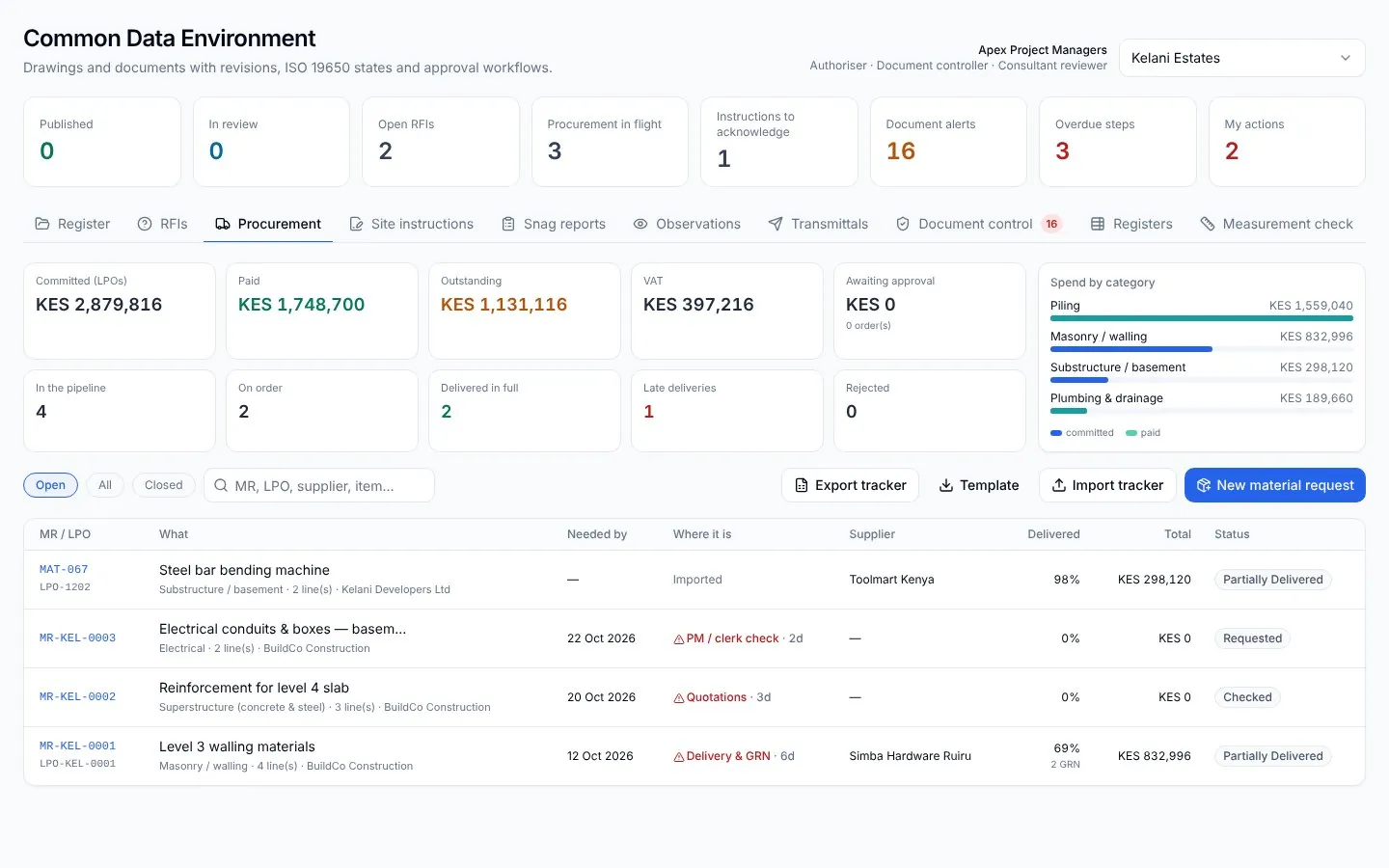
The PM, the QS and you approve the LPO by replying 1. Each approval is signed, timed and filed in the CDE.
Procurement · 05 · Deliver
Delivered, matched, paid.
The storekeeper photographs the delivery note. Order, delivery and invoice are matched, and your cash flow updates itself.
Demo conversation
LPO-0091 approved by PM, QS and developer
Approval flows and the CDE
Every document goes to the right desk.On whatever channel they use.
Drawings, RFIs, instructions, variations and payment applications move through each party's portal, WhatsApp and email, and land back on one record. You see who holds each one, and for how long.
- 1ContractorUploads the IPA workbook PortalMon 09:10
- 2Quantity surveyorMeasures, checks each line against the BOQ and the scan PortalTue 15:40
- 3ArchitectReviews and signs the certificate EmailWed 11:05
- 4DeveloperApproves payment with a one-time code WhatsAppWed 18:22
- 5BankSees the certificate and the evidence pack PortalThu 08:00
Claims and payments
Pay for IPAs with evidence.Verified from head office.
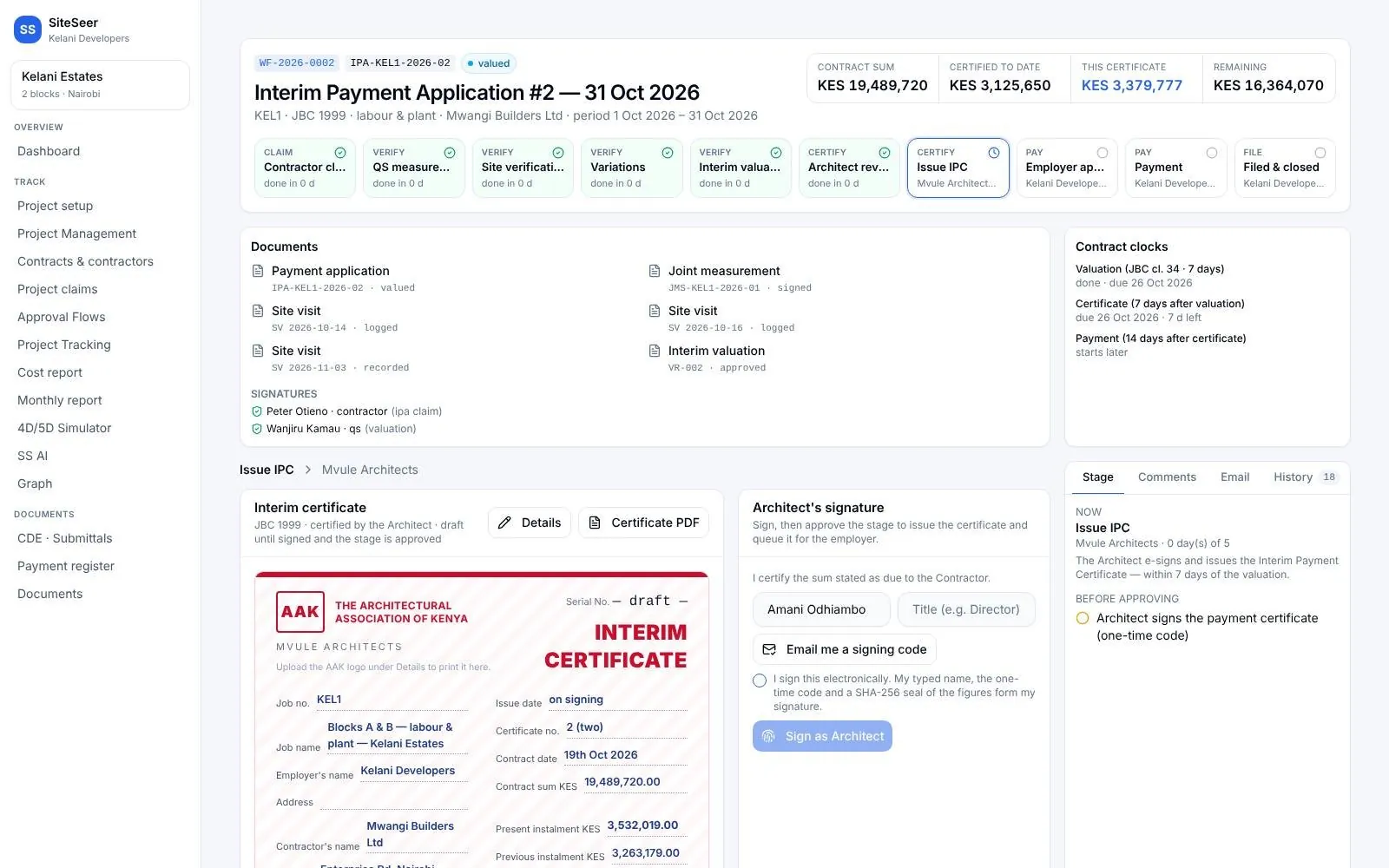
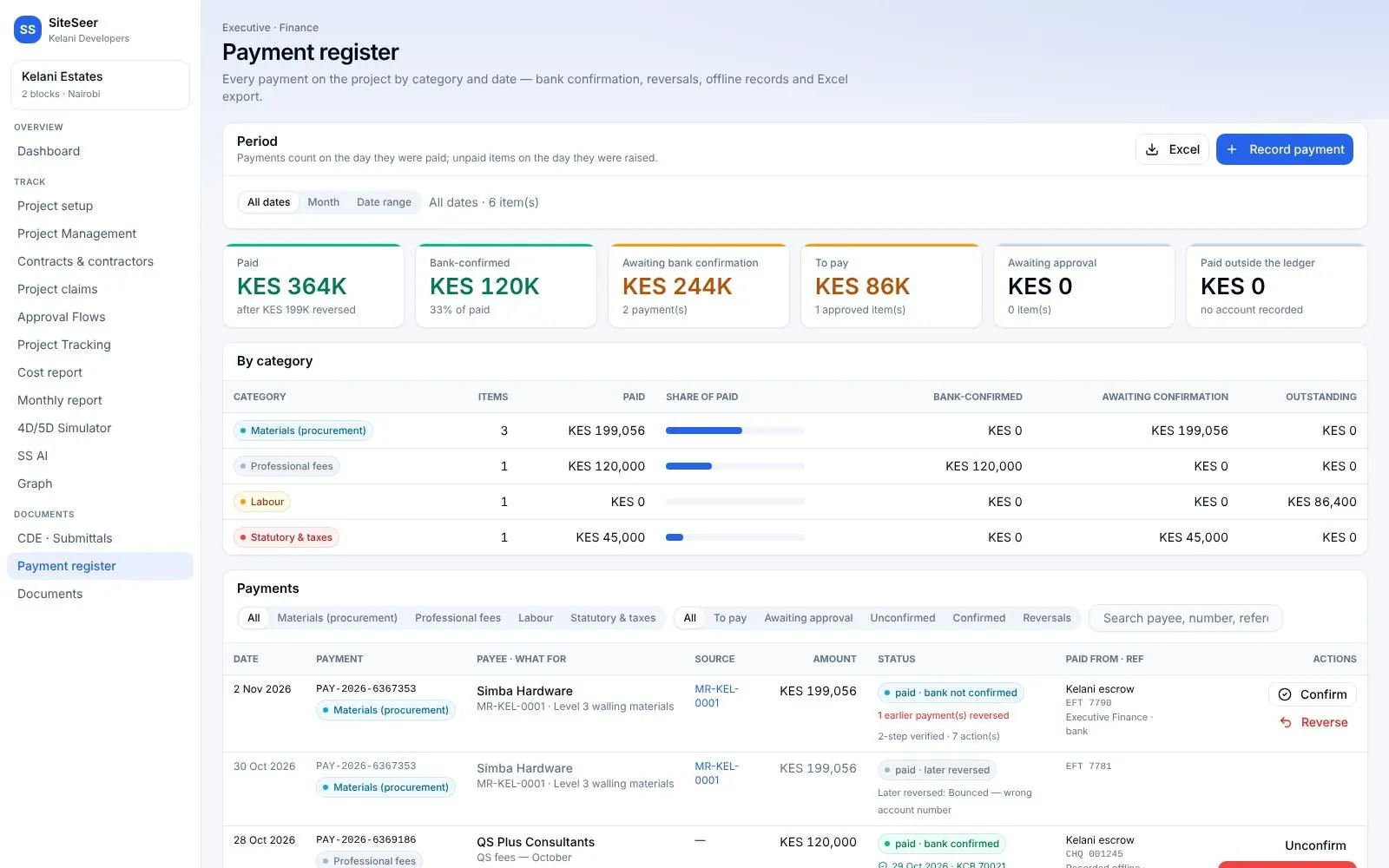
The site office and head office finally look at the same thing. Every claim line is checked against the BOQ and the latest scan before it is certified and paid.
Track · 01 Walk
Walk the site from head office.
Open the latest 360° walk of any floor. No trip to site, no waiting for photos.
Level 5 · captured TuesdayTrack · 02 Claim
The contractor's IPA arrives.
Uploaded as the workbook you already use, read line by line and checked against the BOQ.
IPA #4 · 2 lines flaggedTrack · 03 Verify
Each line checked against the site.
The QS sees the claim beside the scan, before and after, and agrees what was actually built.
Line 3.2 · verified on siteTrack · 04 Certify
Certified by QS and architect.
Valuation, retention, previous payments and the sum in words, signed in your approval flow.
IPC #4 issuedTrack · 05 Pay
Paid with a one-time code.
Finance queue, voucher and bank confirmation, filed with who signed what and when.
Paid · bank confirmed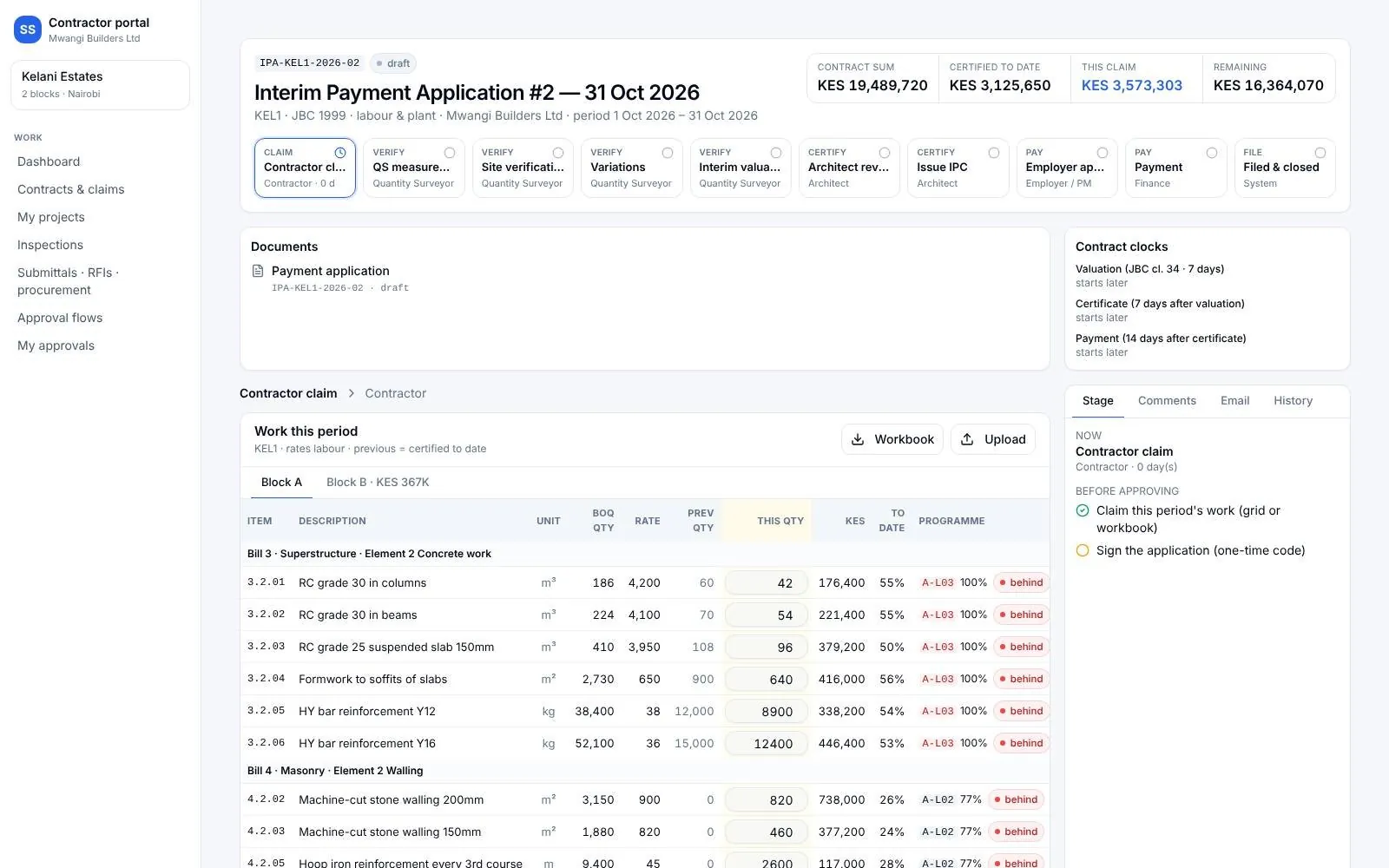
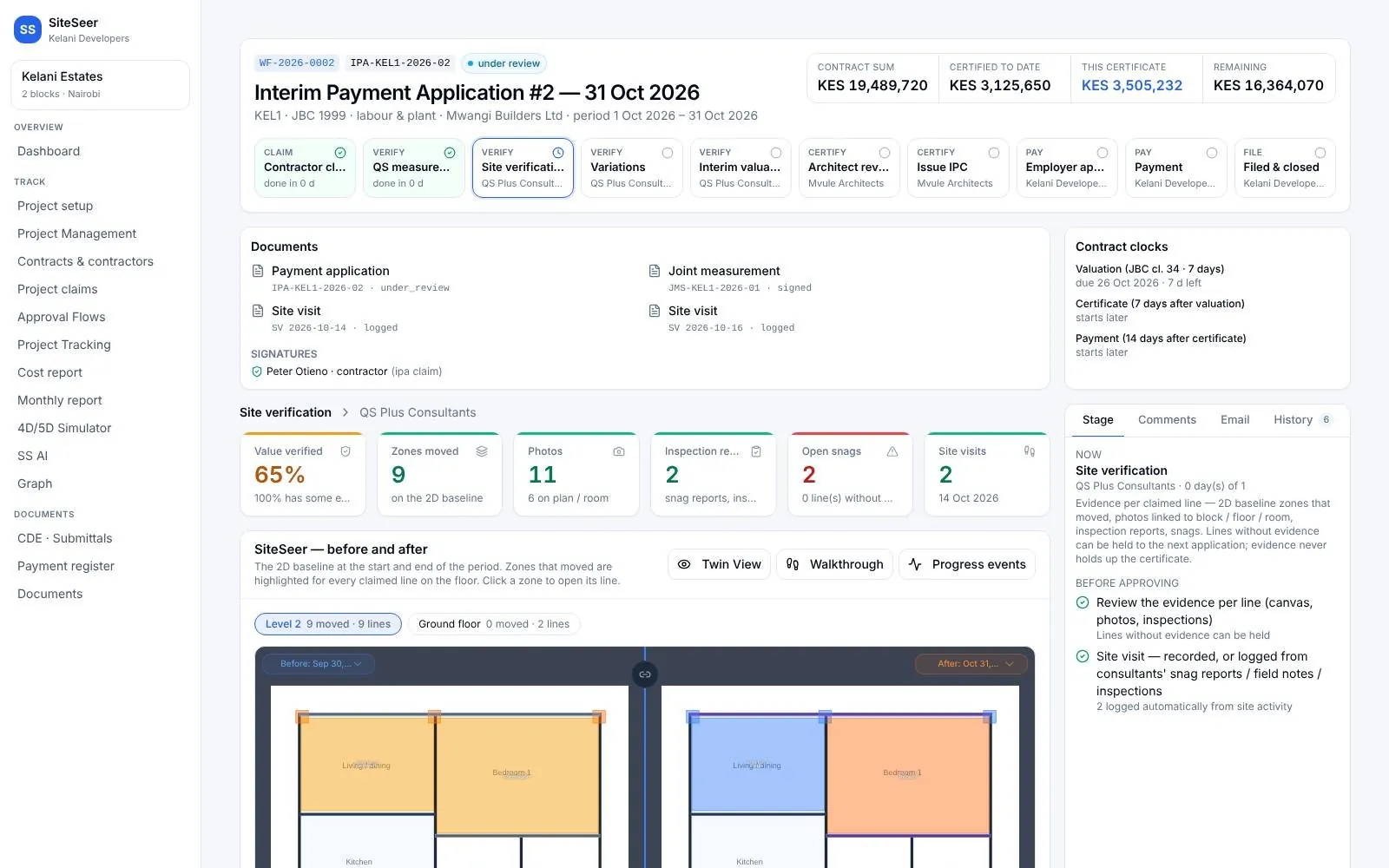
Keep scrolling — each screen follows as you scroll
03 · Sera AI by SiteSeer
The whole project,in one chat.
Documents, approvals, procurement, snags, WhatsApp, email and meetings all come down to one list on your phone. Ask in plain words, tap once, and it is done, recorded on the platform where your team can see it.
Sera AI by SiteSeer · one place to act
Everything on your project comes down to one list.
Ask, tap, done
Act on it from your phone. It still lands on the platform.
Waiting on you · 0today
- Level 2 GA planDocuments · Your review · step 3 of 6Open
- Cement & sand — approve stepApprovals · Quotations · 1 day overdueOpen
- 3 quotes in for the rebarProcurement · Kilele Steel meets ThursdayOpen
- 2 snags to sign offSnags · Before and after attachedOpen
- Hazard · scaffold board, L4Site safety · Joseph (safety) alertedOpen
- RFI-0031 answeredRFIs · Cost impact · becomes a variationOpen
- Delivery · 8 bags shortWhatsApp · From the store on WhatsAppOpen
- Invoice INV-2231Email · Match it to LPO-0187Open
- 2 variations on ChrisVariations · Waiting 4 daysOpen
- 5 meeting actionsMeetings · 1 has no owner yetOpen
- Block B slab · 3 days behindProgramme · Lift install blocked by powerOpen
- IPA-07 evidencePayments · Skirting line has no photosOpen
Sera on your phone · 01 · Snags
Close snags from the corridor.
Sera lists what is waiting on you, with the before and after photos. Approve and close, or send it back, without opening a laptop.
Sera on your phone · 02 · Procure
Say what the site needs.
A message or a voice note becomes a signed material request, matched to the BOQ and sent into your procurement flow.
Sera on your phone · 03 · Prices
Compare prices before you approve.
Quotes side by side with delivery dates, the spec and the market range, then sent to whoever can approve that amount.
Sera on your phone · 04 · Team
Bring the right people in.
To-dos for your architects, contractors and suppliers go out on WhatsApp and email, and come back to you when they are done.
Sera on your phone · 05 · Follow up
Never chase from memory.
Ask what is late and who holds it. One tap nudges everyone on the list, with the items attached.
Sera on your phone · 06 · Progress
Know where the project stands.
Programme and progress from the site record, and the report your bank asked for, sent from the same chat.
Sample data · Kelani Estates
1 step with SiteSeer data · 200 ms
2 snags are waiting for you to sign off. Check the before and after photos, then approve or send it back.
Wall crack above window
Unit B15 · Master Bedroom · Ground floor
Closed SN-0142. Chris Contractor was told on WhatsApp, and it moves to closed in the snag report.
2 steps with SiteSeer data · 340 ms
Matched to BOQ 3.4 and 4.2, within budget. Sign it and I'll send it into procurement.
MR-KEL-0012 is in procurement. Paula (PM) checks the quantities next.
- Raise material requestDone · you · just now
- PM checks quantitiesPaula PM · waiting
- QuotationsProcurement
- Approve · Issue LPODeveloper · Procurement
3 steps with SiteSeer data · 410 ms
Three quotes are in. Only Kilele Steel meets Thursday and the spec.
- A · Kilele SteelKSh 145,000Best compliant✓ Thu 29 Oct✓ B500B · mill cert
- B · Tana HardwareKSh 138,500CheapestCan't confirm Thu✓ B500B
- C · Rift MetalsKSh 151,200✓ Wed 28 OctNo mill cert
Within budget. KSh 145,000 goes to Paula (PM) — she can approve up to KSh 250,000.
1 step with SiteSeer data · 201 ms
Check who it goes to and tap Send.
WhatsApp EmailTracked in To-dos · Sent by me
4 steps with SiteSeer data · 520 ms
Nine things are past their due date. Two variations are waiting on Chris — tap Send to nudge him.
- Paula PM4
- Chris Mwangi2
- Devki Steel2
- BuildCo1
- VAR-KEL-0004Extra sockets in B15 bedroomsConfirmation of the instruction · waiting on Chris Mwangi · 4d
- VAR-KEL-0005Kitchen worktop to quartzConfirmation of the instruction · waiting on Chris Mwangi · 2d
3 steps with SiteSeer data · 640 ms
Block B is 64% complete, 2% behind the programme. Level 4 blockwork is the one to watch.
- Levels 1–292%
- Level 370%
- Level 441%
- Roof slab0%
Sera asks before it changes anything
3 items, needed by Friday 30 Oct. It goes to the PM / clerk of works to check the quantities first.
- • Cement 50kg (OPC 42.5) — 100 bag
- • Machine-cut blocks 200mm — 2000 pc
- • River sand — 12 t
Requested by (type your name to sign)
I confirm this request and sign it electronically.
Back to the main platform
Every tap is a record.Not a chat that disappears.
Sera works on the same data as the platform. What you approve, send or sign on the phone is saved there, with who did it and when, so your team sees it on the web and you can trace it later.
Done in Sera today
- Approved & closedWall crack above window…
- Signed & sentCement & sand — Block B slab…
- Sent to 2Snag unit B15 before handover…
- 2 nudges sentVAR-KEL-0004, VAR-KEL-0005…
- EmailedWeekly summary · week 43…
Sample data. Each row opens the record it changed.
Recorded
Every tap writes to the same record as the web platform: what changed, who did it, when, and from which device.
Viewable
Open any action on the platform: the snag with its photos, the order with its quotes, the to-do with its replies.
Traceable
Sign-offs keep the typed name and the version they were given on. Audits and disputes start from evidence, not chat history.
One assistant, four doors. Type, talk or send a photo. Same permissions everywhere: each person only sees what they are allowed to.
- Sera app on your phone
- The web platform
What Sera can do
Everything the platform does,in your pocket.
- action cards in the chat
- 51action cards in the chatEach ends in a button: approve, send, sign, assign
- quick starts
- 31quick startsOne tap from the Sera home screen
- ways in
- 4ways inThe app, the web platform, WhatsApp, email
- changes without your tap
- 0changes without your tapSera prepares, a person decides
Close, assign, approve with before and after, send back, report.
- Open snags
- Needs my approval
- On me
- Snag reports
- Snag report PDF
- AI floor scan
- Check an issue
- Compare progress
Quick starts are the buttons on the Sera home screen. You can also just ask, type or send a voice note.
Steps, not searching. Three everyday jobs.
Open the laptopFind the projectSnagsFilterOpen itCheck the photosCloseMessage the contractor
AskApprove & close
Find each variationSee who holds itCopy the detailsWhatsApp themEmail themNote it somewhere
AskSend 2 nudges
Open the formFind the BOQ linesType the itemsAttach the listSignSubmit
Say itYes, sign & send
Sera on the web
Ask where the project stands.Print the answer.
Sera reads the whole record: scans, schedule, BOQ, approvals, procurement and payments. Ask in plain words, from the office or on site, and print the report your bank, board or buyers need.
What could delay us this month?
Three things, by impact:
- Balcony screed, Block A L520% done against 50% planned · 4 days behind
- Lift shaft steel (LPO-0088)Supplier delivery moved to the 28th
- Structural drawing rev CWith the engineer for 6 days
Site report · this week
Riverside Residences · week 42
Position and risksPDF and Excel, traced back to the site record
Sample project and answers.
Inside the two products
Visualize shows you the site.Track runs everything else.
What is on site, right now, from anywhere.
Walk the site in 360°
Every floor, every week, pinned to the plan. Share the walk with investors and buyers.
Last week, this week
The same spot on two dates, side by side.
Twin view
The 360° capture beside the model. See behind a finished wall.
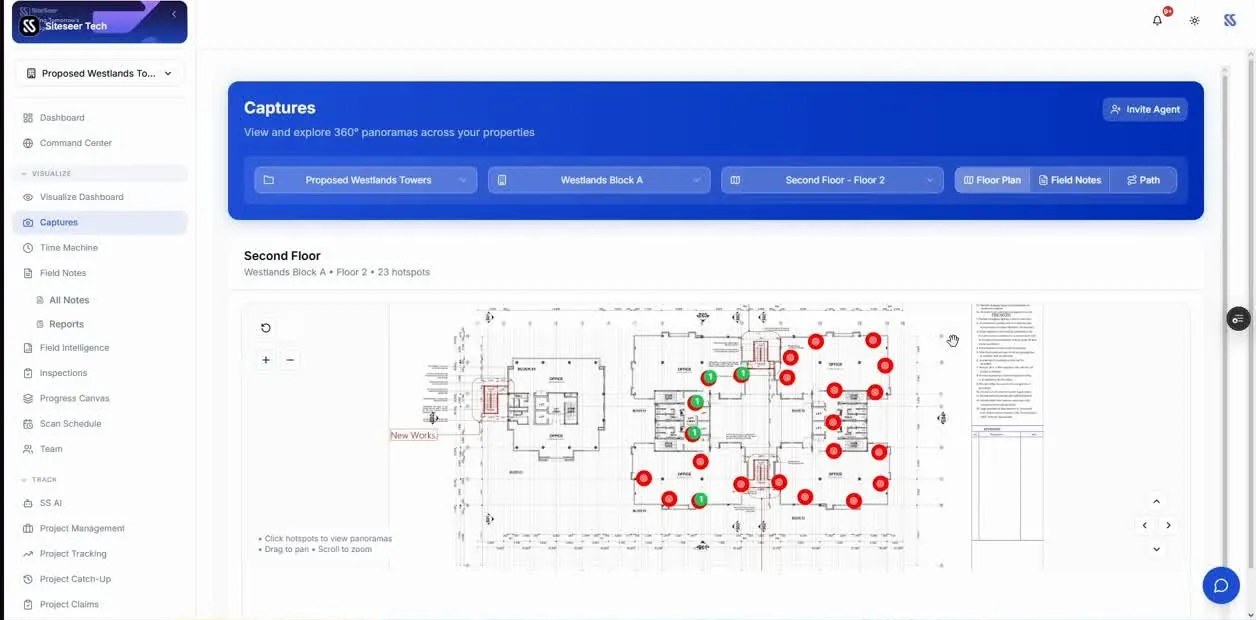
Progress canvas
AI maps what it sees to your floor plan and schedule.
Verify before you pay
Each claim line checked against the scan.
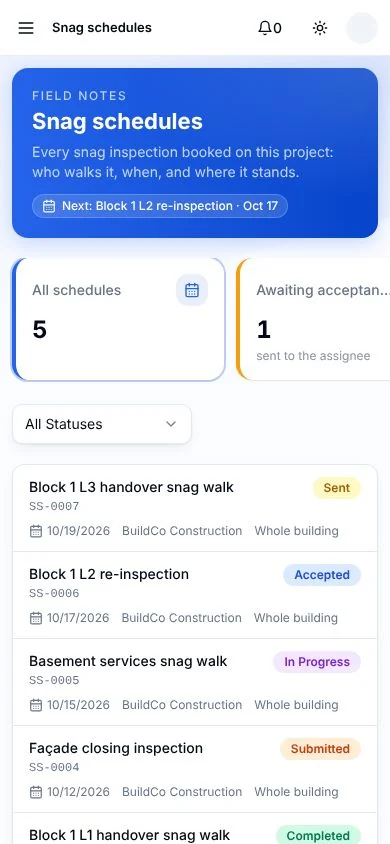
Snag app with an assistant
Snag by voice on site, and ask Sera anything while you walk.
What you control
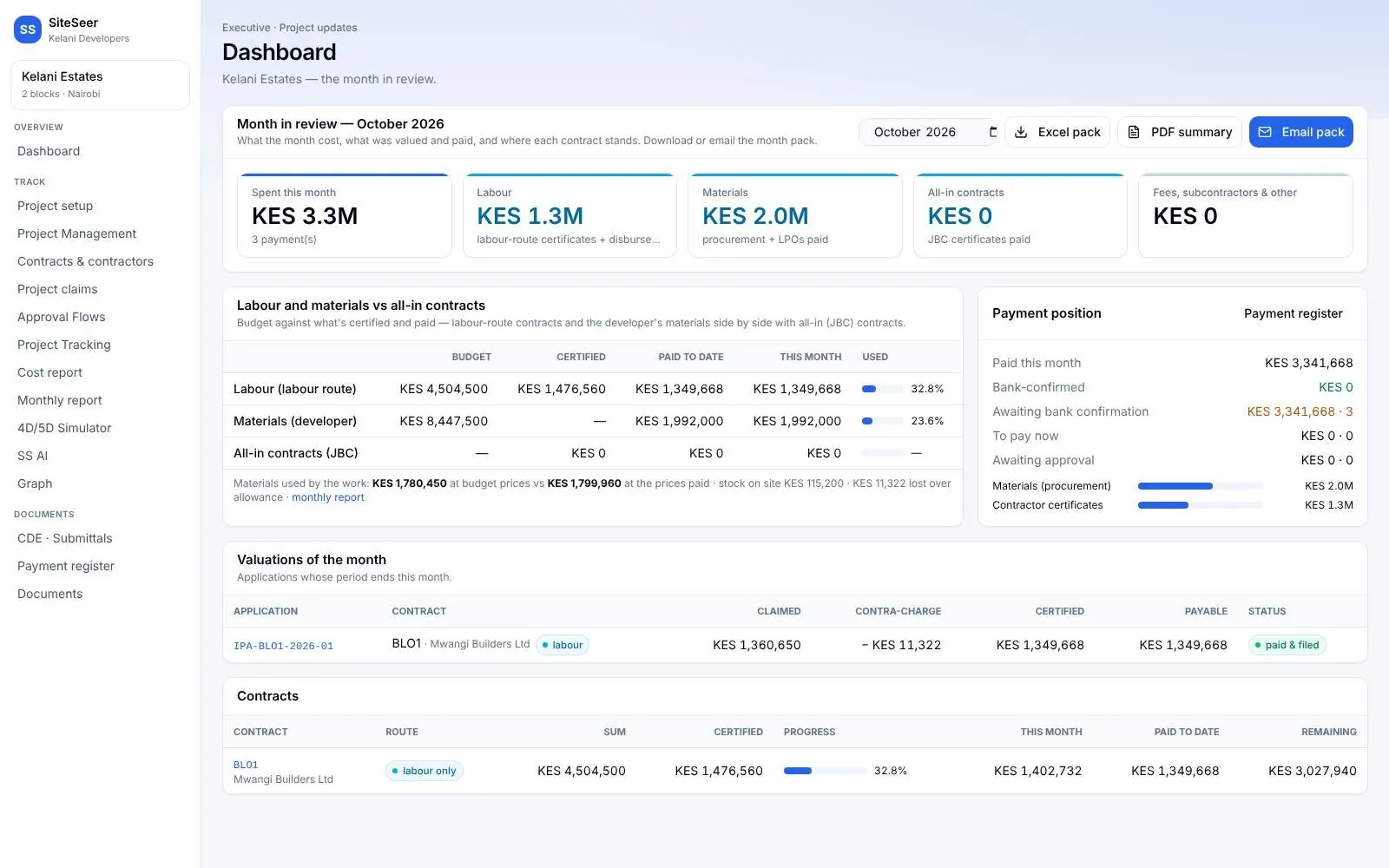
Everything that moves money.In one place.


Where projects leak
Five places money goes missing.Each one has a fix.
Figures are illustrative, for a KES 1.5B build on a 24-month programme, where one day late costs about KES 781K in finance and site overheads.
KES 3.9M
A 5-day hold on one critical-path approval
Today
Drawings, submittals and RFIs move by email. Approvals stall where no one can see them, and site works off old revisions.
With SiteSeer
One common data environment. Every item has a stage, an owner and a due date, and the holder is nudged when it runs late.
KES 16.4M
Long-lead plant arriving three weeks late
Today
Requisitions, quotes and LPOs are approved in WhatsApp chats, with no audit trail and nothing matched to the BOQ.
With SiteSeer
Keep approving on WhatsApp. Each message becomes a record in the CDE, matched to the order, the budget and the BOQ.
KES 15M
Rework at 1% of build cost
Today
HVAC and services specs sit in PDFs, away from the model. Off-spec installs are found late, then reworked.
With SiteSeer
Each BIM element carries its approved submittal and spec, so the site checks the install against what was approved.
KES 1.25M
Over-certifying 2% on one monthly certificate
Today
Payment applications arrive as spreadsheets and sign-offs are chased by hand. Out-of-scope lines get paid.
With SiteSeer
The contractor uploads the IPA. SiteSeer routes it to the QS, architect and employer, and flags lines outside the BOQ.
KES 27M
A slip that runs five weeks unseen
Today
Investors, buyers and partners see month-end reports, so slips surface weeks after they start.
With SiteSeer
Weekly 360° scans of every floor, released to each party's portal, so problems show in week one.
Cost of delay
Every day late has a price.Here is yours.
SiteSeer is priced on your project, not per seat, and set against what a slip costs you. For most projects the fee is recovered by a few days saved.
Finance carry plus site overheads (prelims at 10% of value) over the programme. Excludes lost sales or rent from late handover. Illustrative.
One day late costs
KES 781K
- One week late
- KES 5.5M
- One month late
- KES 23.4M
- 1% over programme
- KES 5.7M
Getting started
From signature to first certificate.In four weeks.
Week 1
Set up
Confirm scope; load BOQs for labour and materials, the programme and contracts.
Week 2
CDE and portals
Import drawings and submittals, invite consultants and the contractor, link WhatsApp.
Week 3
BIM and Visualize
Load the model and link specs; first 360° scan of every block.
Week 4
First cycle
The next payment application runs through Track, and your first weekly report goes out.
Questions
Frequentlyasked questions
How SiteSeer fits around your team, your contracts and the way your site already works.
Very little. Approvals, requisitions, quotes and deliveries can stay on WhatsApp, and each message becomes a record in the CDE. Contractors download the claim workbook in Excel, fill it in and upload it back.
Yes. We read in your existing BOQs, programme, contracts, certificates and reports, so the record starts where your project already is rather than at zero.
JBC is the primary form: IPA, joint measurement, valuation, interim certificate and payment. Labour-only and labour-and-plant contracts are supported too, including stock counts and contra-charges where you supply materials.
Each party signs in to its own portal and sees only its projects and what is shared with it. Investors, buyers and partners see only the updates you release to them.
No. The SiteSeer team walks and scans the site on a schedule you agree. Your own team can add captures from their phones, and they sync to the plan.
Every signature is fingerprinted (SHA-256), so a later edit voids it. Contracts, claims and money actions are confirmed with one-time codes, and every action is kept in the record's history and its PDF and Excel exports.
On your project, not per seat, so every consultant, contractor and supplier can be on the record. Tell us the construction value and scope and we will send a proposal.

See your own project on SiteSeer.
Bring a BOQ, a programme and a set of drawings. We will show you the record your project would have today, and what it would have caught.