

SiteSeer for quantity surveyors
Value what was built.Certify it in days, not weeks.
The QS portal runs payment claims from the BOQ: joint measurement, valuation, the interim payment certificate and the cost statement, with site evidence behind every line.
What you get
Claims measured against the site
Each claimed line is checked against joint measurement and site captures before it is valued.
IPCs out faster
Valuation and certificate are built from the same BOQ, so nothing is retyped between steps.
A cost position the client trusts
Cost statements and payment registers come from the certified figures, not a separate sheet.
The problem
The claim arrives as a spreadsheet. You remeasure from photos on WhatsApp, rebuild the valuation by hand and send the IPC as a PDF nobody can trace back.
01 · Claim
The claim lands against the BOQ.
The contractor claims by BOQ item and quantity, with their site evidence attached, instead of a spreadsheet by email.
02 · Measure
Measure it with the contractor.
Joint measurement on site, with captures pinned to the plan. Where the agreed quantity differs, the line is adjusted with a reason.
03 · Valuation
Value what was agreed.
The valuation fills from the agreed quantities and BOQ rates, with materials on site, retention and previous certificates applied.
04 · Certificate
The certificate is signed.
You sign the valuation, the certifier issues the interim payment certificate and the employer approves it, all on one record.
05 · Paid
Payment closes the loop.
The payment register and cost statement update from the certified figure, with retention tracked to release.
IPA-07 · Kelani Estates · Main works
Interim payment application 07 · BuildCo
- 1Claim
- 2Measure
- 3Valuation
- 4Certificate
- 5Paid
Interim payment application 07
| BOQ item | Unit | Claimed |
|---|---|---|
| B4.12 · Blockwork 200 mm | m² | 1,240 |
| B4.15 · Plaster to walls | m² | 980 |
| C2.03 · Screed 50 mm | m² | 610 |
| E1.07 · Conduits, Level 4 | % | 100 |
Showing 4 of 42 items
Joint measurement
| BOQ item | Claimed | Agreed |
|---|---|---|
| B4.12 · Blockwork | 1,240 m² | 1,180 m² |
| B4.15 · Plaster | 980 m² | 980 m² |
| C2.03 · Screed | 610 m² | 540 m² |
| E1.07 · Conduits | 100% | 60% |
Valuation 07
- Work done to date
- KES 84.60M
- Materials on site
- KES 3.20M
- Less retention 10%
- (KES 8.78M)
- Less previous certificates
- (KES 71.40M)
- Amount due
- KES 7.62M
Interim payment certificate 07
- Quantity surveyorValuation signed Signed
- Architect / project managerCertificate issued Signed
- EmployerApproved for payment Signed
Payment
- IPC 07
- KES 7.62M certified
- Retention held
- KES 8.78M to date
- Cost statement
- Updated from the certificate
Paid · on the payment register
Quantity surveyor portal · demo record
What it does
Inside the quantity surveyor portal.Real screens, real projects.
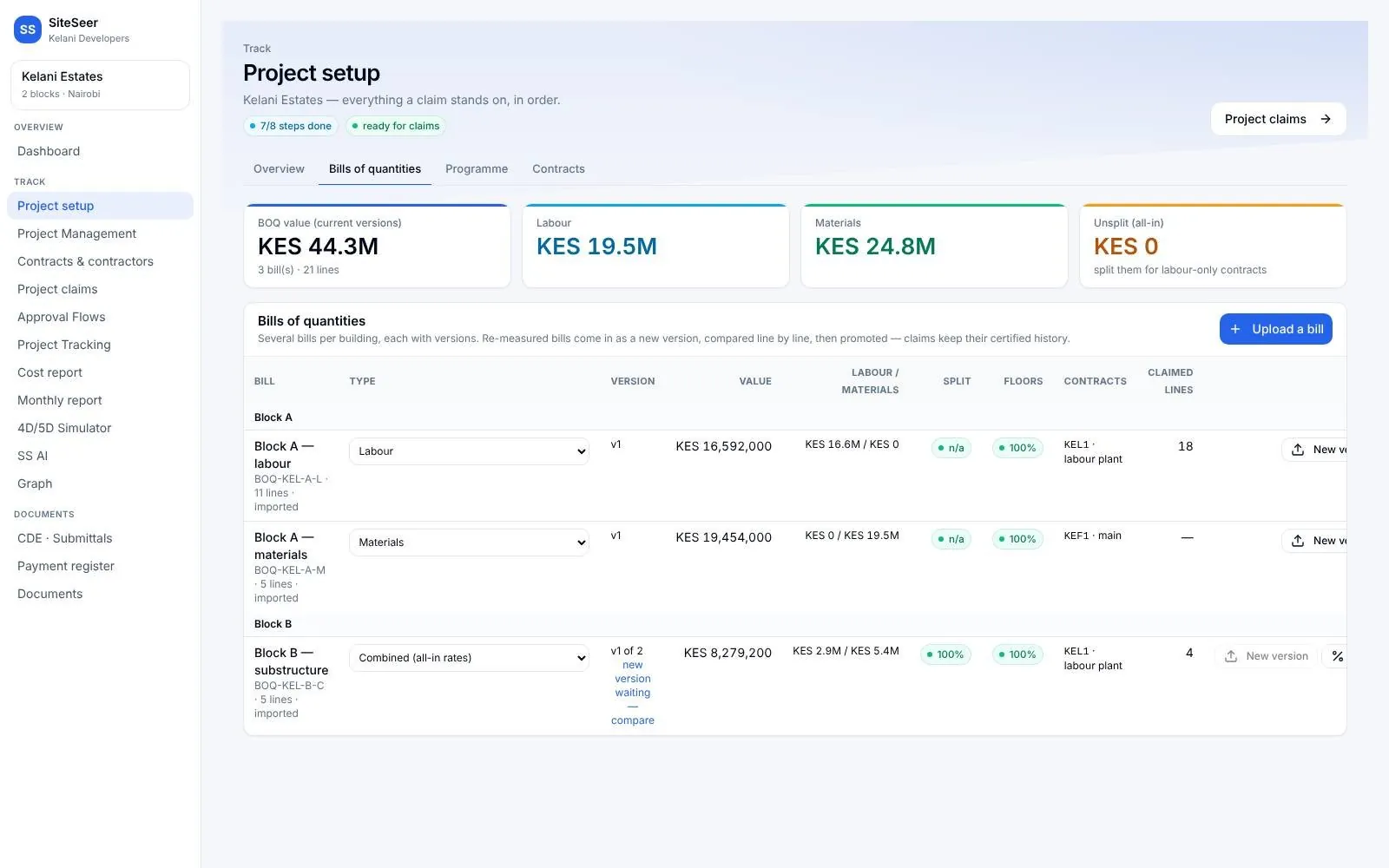
BOQ
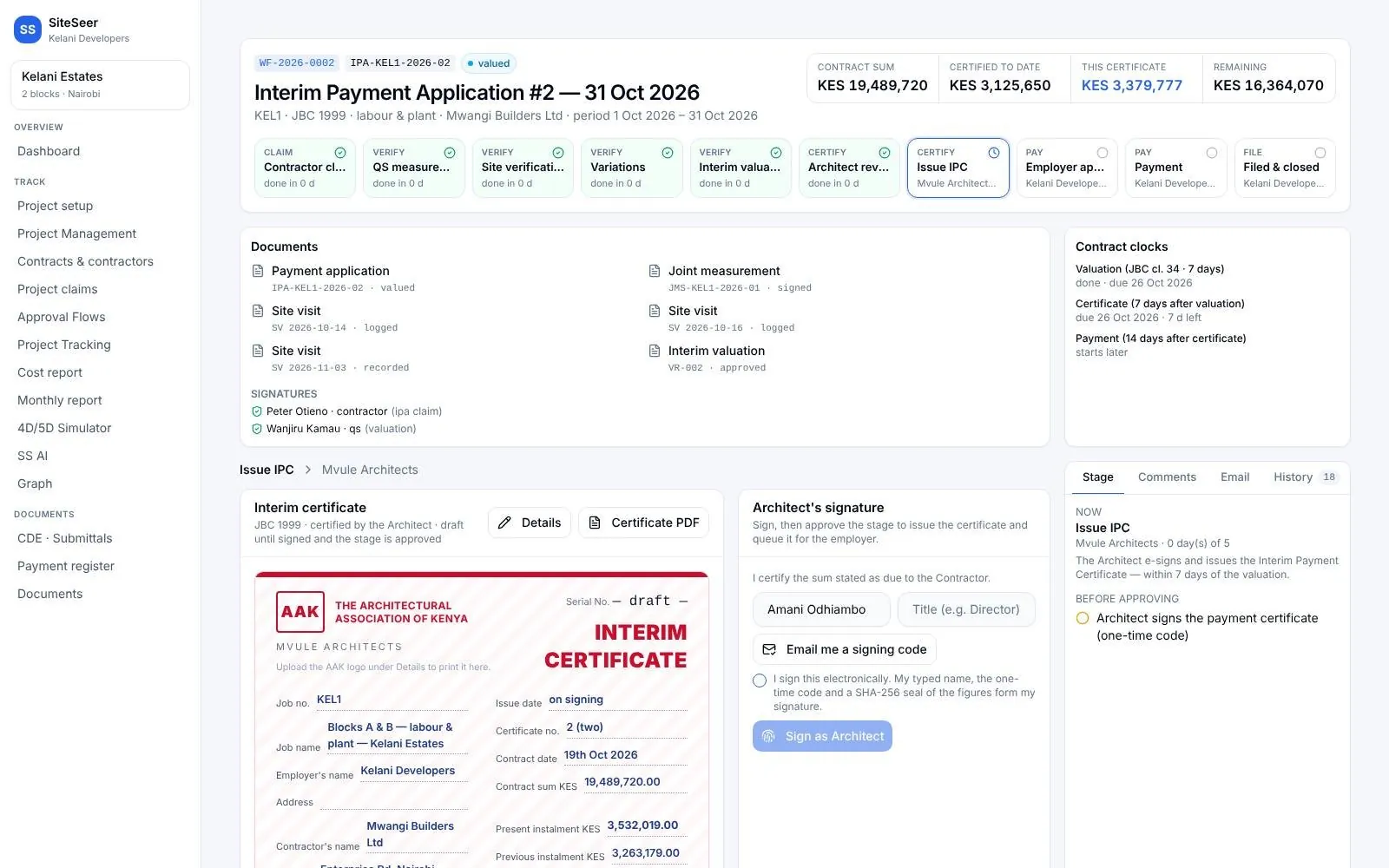
Start from the bill.
The BOQ is loaded once, by section and floor, and every claim and valuation works from it.
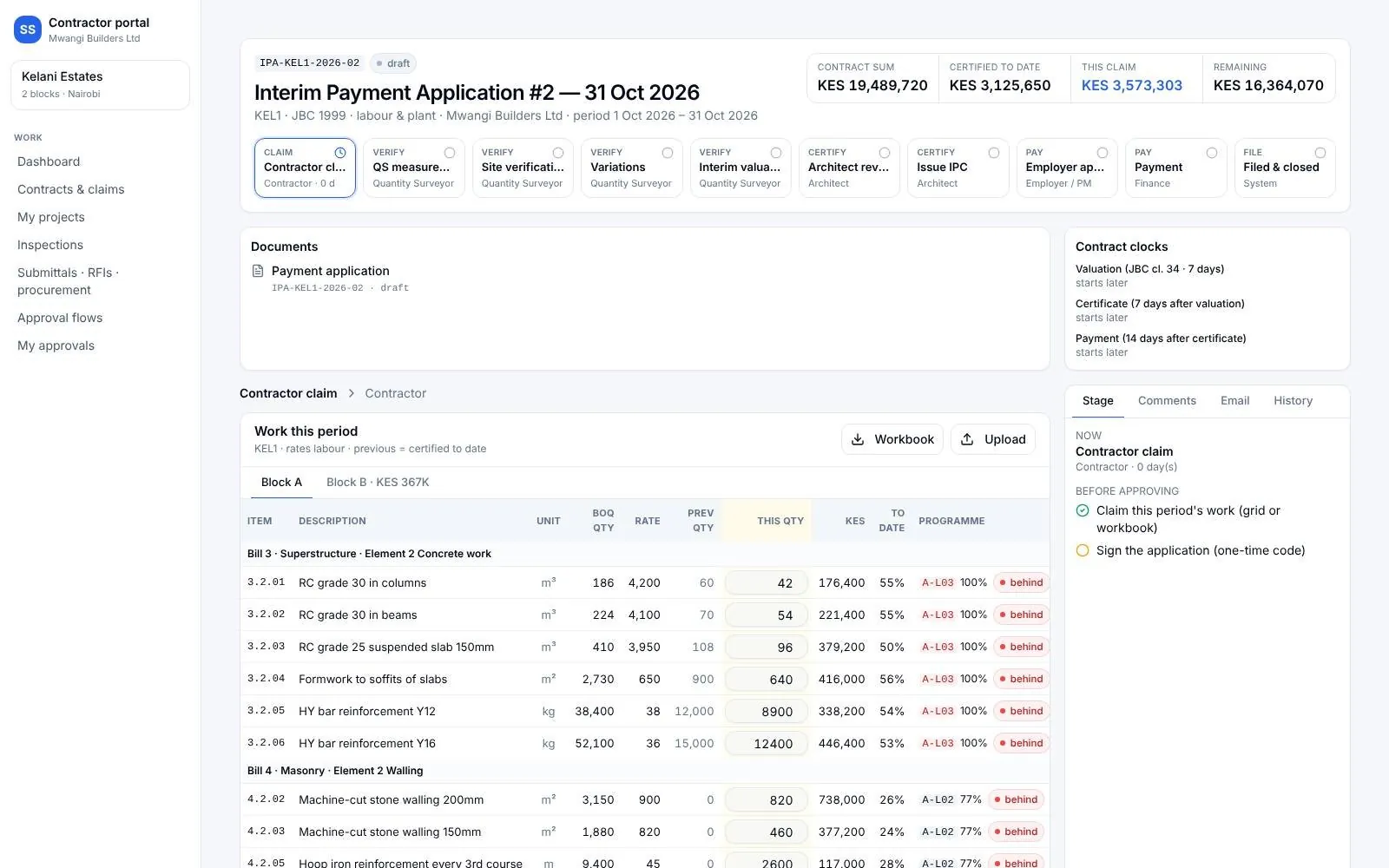
Claims
Claims by line, with evidence.
Interim payment applications arrive against BOQ lines, with the site evidence the contractor attached.
Certificates
IPCs from the valuation.
The certificate is built from the agreed valuation and signed in the portal.
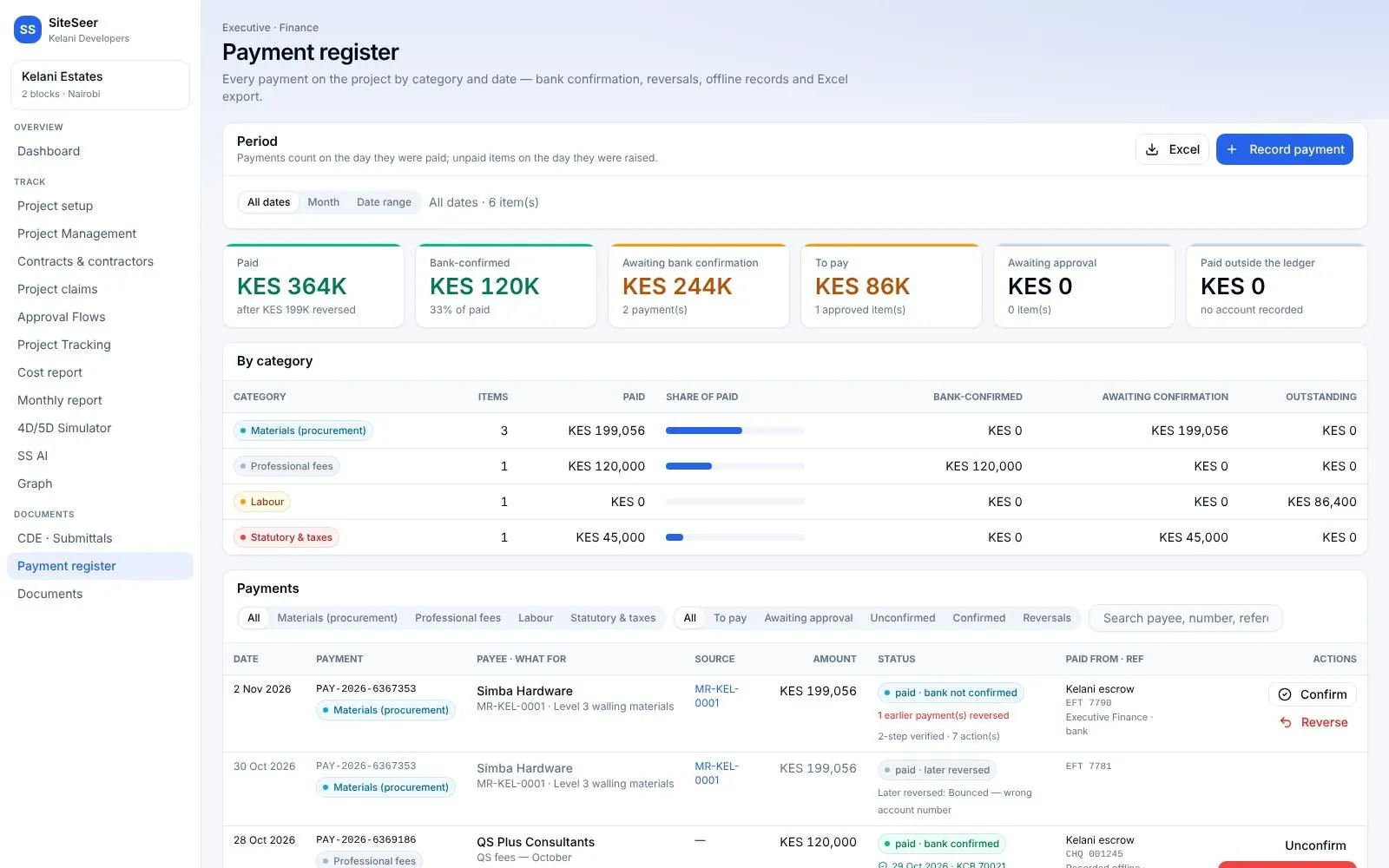
Register
The payment position, any day.
Certified, paid and outstanding, by contractor and category.
What it takes off your plate
Less chasing.More certainty.
Everything in Quantity surveyors
All the features.Built for real sites.
Payment claims
Interim payment applications against BOQ lines.
Joint measurement
Agreed quantities recorded on site, line by line.
Pending valuations
Your queue of valuations, with the time each has waited.
Generate IPC
Interim payment certificates built from the valuation.
Valuation reports
Valuation reports and cost statements to send.
Completion certificates
Completion certificates on the same record.
Contract management
Contracts, obligations and variations in one place.
Progress monitoring
Site progress and inspections beside the claim.
Client portal
Share certified figures with the client.
Practice tools
Team, time tracking, revenue and performance reports.
Works with
One record,many tools.
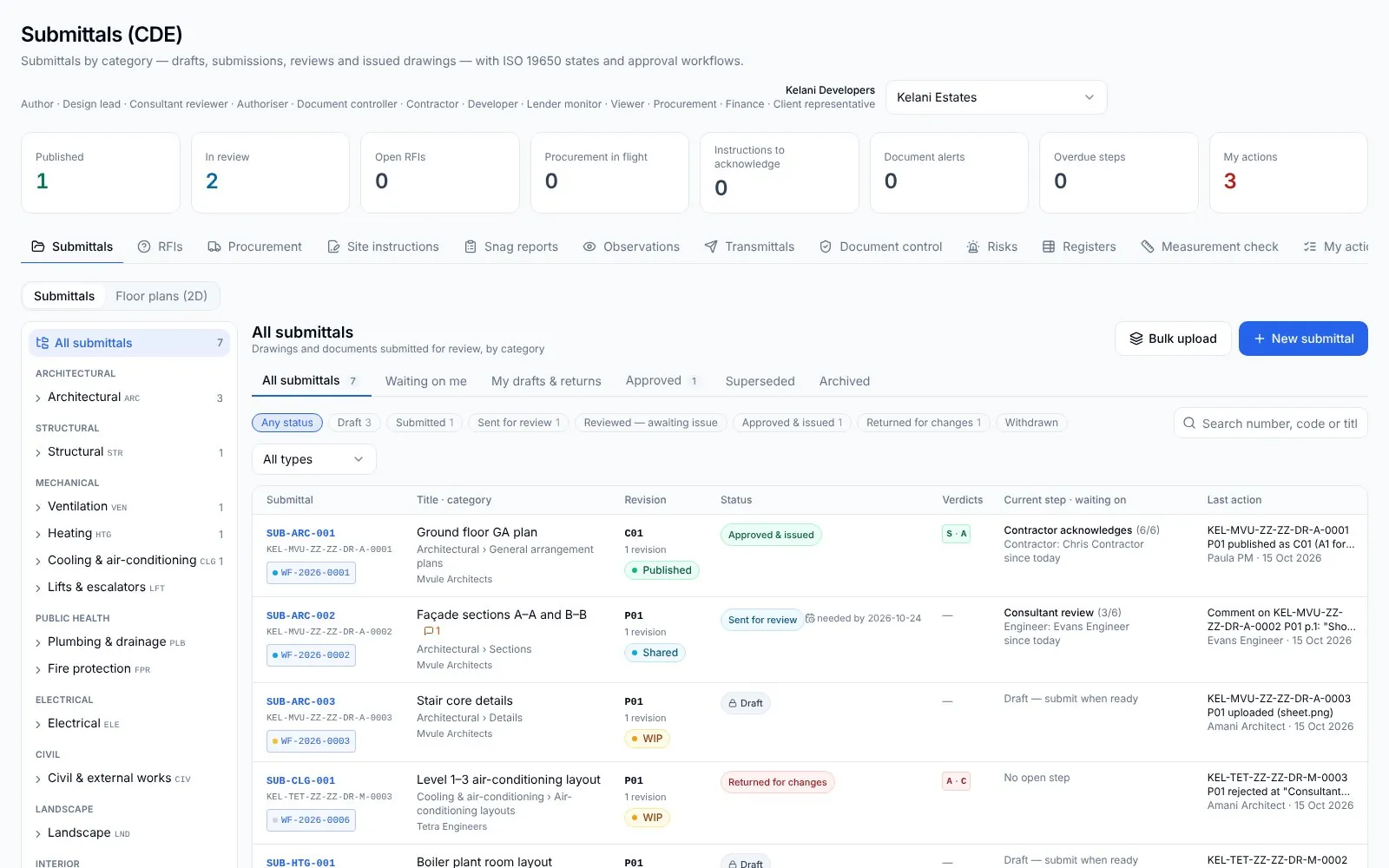 01
01Architects
Your drawings, approved. And built from the right revision.
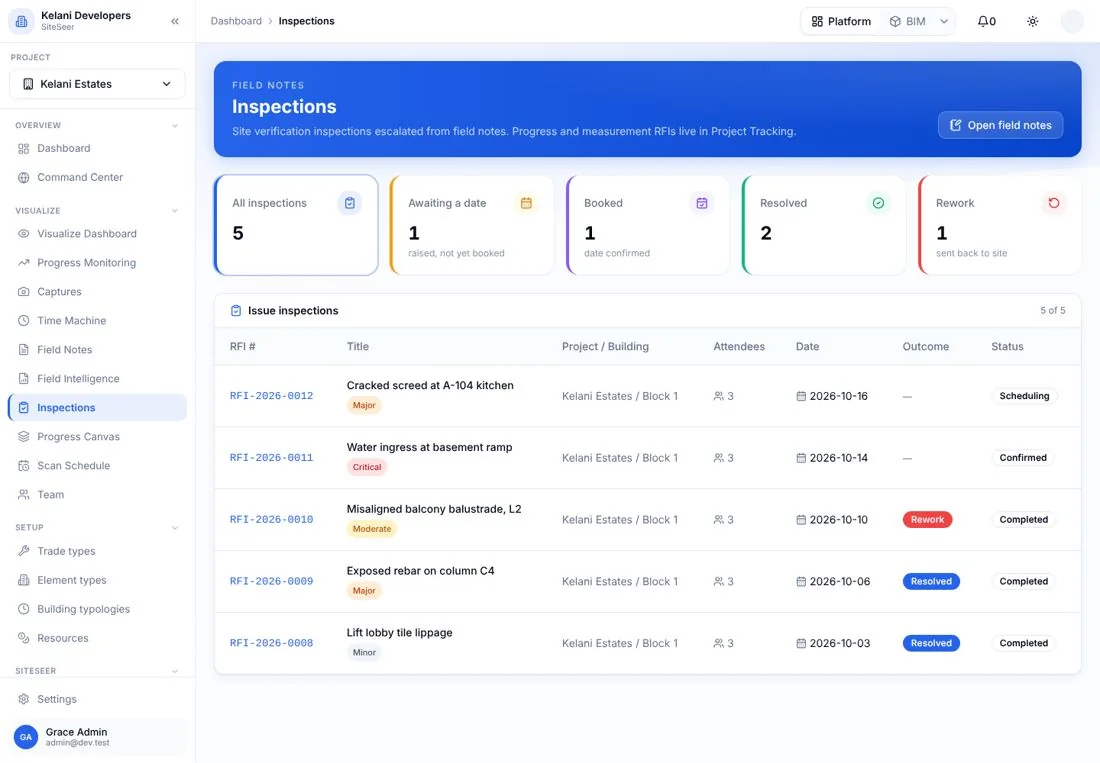 02
02Engineers
Inspect it. Test it. Certify it with the evidence.
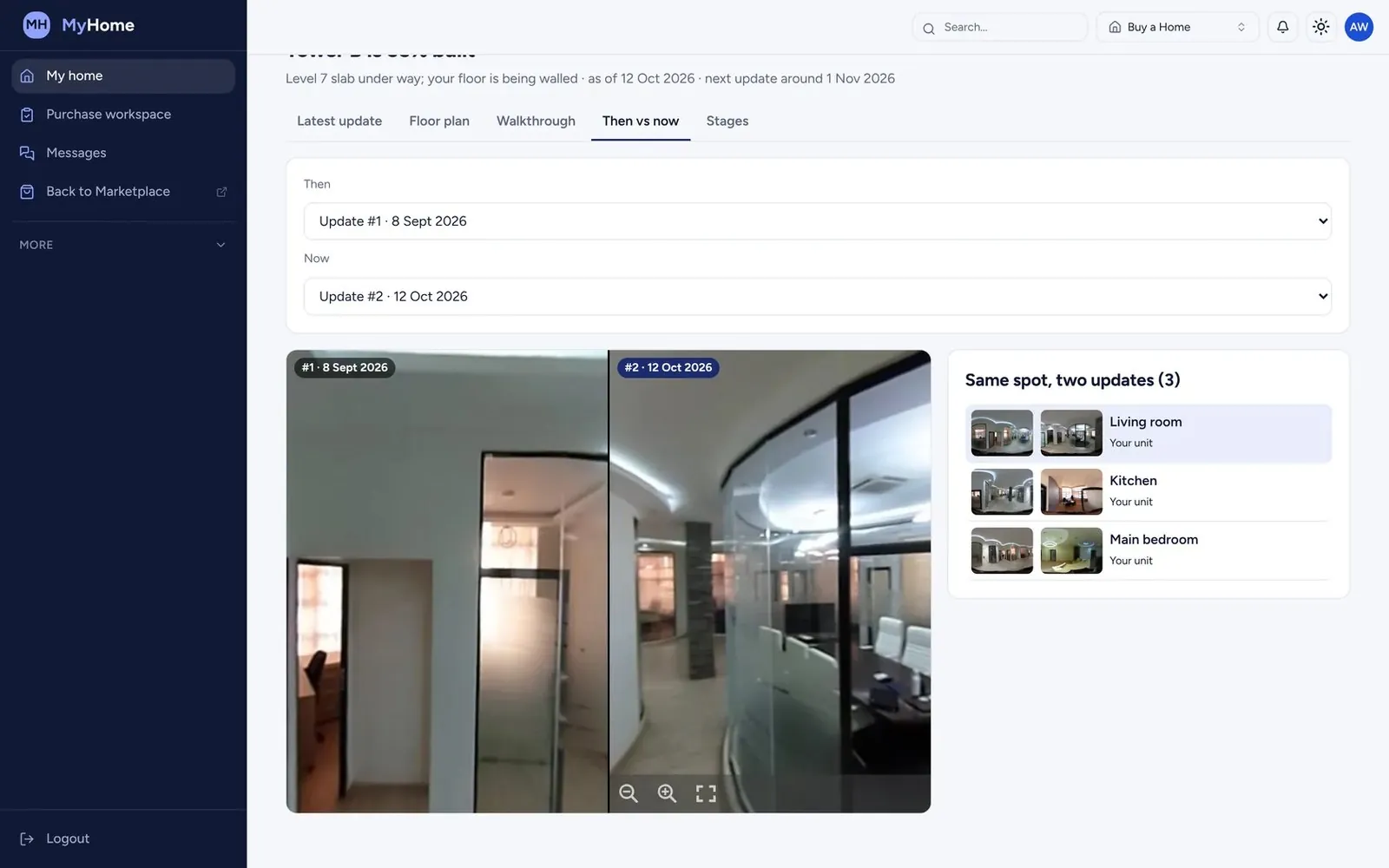 03
03Interior designers
See the finishes go in. Without a site visit every week.
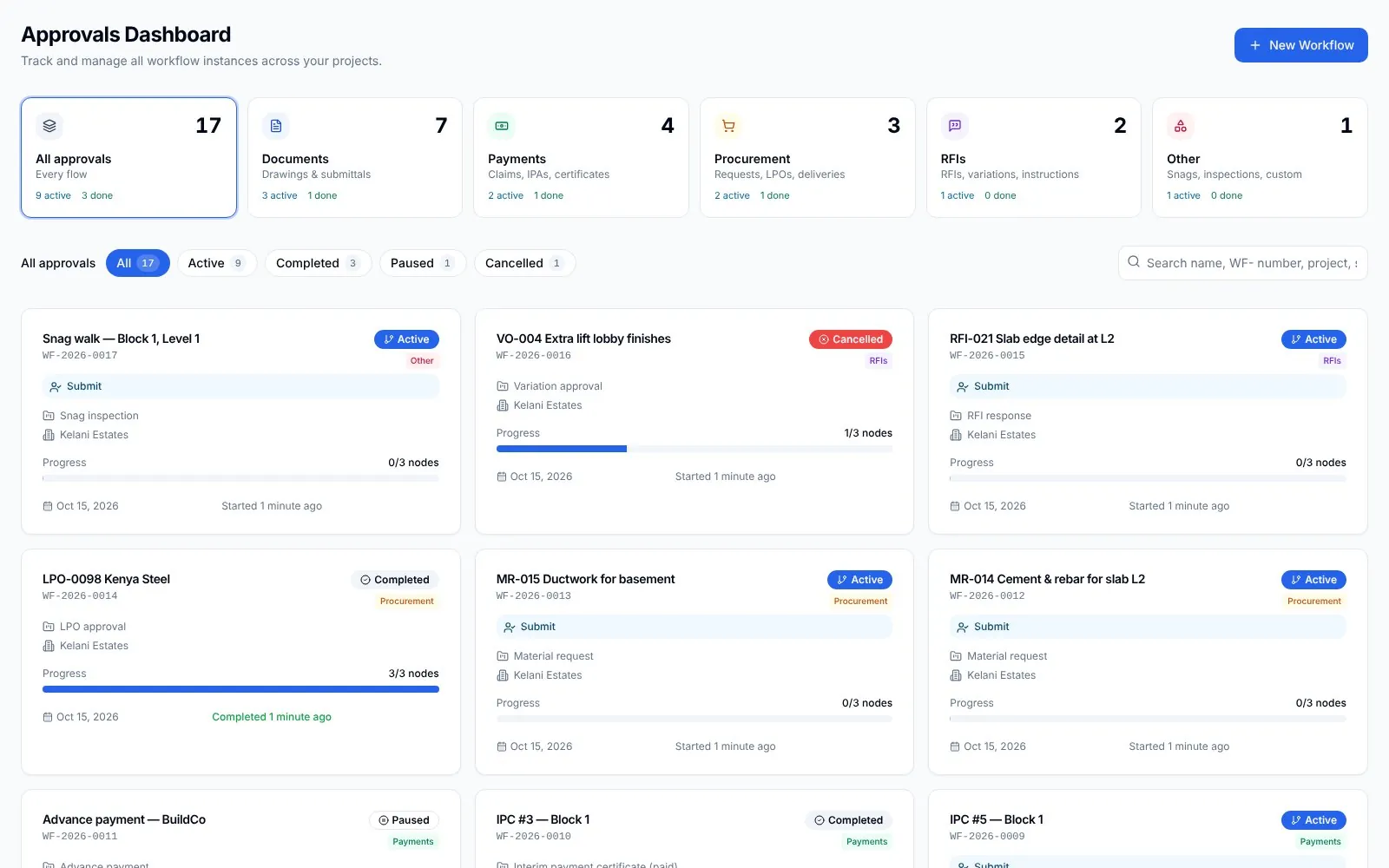 04
04Project managers
Every party moving. You know who holds what.
05SiteSeer Platform
Every approval moving. Every document on record.
06Track and IPA submissions
Pay for what was built. Nothing more.
Questions
Frequentlyasked questions
How SiteSeer fits around your team, your contracts and the way your site already works.
Claims and certificates follow the JBC flow used in Kenya: application, verification and payment, with retention and deductions.
Yes. Upload the BOQ workbook, with multiple sheets and split rates, and claims work from it.
They see the certified quantities and the reasons recorded against each adjusted line.
Run your next valuation on SiteSeer.
Bring a live BOQ and a recent claim. We will show you the valuation and IPC on your own figures.