
SiteSeer for interior designers
See the finishes go in.Without a site visit every week.
The interior design portal gives you the fit-out as it happens: 360° walks of each room, inspections and snags on finishes, and approvals on the same record as the contractor.
What you get
Catch it before it is grouted
360° walks of each room between visits show what was installed, and when.
Snags with a photo and an owner
Each snag on a finish is pinned to the room, assigned and closed only with a photo.
Approvals the contractor can't miss
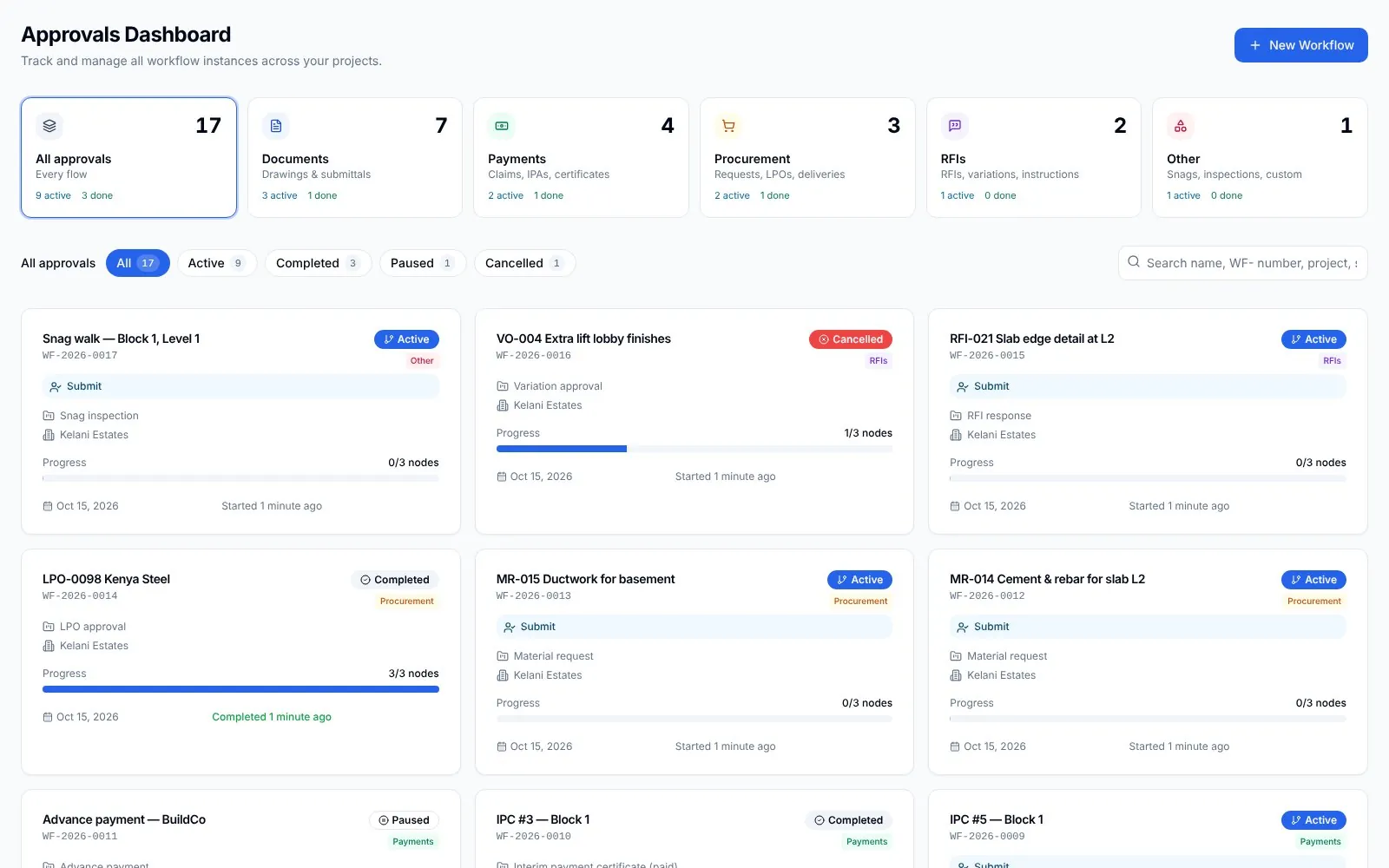
Finishes and changes go through approval flows with a holder and a date.
The problem
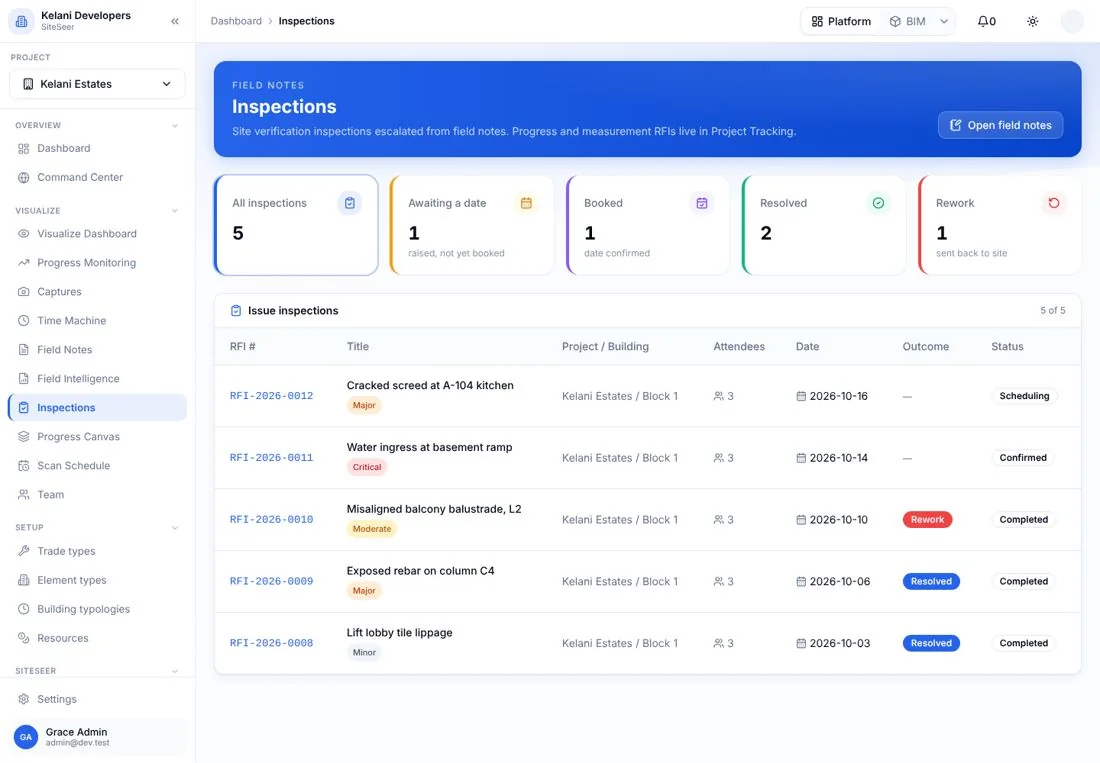
The tiles went in the wrong way round. You found out at handover, from a photo the client sent you.
01 · Specify
The finishes are on the record.
Your finishes schedule and approved samples sit with the room, so the contractor installs from the same specification you approved.
02 · Capture
See the room without a site visit.
The site team's 360° capture shows the kitchen the day the tiles went up. Compare it with last month at the same spot.
03 · Snag
Raise the snag on the spot.
The splashback went in portrait, not landscape. Pin it to the room with the photo, and it goes to the right trade with a date.
04 · Check fix
Accept the fix from your desk.
The fix is photographed from the same spot. Check it against the schedule and accept it, without another site visit.
05 · Closed
Closed, ready for handover.
The snag closes with its photo and lands in the handover snag report, room by room.
FIN-A104 · Kelani Estates · Block 1 · fit-out
A-104 kitchen · finishes
- 1Specify
- 2Capture
- 3Snag
- 4Check fix
- 5Closed
Finishes schedule · A-104 kitchen
- Splashback
- Porcelain 300 × 600 · landscape
- Grout
- 2 mm · charcoal
- Worktop
- Quartz 20 mm
- Sample
- Approved 02 Oct
- Installer
- BuildCo · tiling
360° capture · same spot
Snag SN-KEL-0187
- Issue
- Splashback laid portrait
- Should be
- Landscape, per schedule
- Location
- A-104 · kitchen · wall 2
- Trade
- Tiling · BuildCo
- Due
- Before grouting · Fri 24 Oct
Fix check · SN-KEL-0187
- Tiles laid landscapeTo check Done
- Grout 2 mm · charcoalTo check Done
- Joints aligned to worktopTo check Done
- Sealant at worktop edgeTo check Done
- Photo from the same spotTo check Done
Close-out
- SN-KEL-0187
- Closed with photo
- A-104 snag report
- 0 open
- Handover
- Ready for inspection
Closed · in the handover report
Interior designer portal · demo record
What it does
Inside the interior designer portal.Real screens, real projects.
Visualize
Walk every room in 360°.
Captures pinned to the floor plan, update by update.
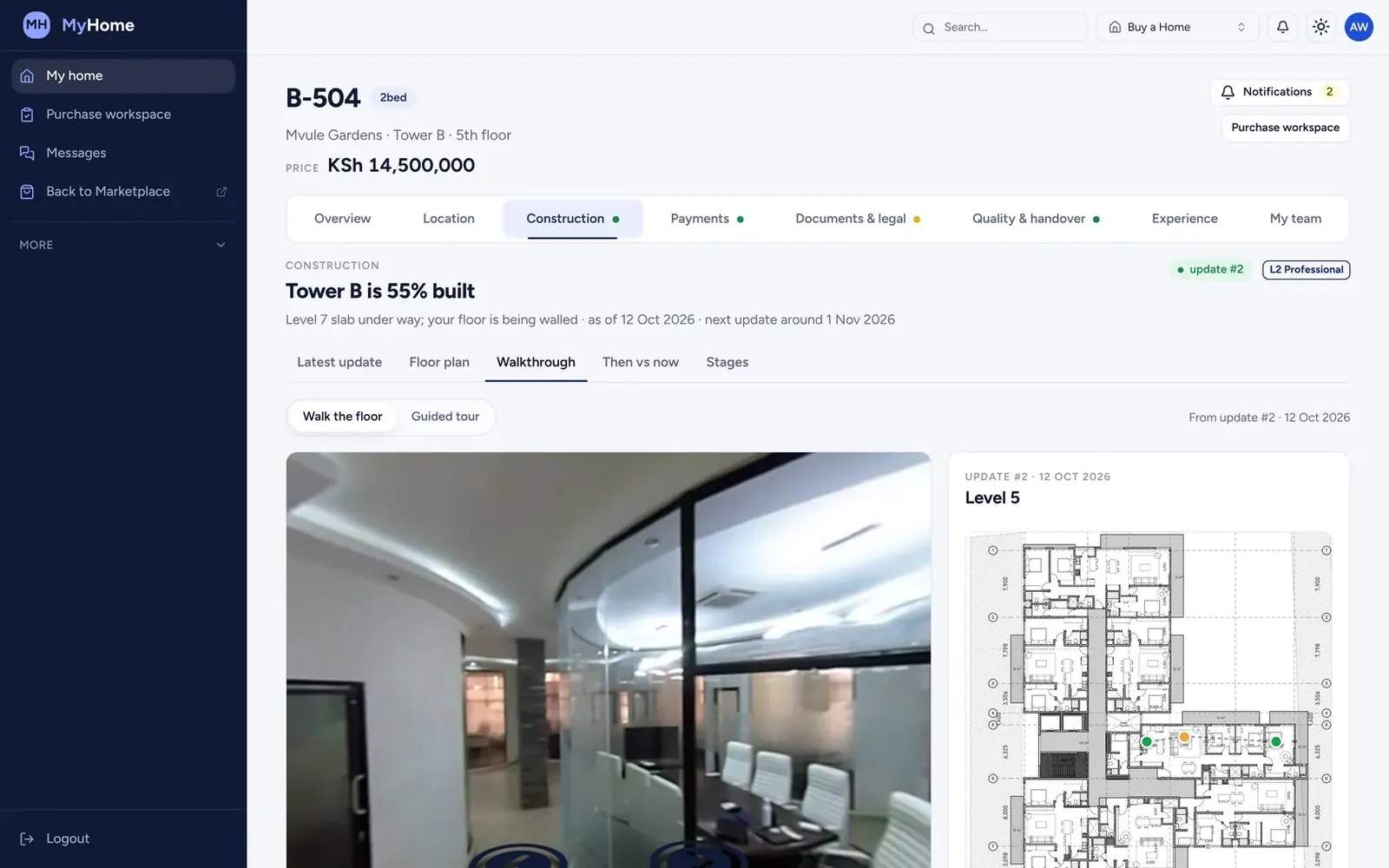
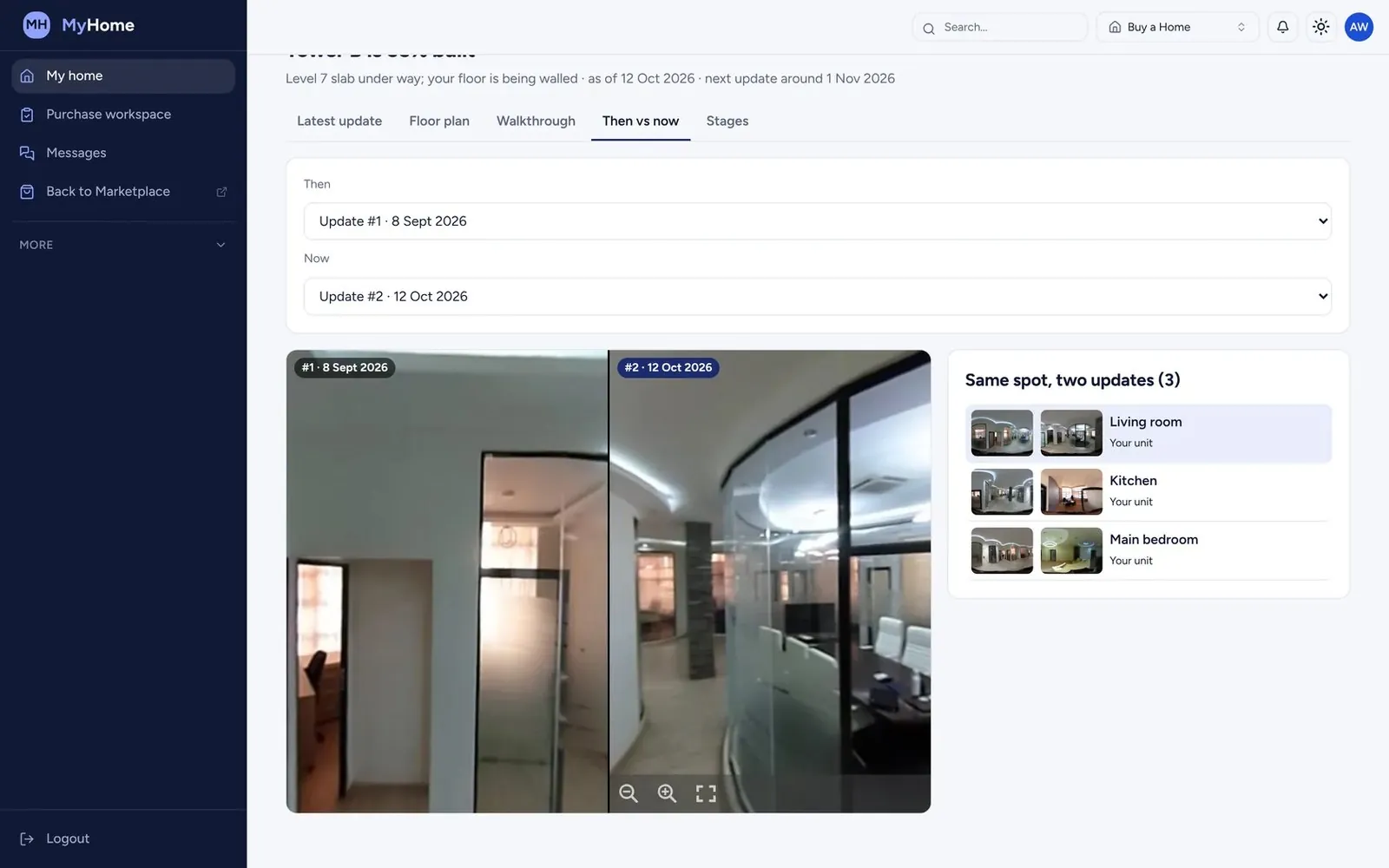
Then and now
The same spot, months apart.
Put two updates side by side to see exactly what changed.
Snags
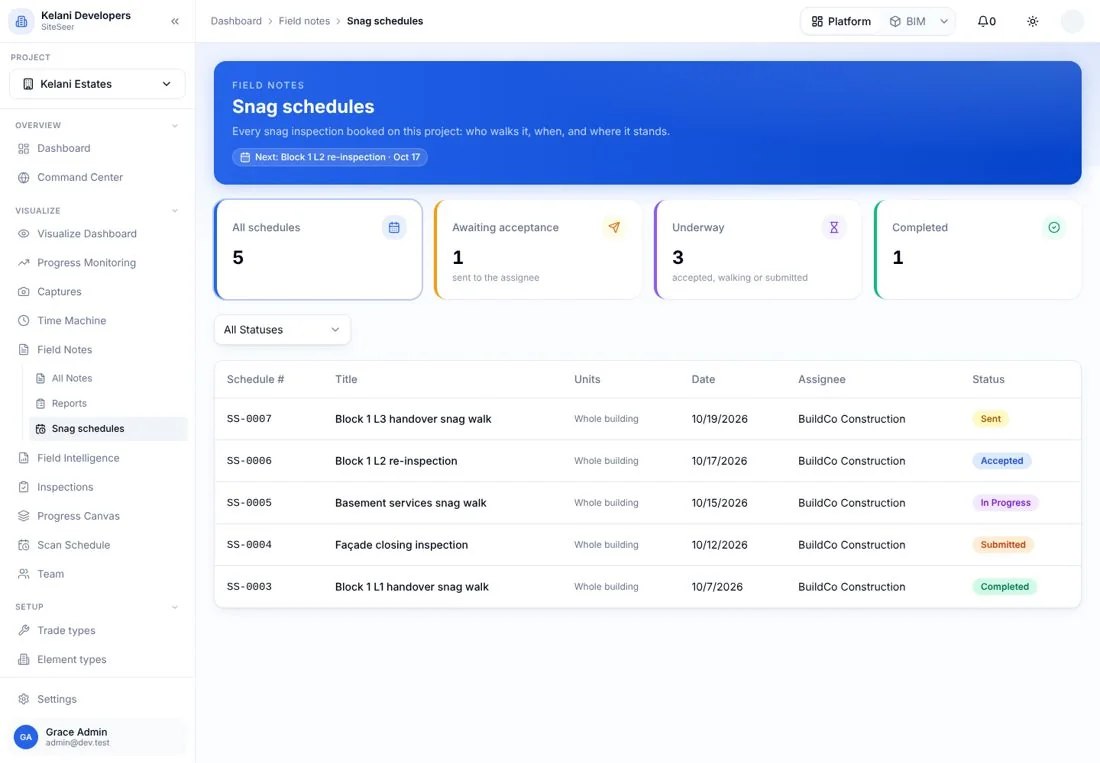
Snag schedules by room.
Snag rounds and schedules, with photos, owners and status.
Approvals
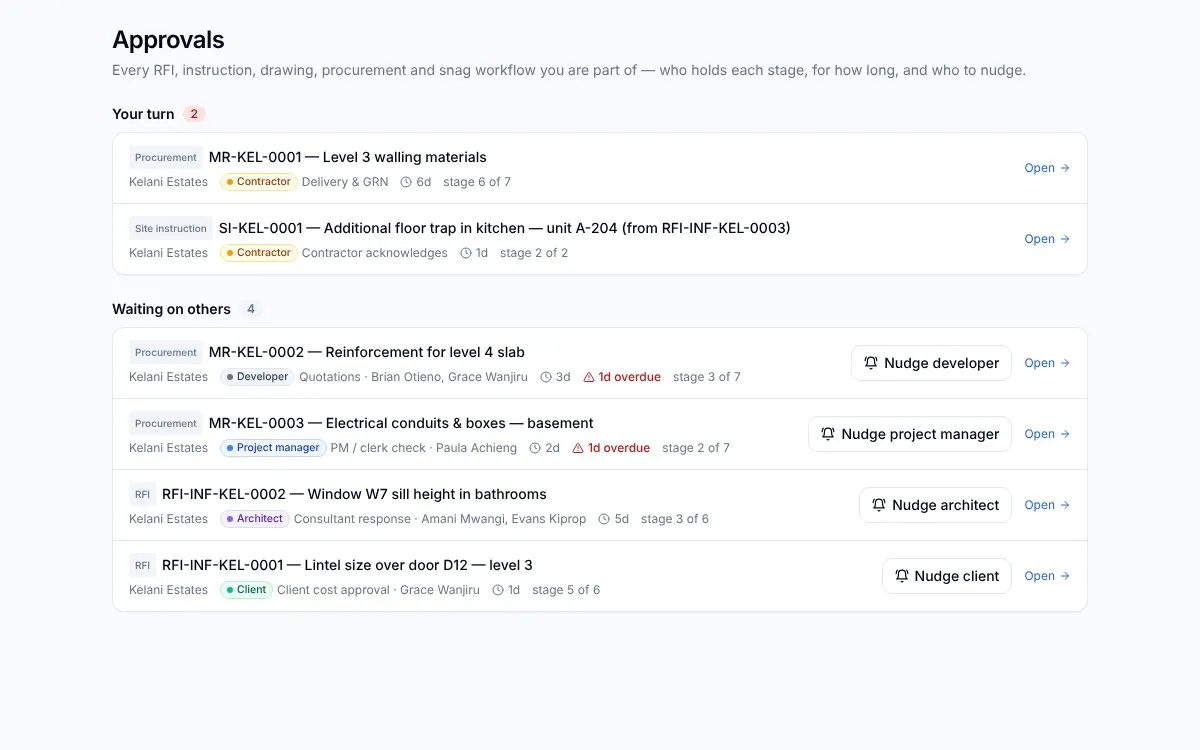
Approvals with a holder.
Finishes and changes approved on record, with the time each stage took.
What it takes off your plate
Less chasing.More certainty.
Everything in Interior designers
All the features.Built for real sites.
Visualize
360° captures of every room, pinned to the plan.
Inspections
Inspections of finishes and fit-out.
Snagging reports
Snags with photos, owners and status, ready for handover.
Approval flows
Finishes and changes approved with a holder and a date.
Project tracking
Fit-out progress across your projects.
Reports
Reports to share with the developer and the client.
Team
Invite your studio and assign work.
Works with
One record,many tools.
 01
01Architects
Your drawings, approved. And built from the right revision.
 02
02Engineers
Inspect it. Test it. Certify it with the evidence.
 03
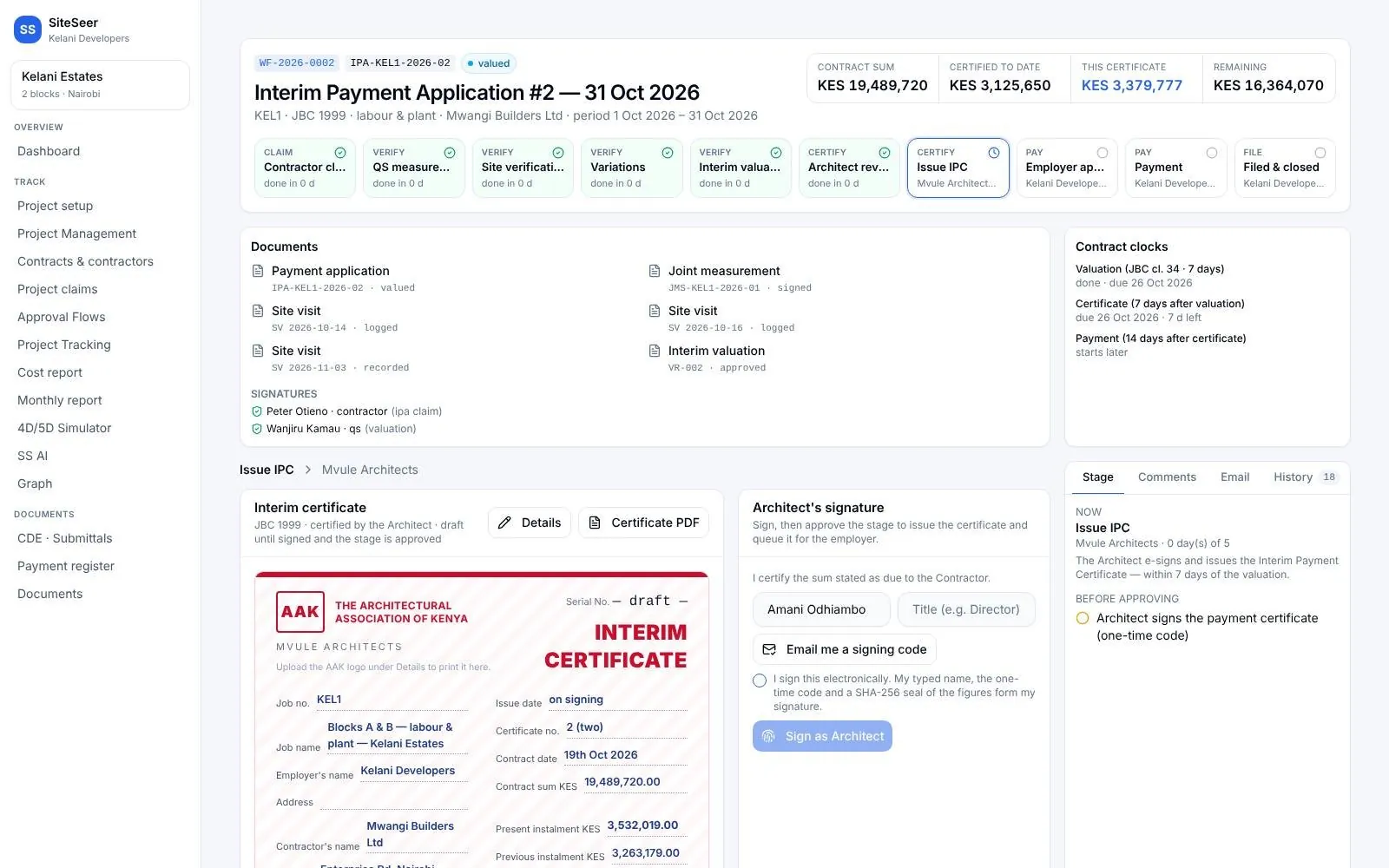
03Quantity surveyors
Value what was built. Certify it in days, not weeks.
 04
04Project managers
Every party moving. You know who holds what.
05SiteSeer Platform
Every approval moving. Every document on record.
06Track and IPA submissions
Pay for what was built. Nothing more.
Questions
Frequentlyasked questions
How SiteSeer fits around your team, your contracts and the way your site already works.
The developer's site team, as part of each update. You see them in your portal as soon as they are published.
Yes. Raise them from the capture or the plan, and they are assigned to the contractor responsible.
No. You see the projects you are invited to, with the access your role needs.
See your next fit-out as it happens.
We will set up one of your projects and show your studio the interior design portal.