

Sera AI by SiteSeer · on your phone
Your whole project,in one chat.
Documents, approvals, procurement, snags, WhatsApp and email come down to one list of things to act on. Ask in plain words, tap once, and it is done and recorded on the platform, wherever you are.
What you get
Act where you are
Close snags, sign requests, approve steps and send to-dos from the phone, in a tap.
Nothing slips
What is late, who holds it and for how long, with one tap to nudge them all.
Still on the record
Every action lands on the platform with who did it and when. Nothing changes without a person's tap.
The problem
The project lives in a laptop, five WhatsApp groups and an inbox. On site or on the road, you find out late, chase from memory, and the decision you made on a call is written down nowhere.
Sera works on the same record as the platform, so what you approve on the phone is what your team sees on the web.
Sera AI by SiteSeer · one place to act
Everything on your project comes down to one list.
Ask, tap, done
Act on it from your phone. It still lands on the platform.
Waiting on you · 0today
- Level 2 GA planDocuments · Your review · step 3 of 6Open
- Cement & sand — approve stepApprovals · Quotations · 1 day overdueOpen
- 3 quotes in for the rebarProcurement · Kilele Steel meets ThursdayOpen
- 2 snags to sign offSnags · Before and after attachedOpen
- Hazard · scaffold board, L4Site safety · Joseph (safety) alertedOpen
- RFI-0031 answeredRFIs · Cost impact · becomes a variationOpen
- Delivery · 8 bags shortWhatsApp · From the store on WhatsAppOpen
- Invoice INV-2231Email · Match it to LPO-0187Open
- 2 variations on ChrisVariations · Waiting 4 daysOpen
- 5 meeting actionsMeetings · 1 has no owner yetOpen
- Block B slab · 3 days behindProgramme · Lift install blocked by powerOpen
- IPA-07 evidencePayments · Skirting line has no photosOpen
Sera on your phone · 01 · Snags
Close snags from the corridor.
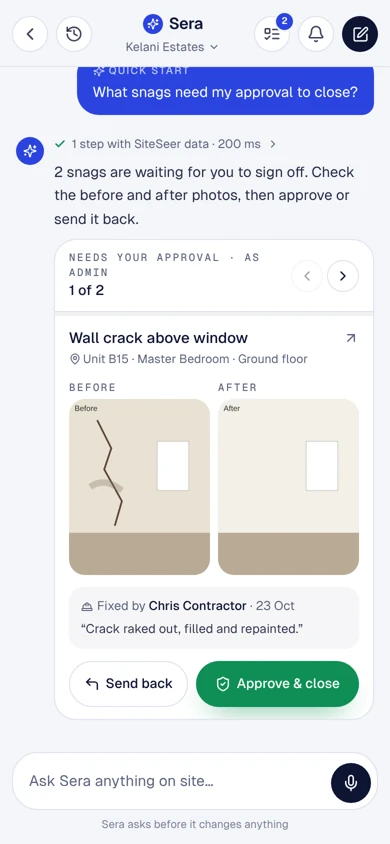
Sera lists what is waiting on you, with the before and after photos. Approve and close, or send it back, without opening a laptop.
Sera on your phone · 02 · Procure
Say what the site needs.
A message or a voice note becomes a signed material request, matched to the BOQ and sent into your procurement flow.
Sera on your phone · 03 · Prices
Compare prices before you approve.
Quotes side by side with delivery dates, the spec and the market range, then sent to whoever can approve that amount.
Sera on your phone · 04 · Team
Bring the right people in.
To-dos for your architects, contractors and suppliers go out on WhatsApp and email, and come back to you when they are done.
Sera on your phone · 05 · Follow up
Never chase from memory.
Ask what is late and who holds it. One tap nudges everyone on the list, with the items attached.
Sera on your phone · 06 · Progress
Know where the project stands.
Programme and progress from the site record, and the report your bank asked for, sent from the same chat.
Sample data · Kelani Estates
1 step with SiteSeer data · 200 ms
2 snags are waiting for you to sign off. Check the before and after photos, then approve or send it back.
Wall crack above window
Unit B15 · Master Bedroom · Ground floor
Closed SN-0142. Chris Contractor was told on WhatsApp, and it moves to closed in the snag report.
2 steps with SiteSeer data · 340 ms
Matched to BOQ 3.4 and 4.2, within budget. Sign it and I'll send it into procurement.
MR-KEL-0012 is in procurement. Paula (PM) checks the quantities next.
- Raise material requestDone · you · just now
- PM checks quantitiesPaula PM · waiting
- QuotationsProcurement
- Approve · Issue LPODeveloper · Procurement
3 steps with SiteSeer data · 410 ms
Three quotes are in. Only Kilele Steel meets Thursday and the spec.
- A · Kilele SteelKSh 145,000Best compliant✓ Thu 29 Oct✓ B500B · mill cert
- B · Tana HardwareKSh 138,500CheapestCan't confirm Thu✓ B500B
- C · Rift MetalsKSh 151,200✓ Wed 28 OctNo mill cert
Within budget. KSh 145,000 goes to Paula (PM) — she can approve up to KSh 250,000.
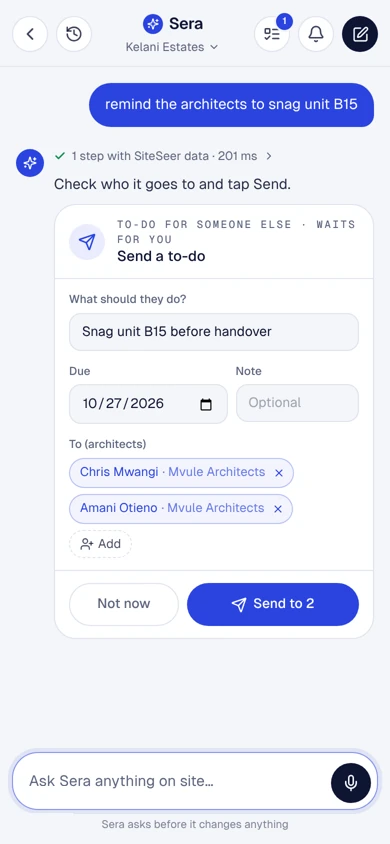
1 step with SiteSeer data · 201 ms
Check who it goes to and tap Send.
WhatsApp EmailTracked in To-dos · Sent by me
4 steps with SiteSeer data · 520 ms
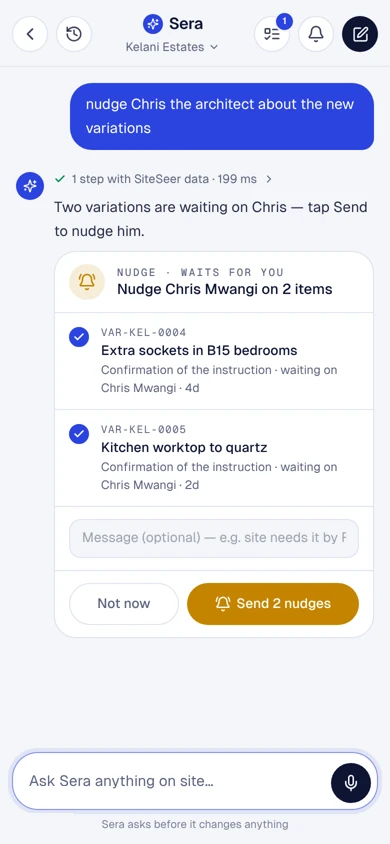
Nine things are past their due date. Two variations are waiting on Chris — tap Send to nudge him.
- Paula PM4
- Chris Mwangi2
- Devki Steel2
- BuildCo1
- VAR-KEL-0004Extra sockets in B15 bedroomsConfirmation of the instruction · waiting on Chris Mwangi · 4d
- VAR-KEL-0005Kitchen worktop to quartzConfirmation of the instruction · waiting on Chris Mwangi · 2d
3 steps with SiteSeer data · 640 ms
Block B is 64% complete, 2% behind the programme. Level 4 blockwork is the one to watch.
- Levels 1–292%
- Level 370%
- Level 441%
- Roof slab0%
Sera asks before it changes anything
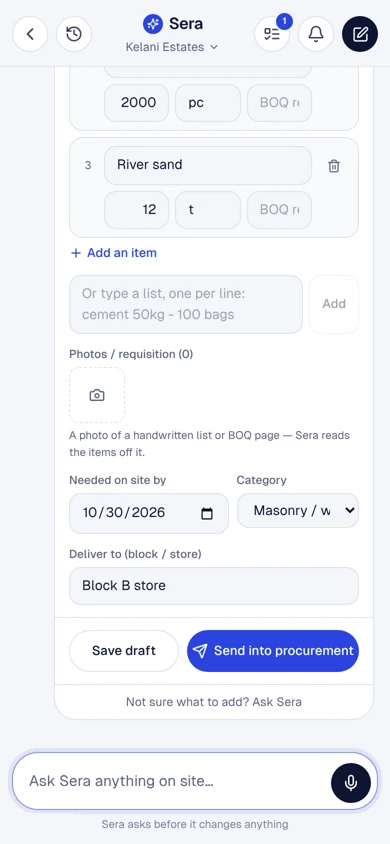
3 items, needed by Friday 30 Oct. It goes to the PM / clerk of works to check the quantities first.
- • Cement 50kg (OPC 42.5) — 100 bag
- • Machine-cut blocks 200mm — 2000 pc
- • River sand — 12 t
Requested by (type your name to sign)
I confirm this request and sign it electronically.
Back to the main platform
Every tap is a record.Not a chat that disappears.
Sera works on the same data as the platform. What you approve, send or sign on the phone is saved there, with who did it and when, so your team sees it on the web and you can trace it later.
Done in Sera today
- Approved & closedWall crack above window…
- Signed & sentCement & sand — Block B slab…
- Sent to 2Snag unit B15 before handover…
- 2 nudges sentVAR-KEL-0004, VAR-KEL-0005…
- EmailedWeekly summary · week 43…
Sample data. Each row opens the record it changed.
Recorded
Every tap writes to the same record as the web platform: what changed, who did it, when, and from which device.
Viewable
Open any action on the platform: the snag with its photos, the order with its quotes, the to-do with its replies.
Traceable
Sign-offs keep the typed name and the version they were given on. Audits and disputes start from evidence, not chat history.
One assistant, four doors. Type, talk or send a photo. Same permissions everywhere: each person only sees what they are allowed to.
- Sera app on your phone
- The web platform
What Sera can do
Everything the platform does,in your pocket.
- action cards in the chat
- 51action cards in the chatEach ends in a button: approve, send, sign, assign
- quick starts
- 31quick startsOne tap from the Sera home screen
- ways in
- 4ways inThe app, the web platform, WhatsApp, email
- changes without your tap
- 0changes without your tapSera prepares, a person decides
Close, assign, approve with before and after, send back, report.
- Open snags
- Needs my approval
- On me
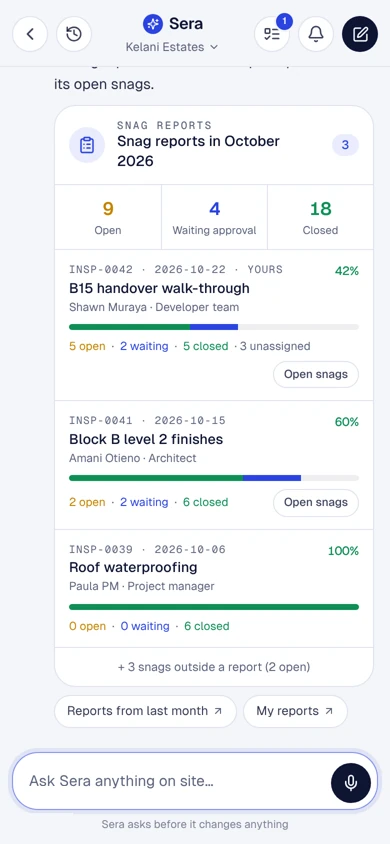
- Snag reports
- Snag report PDF
- AI floor scan
- Check an issue
- Compare progress
Quick starts are the buttons on the Sera home screen. You can also just ask, type or send a voice note.
Steps, not searching. Three everyday jobs.
Open the laptopFind the projectSnagsFilterOpen itCheck the photosCloseMessage the contractor
AskApprove & close
Find each variationSee who holds itCopy the detailsWhatsApp themEmail themNote it somewhere
AskSend 2 nudges
Open the formFind the BOQ linesType the itemsAttach the listSignSubmit
Say itYes, sign & send
What it does
Inside Sera AI by SiteSeer.Real screens, real projects.
Approve
Close with evidence.
Sera shows what needs your sign-off with the before and after photos and who fixed it. Approve and close, or send it back with a reason.
Snags
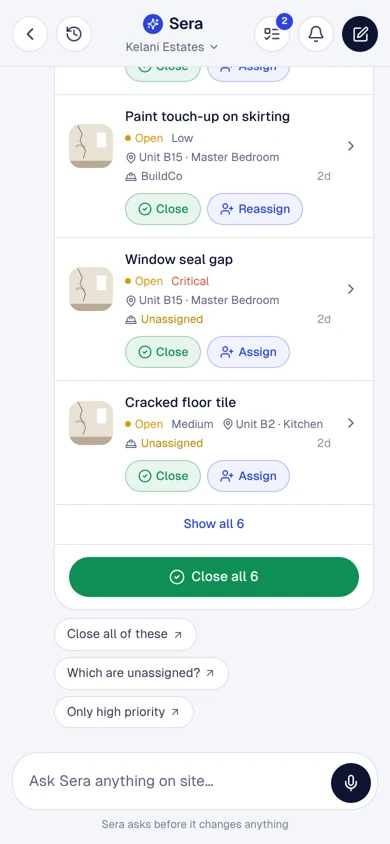
Act on the whole list.
Open snags by unit and room, close or assign them one by one or all together. Bulk actions always ask twice.
Procurement
Requests and approvals in the chat.
Raise a material request with the items and the date it is needed, then follow it through the PM check, quotes, LPO and delivery.
Team
To-dos for anyone on the project.
Sera finds the right people by role, sends the to-do on WhatsApp and email, and shows you when each one is done.
Follow up
Nudge, with the items attached.
Variations, RFIs and approvals waiting on someone are gathered into one nudge, with the links to act on them.
Reports
Reports from the record.
Snag reports by period, weekly summaries and valuations as PDFs, saved to the CDE and sent from the chat.
What it takes off your plate
Less chasing.More certainty.
Everything in Sera AI by SiteSeer
All the features.Built for real sites.
Snags
Close, assign, approve with before and after, send back, snag reports and PDFs.
Material requests
From a message, a voice note or a photo of a list; matched to the BOQ, signed and sent.
Quotes and market prices
Quotes side by side with delivery and spec, checked against this week's market range.
Approval steps
Approve, send back or ask for changes on procurement and CDE flows; routed by amount.
To-dos and nudges
To-dos for anyone on the project, nudges with the items attached, on WhatsApp and email.
Programme and progress
Status, critical path, risks and the look-ahead, from the programme and the site scans.
On site
Daily reports, hazards with a call-first button, inspections, voice notes and photos.
Reports and files
Weekly summary, snag report, valuation and LPO PDFs, saved to the CDE and shared.
Same permissions
Sera only sees, and only does, what the person asking is allowed to.
Works with
One record,many tools.
 01
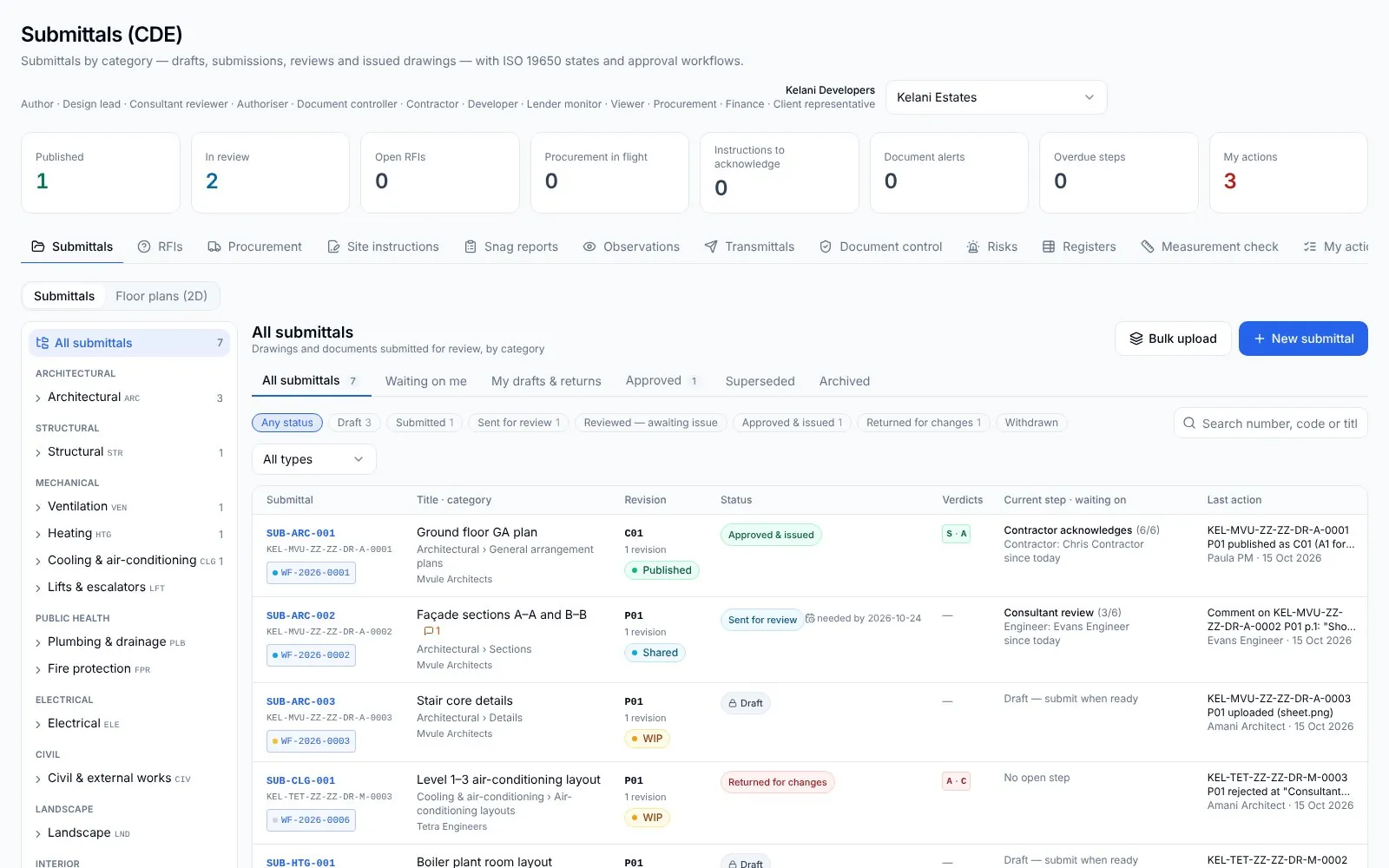
01SiteSeer Platform
Every approval moving. Every document on record.
 02
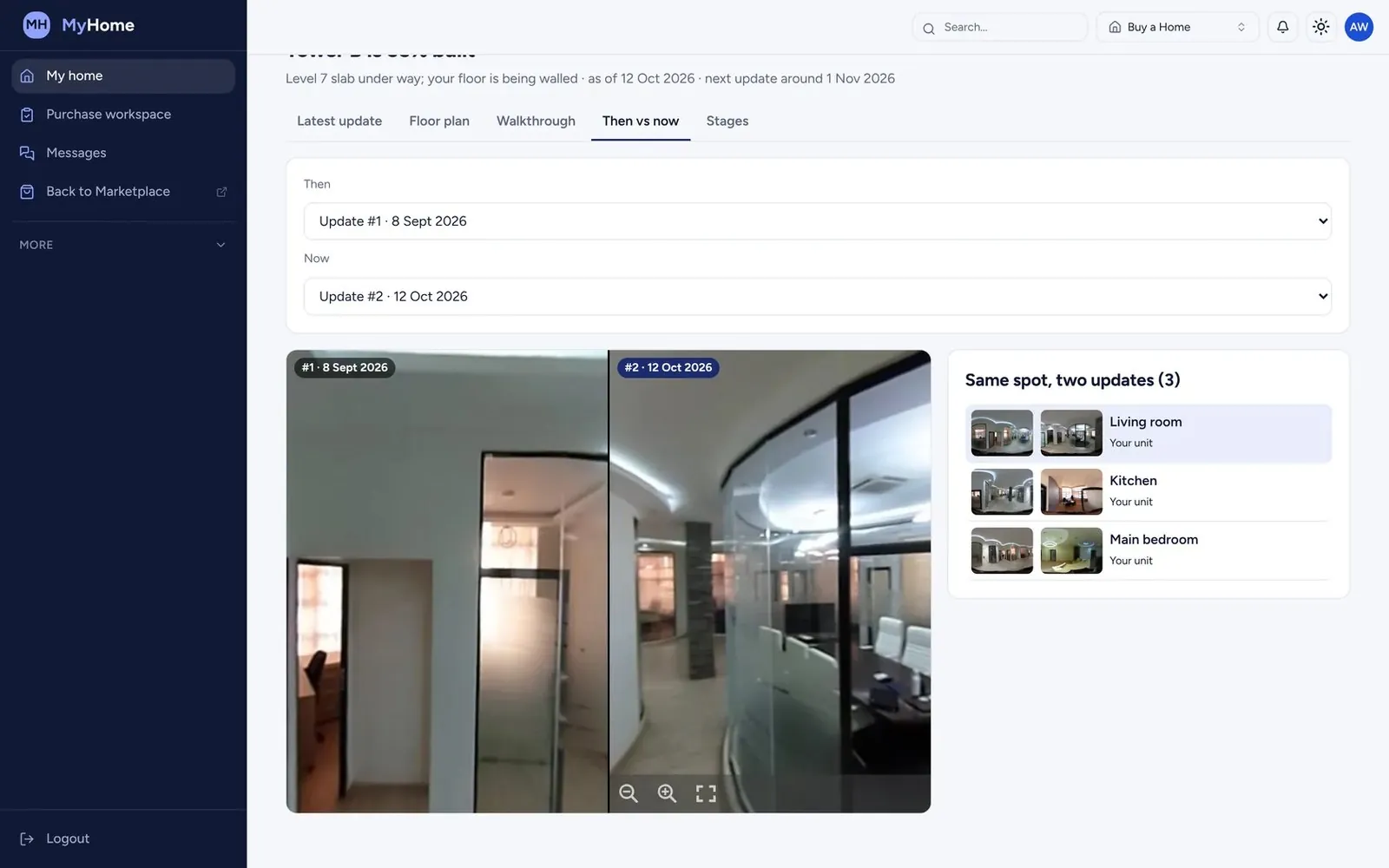
02SiteSeer Visualize
See your whole site. From anywhere, on any date.
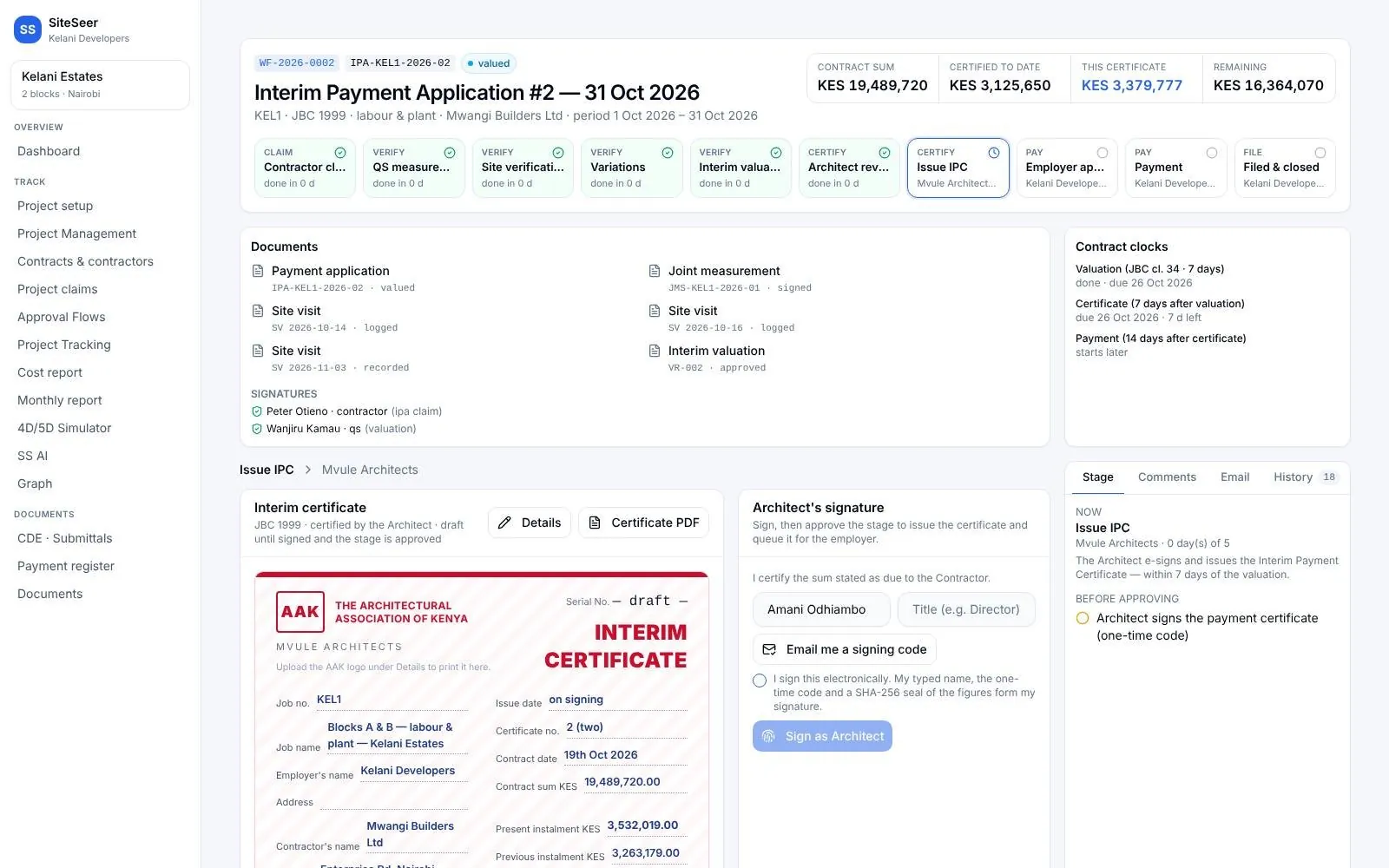 03
03Track and IPA submissions
Pay for what was built. Nothing more.
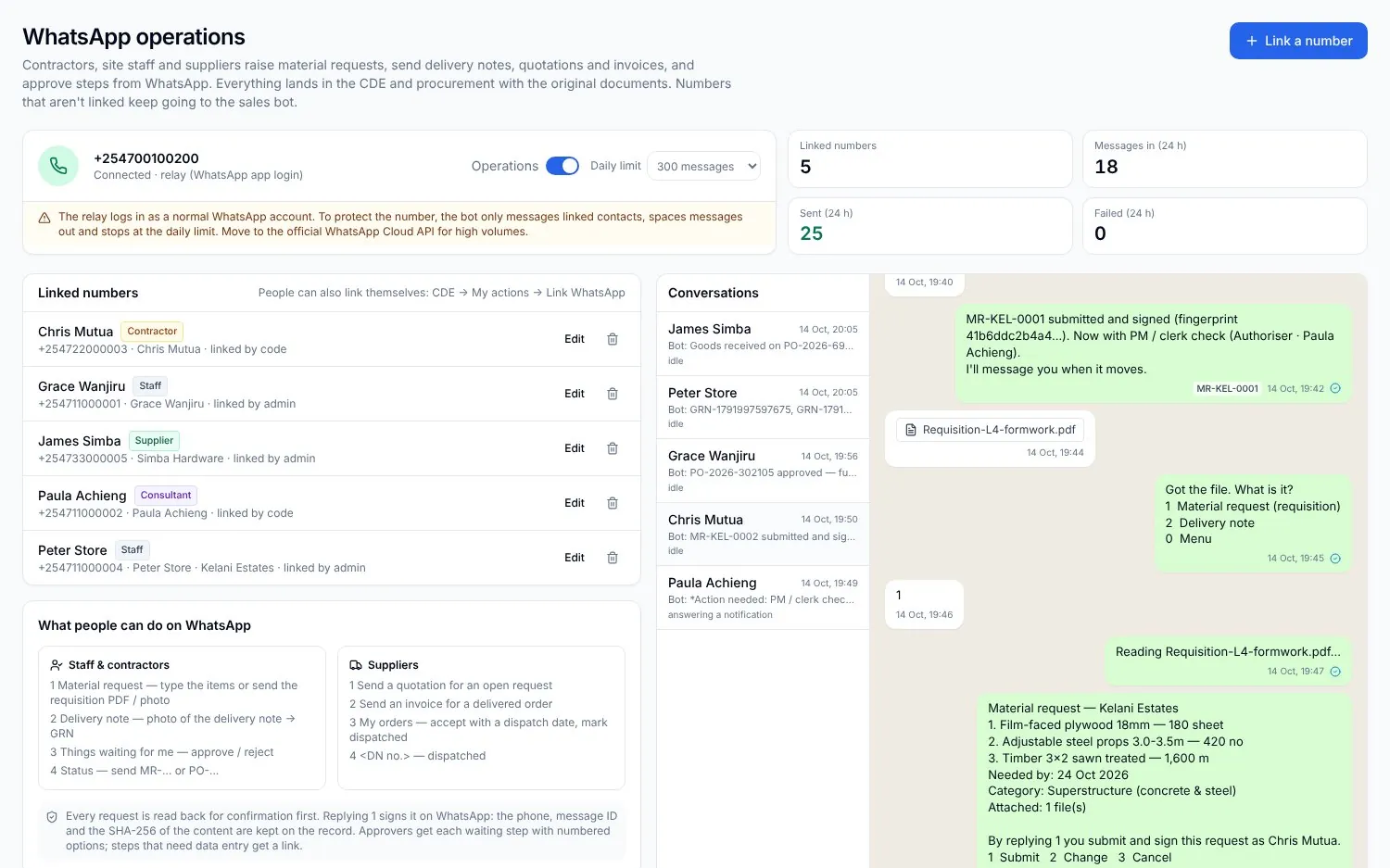 04
04Procurement on WhatsApp
Buy what the site needs. Never more than the budget.
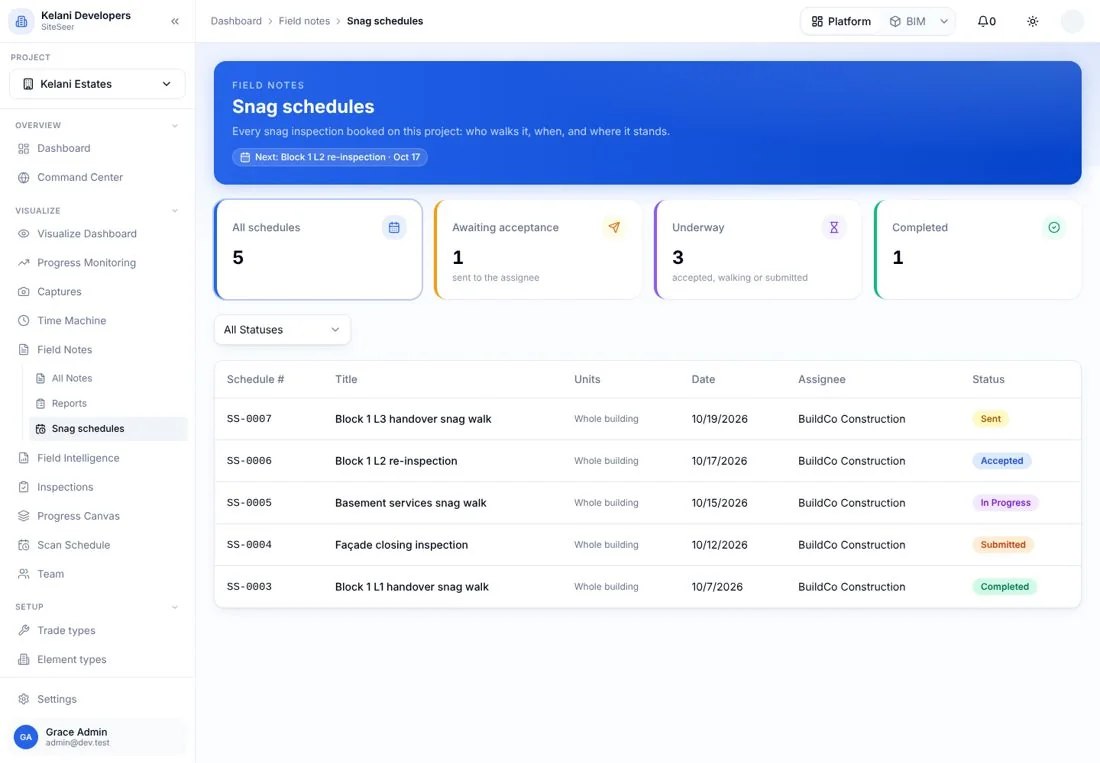 05
05Snagging and snag reports
Snags closed, not just listed.
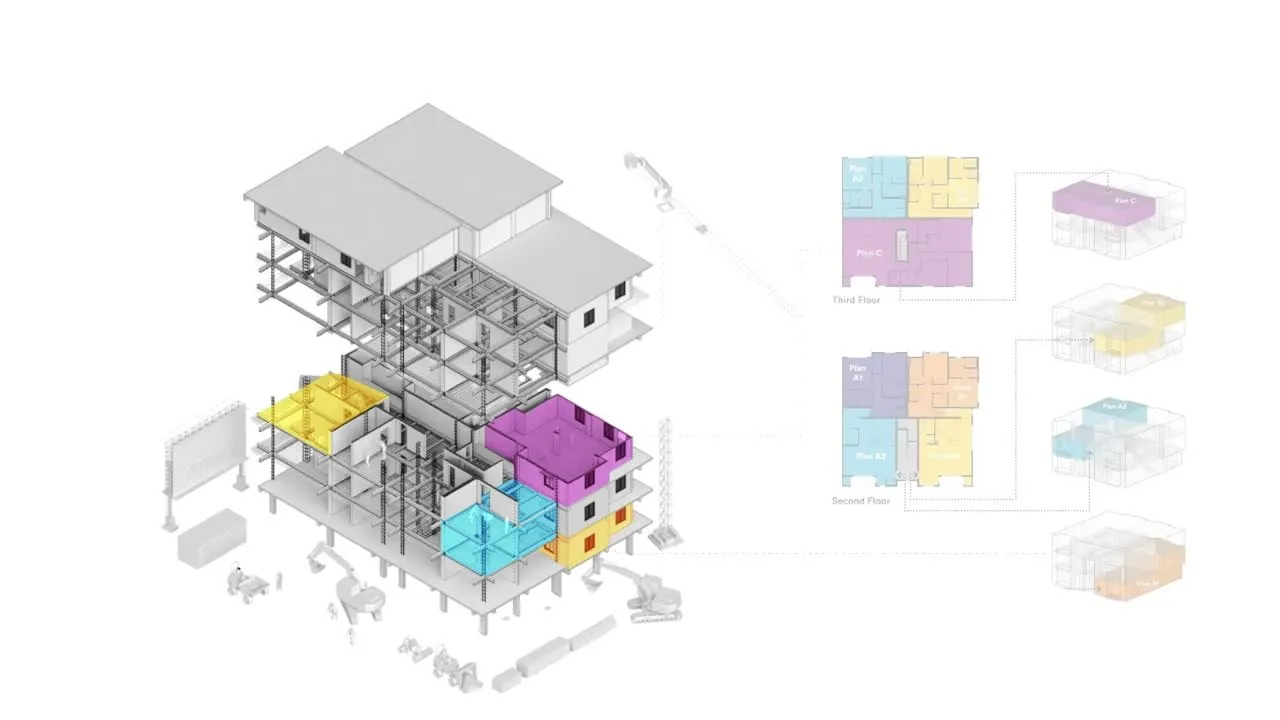 06
06SiteSeer BIM
Walk your building before it is built.
Questions
Frequentlyasked questions
How SiteSeer fits around your team, your contracts and the way your site already works.
No. Sera prepares the action and shows it as a card. Nothing is closed, sent, signed or approved until a person taps, and bulk actions ask twice.
To the same record as the web platform. A snag closed in Sera is closed on the platform, with who closed it and when; a request signed in Sera starts the same approval flow.
Anyone on the project, with the permissions they already have. A contractor sees their own snags and orders; the developer sees everything on their projects.
Yes. Requests, approvals and deliveries already run on WhatsApp, and Sera's to-dos and nudges go out on WhatsApp and email.
Put your project in your pocket.
We will load a project and show you Sera answering, and acting, on your own data.